9 Unique Apps to Try on the iPhone Duo: Apple’s first folding phone is
Apple launched the iPhone Duo folding phone with a 7.6-inch screen, inspiring indie developers to release nine unique apps that use its physical hinge.
By Dillip Chowdary • Oct 25, 2026 • Source: Wired
Apple launched the iPhone Duo, marking the company's first folding smartphone and introducing a dedicated Made for iPhone Duo badge across the App Store. Although Android manufacturers have sold foldable mobile devices for seven years, independent software creators have rushed to publish imaginative releases tailored to Apple's folding architecture, according to Wired's report. The new hardware combines an external preview display with a folding 7.6-inch inner canvas that bends at flexible angles.
This report details nine standout applications built to exploit the device's physical hinge, dual screens, and tabletop orientations. It serves iPhone Duo owners seeking functional productivity tools and playful utilities that move beyond standard flat mobile software, from retro camcorders and vintage desktop emulators to split-screen calendars and study aids. Readers will find exact pricing structures, operational limits, hardware modes, and feature breakdowns across each highlighted download on the App Store.
9 Unique Apps to Try on the iPhone Duo: what actually changed
Apple's arrival in the foldable smartphone market altered developer enthusiasm after seven years of Android folding phones. Independent software makers began treating the physical hinge as an active control interface rather than a passive folding crease. The App Store introduced a formal Made for iPhone Duo badge to spotlight applications optimized for the device. Instead of simply scaling tablet interfaces across flat glass, creators are designing specialized software around specific mechanical postures, including ninety-degree tabletop angles, tent mode, and controlled partial lid closures.
Several utility and game releases showcase this physical transition immediately. Battlefleet Duo adapts classic naval combat by splitting the primary 7.6-inch screen into distinct operational quadrants when folded on a desk. The retro camcorder tool Flipcorder assigns dedicated roles to both sides of the hardware, showing a closed lens on the outer screen until the user unfolds the chassis to uncap the camera. Meanwhile, Delta Emulator introduced its largest update yet by configuring the bent handset into a dual-screen clamshell resembling a Nintendo DS.
9 Unique Apps to Try on the iPhone Duo: how it works
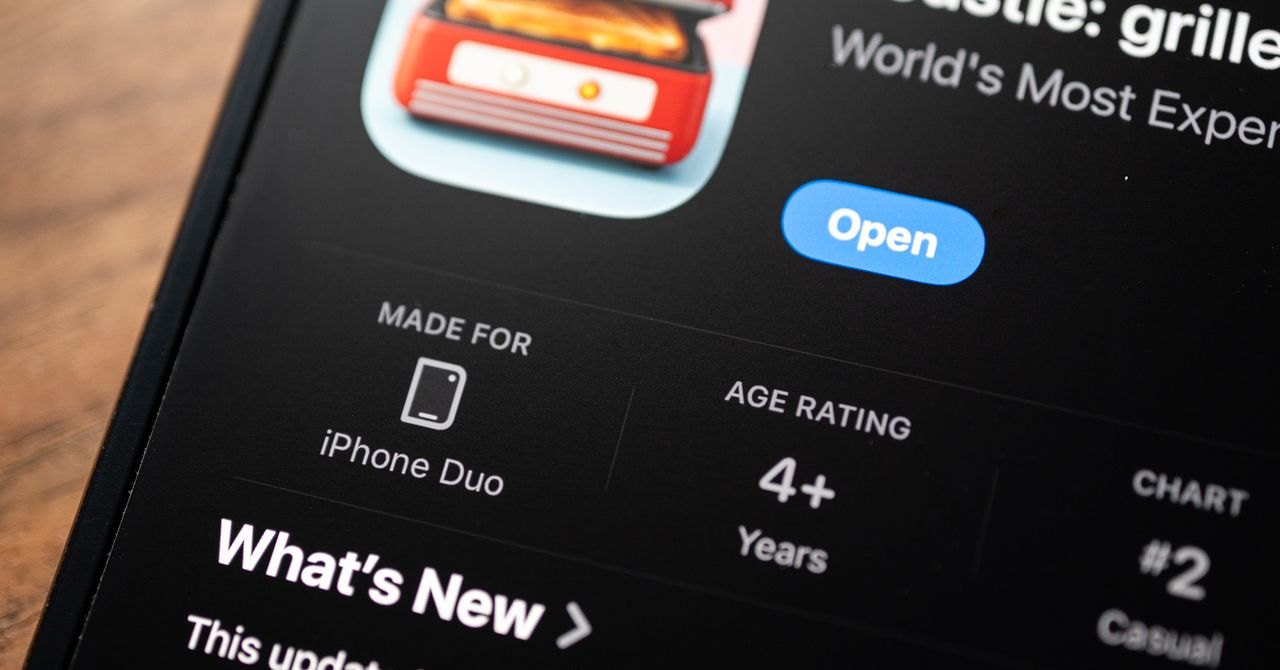
Mechanical interaction defines how these software releases function during daily usage. RectoVerso uses Apple Intelligence to generate study materials from imported text, classroom notes, PDFs, or Anki decks, revealing answers incrementally as the user opens the hinge. In Toastie, players construct sandwich recipes across the interior display and must shut the phone for a set duration to grill the ingredients before opening it to serve. Rhythm game PianoFold requires users to position the phone at a ninety-degree angle, tapping columns right as falling musical notes hit the central crease.
Other releases distribute interface elements across the split display to streamline workflows. FirstSeed Planner positions a monthly calendar on one panel and a daily planner on the other, supporting drag-and-drop actions between halves and dedicating bottom space for handwritten notes. Tiny Computers loads ten historical operating systems from the Commodore 64 to the iMac G3, placing simulated monitor displays on the upright screen and interactive clickable keyboards on the lower deck. Portal displays ambient scenes across the main display, tabletop positions, or the exterior screen in tent orientation.
Advertisement
Tech Pulse Daily
Get tomorrow's pulse first
Join engineers who read Tech Pulse before stand-up. Free, weekday mornings.
9 Unique Apps to Try on the iPhone Duo: why it matters now
The arrival of these releases signals a departure from conventional rectangular touchscreen interactions, giving independent developers fresh opportunities to test tactile interfaces. Monetization models across the ecosystem favor accessible purchases rather than aggressive subscriptions. Battlefleet Duo provides two daily battles for free or an unlimited unlock for a single five-dollar payment with zero advertisements. PianoFold similarly grants daily free tracks and charges five dollars for full access across forty levels in eight chapters, while Toastie costs a flat three dollars without recurring charges.
Longtime owners of competing folding hardware often felt ignored because Android equivalents failed to attract this volume of bespoke third-party pitches. The iPhone Duo has spurred experimental software that treats dual displays and hinge angles as creative assets rather than technical hurdles. While general applications still face platform restrictions regarding external screen utilization, camera apps like Flipcorder demonstrate dual-screen streaming where subjects preview incoming video while footage records. This creative surge establishes a benchmark for how consumer software leverages foldable mechanics.
9 Unique Apps to Try on the iPhone Duo: who is affected
Students and educators gain specialized tools like the thirteen-dollar RectoVerso, which transforms rote memorization through physical hinge peeking. Retro enthusiasts receive direct upgrades through Delta Emulator, which adopts clamshell layouts and automatic sleep triggers upon closing, alongside Tiny Computers, a four-dollar utility enabling users to run terminal commands and Solitaire on vintage operating systems. Casual gamers can play local tabletop matches in Battlefleet Duo with another iPhone Duo owner seated opposite, replicating traditional board game dynamics on a single folding device.
Professionals seeking concentration aids can deploy Fold Focus to build animated pixel cities that collapse if the handset opens prematurely, while travelers can utilize Portal for calming breath exercises and soundscapes across more than one hundred vistas. Portal offers three monthly rotating environments for free, charging three dollars per month, thirty dollars annually, or one hundred dollars for a lifetime license. However, everyday tools like Google Calendar remain unoptimized, and Android foldable owners remain sidelined as indie creators direct experimental efforts toward Apple.
9 Unique Apps to Try on the iPhone Duo: what to watch
Upcoming platform updates from Apple will shape the next stage of folding software capabilities. Apple plans to enable stylus support on the iPhone Duo later this year, an enhancement that will allow handwritten planning inside apps like FirstSeed Planner. FirstSeed currently offers a free tier, alongside Pro upgrades priced at three dollars and forty-nine cents monthly, thirty dollars per year, or ninety dollars for lifetime access. Software creators are also tracking whether Apple loosens dual-display restrictions, which currently limit simultaneous outer display previews strictly to camera applications.
Content limitations across initial releases will test developer commitment over the coming months. Toastie currently restricts players to ten sandwich recipes, leaving users eager for menu expansions once they master the basic grilling timers. Observers will also monitor whether major corporate developers optimize established productivity software to compete with indie solutions like FirstSeed Planner. As more applications earn the Made for iPhone Duo badge, the longevity of Apple's foldable ecosystem will depend on sustained updates and deeper integration with Apple Intelligence across daily workflows.
Developer Action Items
- ☐ Inventory whether Apple / Android runs in prod, CI, staging, or on laptops before you debate severity.
- ☐ Confirm the vendor's fixed build for Apple / Android from Wired, then schedule the patch window.
- ☐ If you cannot patch today, isolate the service, rotate tokens that sat on the affected surface, and raise the logging floor.
- ☐ Record the decision and residual risk so the next on-call does not re-litigate whether you are exposed.
9 Unique Apps to Try on the iPhone Duo FAQ
Which apps support the iPhone Duo folding screen for retro gaming?
Delta Emulator transforms the iPhone Duo into a Nintendo DS-style clamshell with automatic sleep mode on close, and Tiny Computers offers ten vintage machines like the Commodore 64 and iMac G3 for four dollars.
How does RectoVerso use the iPhone Duo hinge for studying?
RectoVerso uses Apple Intelligence to generate flashcards from text, PDFs, or Anki decks, and lets users peek at answers gradually by opening the hinge slightly before opening it completely.
Does the iPhone Duo allow all apps to show content on the outer display?
Dual-display preview experiences are currently limited by Apple to camera applications such as Flipcorder, meaning general apps cannot display book covers or custom content on the outer screen while open.
Will the iPhone Duo support a stylus for planner apps?
Apple will enable stylus support on the iPhone Duo later this year, allowing users to handwrite notes and daily tasks directly within apps like FirstSeed Planner.
Sources

Author
Dillip Chowdary
Writes Tech Bytes coverage of AI, engineering, and the tools that actually ship. Editor of Tech Pulse Daily.
Related on Tech Bytes
Advertisement