Apple releases iOS 27.3 beta 2 for iPhone
Apple released iOS 27.3 developer beta 2 on November 16, 2026, adding a redesigned Health app with Health Age and new Safari Vertical Tabs for iPhone testers.
By Dillip Chowdary • Nov 16, 2026 • Source: 9to5Mac
At a glance
- Operating system
- Apple iOS
- Software version
- 27.3 developer beta 2
- Release date
- November 16, 2026
- Availability
- Registered developer beta testers
- Prior releases
- Beta 1 on November 3, public beta on November 5
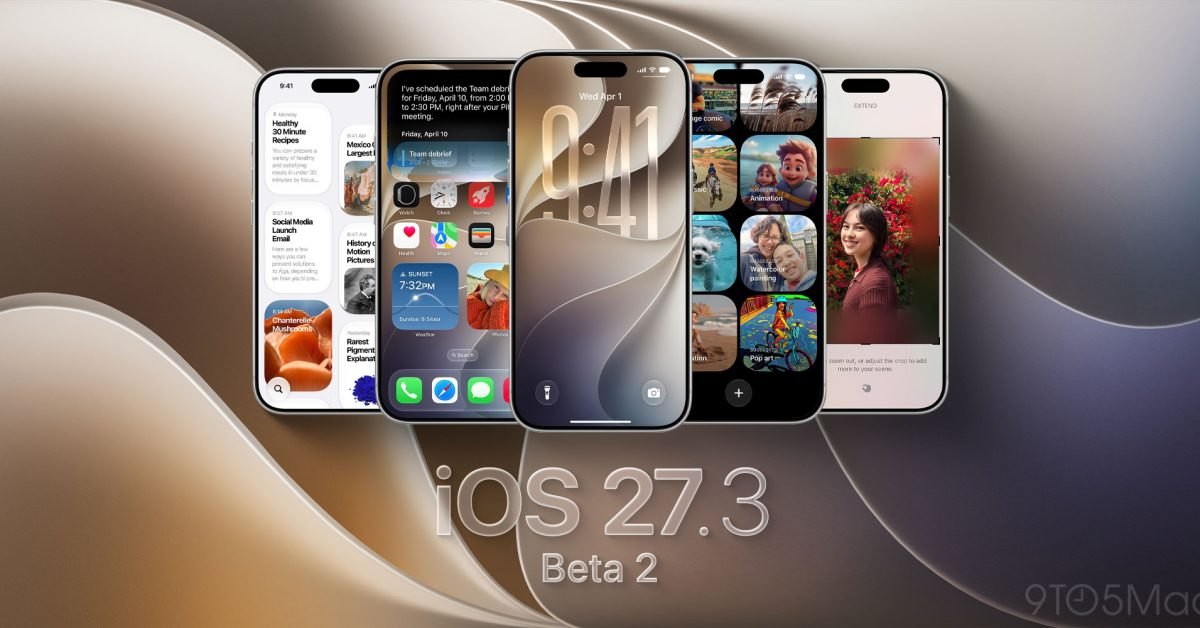
Apple has released the second iOS 27.3 developer beta for iPhone, continuing its testing cycle with updated applications and system improvements. According to 9to5Mac's report, the seed arrived on November 16, 2026, following the initial developer beta on November 3 and the public beta on November 5. The build includes a redesigned Health application, expanded Siri AI integration across core apps, and feature additions for Safari and system navigation.
This report outlines the structural updates, interface changes, and installation requirements for registered developers and testers evaluating pre-release builds. The overview details health tracking tools, web navigation enhancements, automated voice assistance, and accessibility features on compatible iPhone models. Readers will find verified release dates, functional capabilities, and setup steps required to test the software.
01Redesigned Health app with Longevity tab
The redesigned Health application is one of the most notable changes in the iOS 27.3 release cycle. This interface previously appeared during iOS 27.2 testing before Apple removed the code ahead of public release. Its return in the developer beta allows testers to evaluate updated health trends and layout changes before the software reaches general availability.
On supported iPhones, the revised Health interface introduces an Insights tab that brings together long-term trends across multiple metrics. The system synthesizes historical records from sleep tracking, daily physical activity, and related body measurements into a unified dashboard. This consolidated layout helps users review routine physical data without navigating through separate app menus.
The update also adds a Longevity tab containing a new Health Age metric. This feature uses sensor data from Apple Watch to compare user health metrics with statistical averages typical for a person's age. The comparison offers context on cardiovascular fitness and daily conditioning relative to broad demographic baselines.
02Safari Vertical Tabs and Adaptive Dark Mode
Apple updated Safari with new layout and display options designed to improve web browsing on iPhone displays. The update introduces Vertical Tabs, offering an alternate tab management layout alongside standard horizontal views. This option lets users scroll through open browser tabs in a vertical column to manage active web pages.
Safari also adds Adaptive Dark Mode to address websites that lack native dark theme support. The feature dynamically darkens light web pages, reducing screen glare in dark environments without distorting images or text layout. This automated styling creates consistent viewing across the web while browsing at night.
03Siri AI expansions across core apps
Advertisement
Tech Pulse Daily
Get tomorrow's pulse first
Join engineers who read Tech Pulse before stand-up. Free, weekday mornings.
Siri AI gains expanded functionality across native Apple applications, allowing users to automate multi-step tasks with voice commands. Users can instruct the assistant to create and save custom playlists directly within Apple Music. Siri can also compose and save new entries in the Journal app without requiring users to open the application manually.
Messaging automation receives new capabilities that let users schedule text messages to send later. This tool coordinates with the native Messages app, giving users control over outgoing communication timing through voice prompts. Apple also expanded language support for Siri AI to assist developers and testers across international regions.
Apple Music received companion updates alongside the voice-assisted playlist tools in this developer beta. These software additions refine content playback and library management across devices running the test build. The combination of automated playlist creation and audio updates improves integration between system AI models and media playback.
04iPhone Duo Reachability and StandBy customization
System navigation incorporates a modified Reachability mode for iPhone Duo hardware to make one-handed use easier. Instead of shifting display content downward, the interface shifts elements horizontally toward either the left or right side of the screen. This horizontal movement brings far-edge controls closer to the user's thumb on wider display surfaces.
StandBy mode brings updated clock faces and expanded visual customization to additional iPhone models. Users can customize clock colors, attach glanceable complications, and choose between multiple display configurations when placing the phone horizontally on a charger. These customization options turn idle docked devices into personalized bedside or desk displays.
Fitness enthusiasts gain a new Gym Strength feature inside the Apple Fitness+ service. The tool designs a customized four-week weightlifting plan based on personal training goals and available gym equipment. By adapting exercise routines to specific weights and machines, the service provides structured strength training without requiring custom planning.
05Developer beta installation and testing path
The release of iOS 27.3 beta 2 follows a regular testing schedule after the first developer build on November 3. Apple released the first public beta on November 5, allowing non-developer testers to preview the same software features. This staged rollout gives developers time to test application compatibility before public release candidates appear.
Developer beta testers can install the update directly on enrolled iPhones through the system settings menu. The procedure requires opening Settings, selecting General, and tapping Software Update. Testers then choose iOS 27 Developer Beta under the Beta Updates section to start the over-the-air installation.
Apple continues monitoring performance diagnostics and bug submissions as registered testers evaluate the beta 2 release. Developers are encouraged to check app stability, report interface bugs, and test feature integration across system components. Feedback collected during this beta round will determine whether all features ship in the final public update.
Frequently asked questions
What is included in iOS 27.3 beta 2?
The update includes a redesigned Health app with Insights and Longevity tabs, Safari Vertical Tabs, Adaptive Dark Mode, expanded Siri AI features, and iPhone Duo Reachability adjustments.
How can developers install iOS 27.3 beta 2?
Developers can open Settings on an iPhone, choose General, and select Software Update. Under Beta Updates, select iOS 27 Developer Beta to download and install the build.
When was iOS 27.3 beta 2 released?
Apple released iOS 27.3 developer beta 2 on November 16, 2026. This follows developer beta 1 on November 3 and the first public beta on November 5.
What new features does the Health app have in iOS 27.3?
The Health app introduces an Insights tab for sleep and activity trends and a Longevity tab featuring Health Age. Health Age uses Apple Watch metrics to compare personal health data against age-based baselines.
Sources

Author
Dillip Chowdary
Writes Tech Bytes coverage of AI, engineering, and the tools that actually ship. Editor of Tech Pulse Daily.
Related on Tech Bytes
Advertisement