Apple releases iPadOS 27.2, here’s everything new for iPad
FaceTime now allows Dual Capture during Group FaceTime sessions, allowing active callers to feed two simultaneous camera perspectives into group calls.
By Dillip Chowdary • Oct 26, 2026 • Source: 9to5Mac
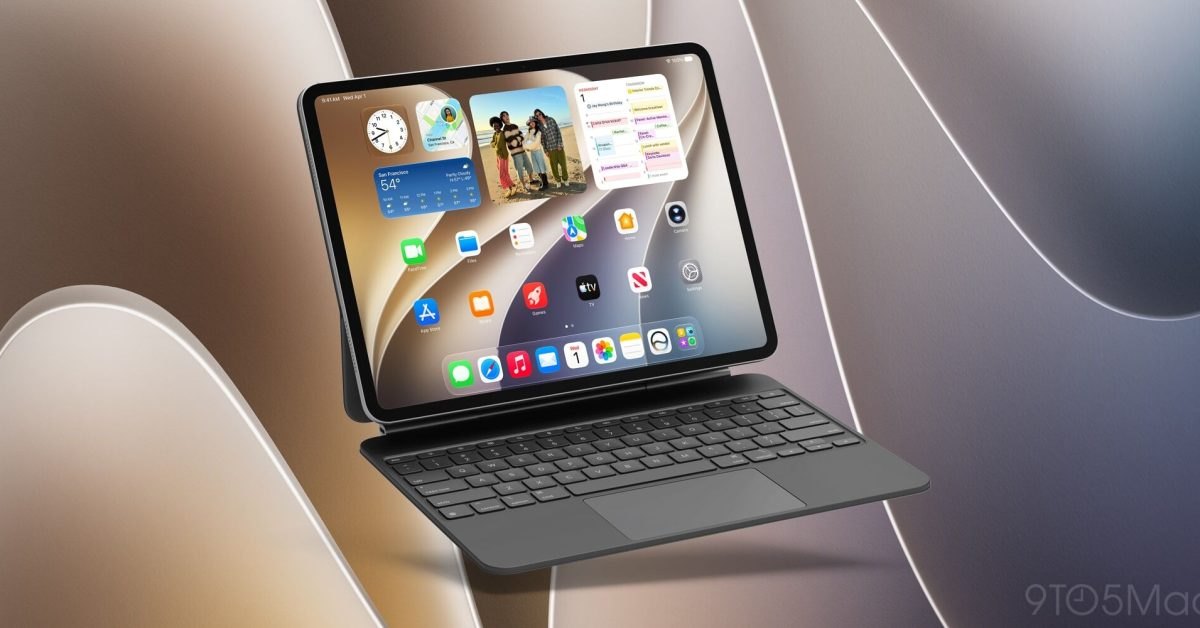
Apple launched iPadOS 27.2 on October 26, 2026, rolling out system refinements, refreshed default applications, and targeted interface adjustments across all tablets running its major release cycle. The release follows Apple skipping an iPadOS 27.1 point release entirely, as that intermediate maintenance build was reserved exclusively for iPhone Duo hardware. The full breakdown detailed in 9to5Mac's report confirms that the software update brings targeted capability bumps across system services, multimedia tools, and text selection workflows without modifying core hardware compatibility tables.
This technical breakdown examines the operational changes delivered in iPadOS 27.2 for power users, developers, and system administrators managing Apple tablet fleets. Readers will find full details covering interface modifications, peripheral input hooks, native application updates, and exact deployment steps required to service compatible devices.
What Apple iPadOS 27.2 shipped
Apple bundled functional upgrades and layout changes into eight core applications alongside input enhancements. Siri AI received support for additional languages and expanded response capabilities across the operating system. Messages introduced Suggested Actions to accelerate conversational responses, while Apple TV added support for discrete user profiles to keep watch histories and recommendations separated across family members sharing a single living room screen or tablet. FaceTime now allows Dual Capture during Group FaceTime sessions, allowing active callers to feed two simultaneous camera perspectives into group calls.
Media and utilities saw complementary user interface work throughout the operating system. Apple Music arrived with a revised application icon and reworked internal design accents across views. Apple Podcasts redesigned its Up Next queue to simplify playlist management. The Home application added direct controls for compatible smart lock hardware, and Apple Books integrated updated navigation menus alongside simplified bookmarking tools. For desktop-class workflows using a mouse or the Magic Keyboard accessory, selecting text now summons a floating Mac-style Siri shortcut icon that users can hover over to query Siri directly about selected text.
What changed for builders in Apple iPadOS 27.2
Developers building software around tablet multitasking, connected accessories, and media streaming gain several discrete interaction points with iPadOS 27.2. The integration of macOS-style text-selection Siri popups creates immediate opportunities for apps using standard text views to inherit contextual prompts without requiring custom selection menu items. Dual Capture integration within Group FaceTime provides standard system behaviors for multi-sensor hardware capture, which teams integrating audio-visual feeds can track across iPad form factors.
| System Area | iPadOS 27.0 Baseline | iPadOS 27.2 Update |
|---|---|---|
| Siri Input Trigger | Menu selection or voice command | Cursor hover icon on text selection |
| Facetime Group Video | Single video capture stream | Dual Capture multi-camera streaming |
| Apple TV App | Unified single-account view | Multi-seat user profile switching |
| Apple Podcasts Queue | Standard linear playback list | Revamped Up Next queue system |
| Home App Security | Standard door status monitor | Dedicated smart lock controls |
Enterprise developers managing shared tablet fleets benefit directly from the profile-switching model demonstrated in Apple TV, which reinforces user separation on shared glass. Applications interfacing with Matter or HomeKit locks now match updated interface paradigms established in the Home app. Standardizing the cursor interaction loop across external mice and keyboards brings iPad interaction models closer to macOS desktop development standards.
Advertisement
Tech Pulse Daily
Get tomorrow's pulse first
Join engineers who read Tech Pulse before stand-up. Free, weekday mornings.
How to install or upgrade Apple iPadOS 27.2
Administrators and users can pull iPadOS 27.2 directly over the air using standard system preference pathways. Deployment requires navigating to device configuration menus and initiating a remote catalog fetch across Apple verification servers.
Settings ⇾ General ⇾ Software UpdateFor managed fleets and developer workstations, verification requires confirming profile signatures, authenticating system permissions, and allowing the system partition to download and verify the update before rebooting. Once the software package verifies, device storage mounts the update and applies changes across native app packages.
Gotchas and compatibility in Apple iPadOS 27.2
Hardware compatibility remains identical to the initial iPadOS 27 release, ensuring that any device supported by the major version can receive the 27.2 update immediately. Apple did not prune older chipsets or drop legacy hardware support between iPadOS 27 and 27.2. Organizations holding deployments for a 27.1 release should note that no public iPadOS 27.1 build exists, because Apple designated that branch exclusively for iPhone Duo hardware.
Certain interface enhancements require specific physical hardware configurations to function. The new text-selection Siri shortcut depends strictly on cursor input devices, remaining inactive when interacting purely via touch gestures or standard virtual typing. The feature activates when pairing accessories like the Apple Magic Keyboard, Bluetooth trackpads, or external USB-C pointing devices. Smart lock control additions in the Home app likewise require hardware accessories with matching vendor firmware to expose the new controls.
What to watch after Apple iPadOS 27.2
Following the launch of iPadOS 27.2, enterprise teams and application builders should observe how native application updates influence third-party interaction patterns across productivity categories. The introduction of cursor-hover actions over selected text establishes a distinct input convention that bridges desktop macOS habits with tablet software. Developers should watch whether future updates open this contextual hover pipeline to third-party actions and extensions.
Fleet operators should track downstream app performance across the refreshed multimedia and communication stacks. Because FaceTime Dual Capture, Apple Podcasts queue management, and Apple Books menu adjustments alter core interface expectations, tracking user feedback across shared hardware will remain critical. Testing smart lock responsiveness within the updated Home application interface will also ensure connected security accessories function reliably across local automation environments.
Developer Action Items
- ☐ Diff the official changelog for Apple / Cursor / macOS 27.2 before you bump — APIs, defaults, and removed flags only.
- ☐ Install through the vendor's documented channel in staging; keep a one-command rollback and time-box the canary.
- ☐ Grep your repo for old flag names, lockfile pins, and plugin versions that the notes mark as breaking.
- ☐ Prefer the first patch cut over the day-zero tag unless you have a reason to be on the leading edge.
- ☐ If 9to5Mac did not name a region, plan, or SKU, screenshot the official availability line before you promise it to users.
Apple iPadOS 27.2 FAQ
Which iPad models support the iPadOS 27.2 update?
The update is available on all iPad models that support iPadOS 27 without hardware exclusions.
Why did Apple skip releasing iPadOS 27.1?
Apple reserved the 27.1 software release cycle exclusively for iPhone Duo hardware rather than shipping it to iPads.
How does the new Siri text selection shortcut work on iPadOS 27.2?
When selecting text using a mouse or trackpad like the Magic Keyboard, a Siri icon pops up that users can hover over to type a query.
What new features arrived in the Home app in iPadOS 27.2?
The Home application added new controls for compatible smart locks.
Sources

Author
Dillip Chowdary
Writes Tech Bytes coverage of AI, engineering, and the tools that actually ship. Editor of Tech Pulse Daily.
Related on Tech Bytes
Advertisement