Apple releases public beta 4 for iOS 27, macOS 27, iPadOS 27, tvOS 27
Apple has expanded testing for its upcoming platform updates by rolling out public beta 4 for iOS 27, iPadOS 27, macOS 27, tvOS 27, and watchOS 27.
By Dillip Chowdary • Oct 10, 2026 • Source: 9to5Mac

Apple has expanded testing for its upcoming platform updates by rolling out public beta 4 for iOS 27, iPadOS 27, macOS 27, tvOS 27, and watchOS 27. The software updates arrived shortly after the release of developer beta 6 build variants, as detailed in 9to5Mac's report. The public beta rollout comes as Apple approaches the official public release date for its operating system suite in a few weeks.
This article details the exact build numbers for each platform update, specific UI modifications, bug fixes, and installation requirements across Apple devices. It is intended for software developers, beta testers, and everyday device owners evaluating platform stability ahead of the official autumn rollout.
Apple public beta 4 for iOS 27: what actually changed
Apple assigned matching build numbers across developer beta 6 and public beta 4 for most platform releases. iOS 27 Public Beta 4 ships under build 24A5418b, sharing the same build identifier as iPadOS 27 Public Beta 4. Apple updated tvOS 27 Public Beta 4 with build number 24J5353b. The watchOS 27 Public Beta 4 release carries build number 24R5353a.
The macOS 27 Golden Gate Public Beta 4 release includes build 26A5416b, which replaced an earlier build designated 26A5416a. The update delivers a redesigned stoplight window control interface and introduces a new system wallpaper. On the Mac desktop, Apple modified the Preview app icon to align with the revised Preview icon introduced on iOS during the prior week.
Apple public beta 4 for iOS 27: how it works
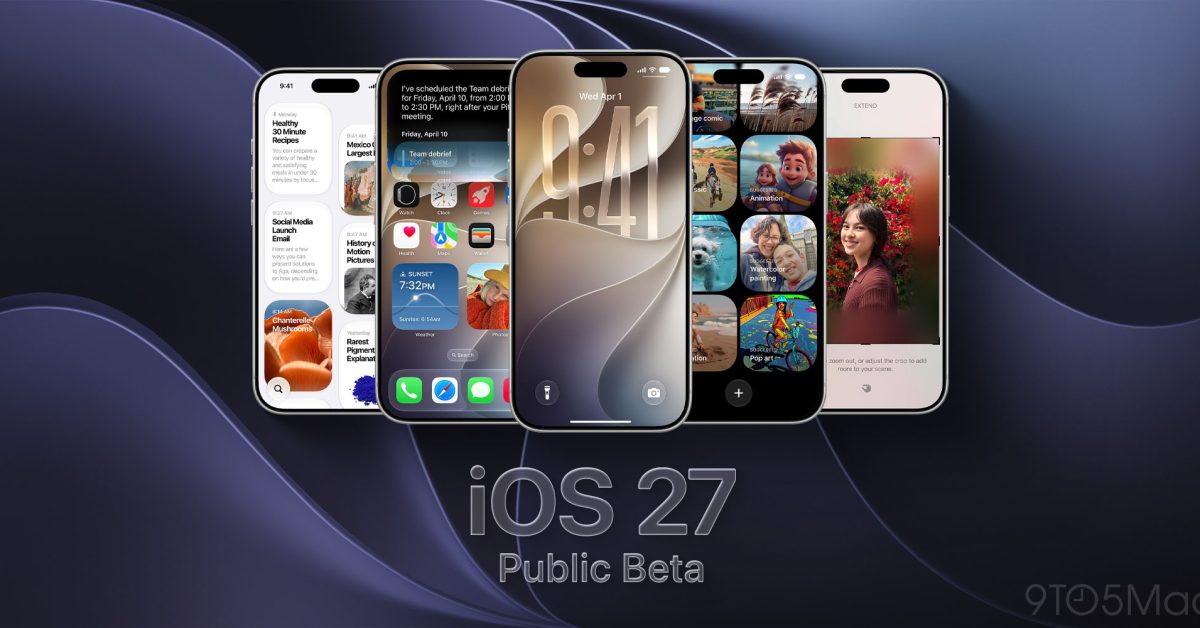
Users seeking to install the update must enroll their devices through the Apple Beta Software Program portal at beta.apple.com. Device owners sign in using their primary Apple Account, agree to the software program terms, and select the appropriate platform track. Once enrolled, the device receives over-the-air installation packages directly within the primary operating system settings menu.
To install iOS 27 Public Beta 4 on an iPhone, open Settings, select General, and navigate to Software Update. Under the Beta Updates section, select iOS 27 Public Beta, return to the main Software Update screen, and tap Update Now when the system displays build 24A5418b. Apple advises installing beta software on secondary hardware and completing a full system backup before proceeding.
Advertisement
Tech Pulse Daily
Get tomorrow's pulse first
Join engineers who read Tech Pulse before stand-up. Free, weekday mornings.
Apple public beta 4 for iOS 27: why it matters now
The beta 4 release targets stability issues and interface bugs identified during public beta 3 testing. In previous builds, users reported interface anomalies affecting pinned messages within the primary communication apps. Developer beta 6 and public beta 4 resolve the Pinned Messages interface bug that degraded user interaction in beta 5.
Interface refinements in this build extend to mobile system notifications across supported devices. The update introduces a refined iOS notification animation designed to improve visual feedback when receiving incoming alerts. By releasing corresponding builds hours after developer versions, Apple ensures public testers evaluate identical system code prior to final production builds.
Apple public beta 4 for iOS 27: who is affected
The public beta distribution impacts registered participants in the Apple Beta Software Program testing hardware across mobile, desktop, TV, and wearable lines. Devices participating in the preview cycle include iPhones eligible for iOS 27, iPads running iPadOS 27, Mac computers compatible with macOS 27 Golden Gate, Apple TV units on tvOS 27, and Apple Watch models supporting watchOS 27.
Because beta releases carry operational risks, primary device users should weigh system stability before applying build updates. While public beta 4 addresses prior performance bottlenecks, pre-release software can still experience unexpected application crashes or battery drain. Users relying on mission-critical applications are encouraged to retain existing stable builds or utilize dedicated test hardware.
Apple public beta 4 for iOS 27: what to watch
As Apple approaches the final official release window in a few weeks, build iteration velocity will increase. Build numbers ending in lower-case letters like b indicate late-stage development cycles closing in on Release Candidate status. Future beta builds will focus primarily on backend optimizations, battery efficiency adjustments, and security patches rather than major interface overhauls.
Developers and public participants should monitor system feedback channels for regression issues following build 26A5416b on macOS and 24A5418b on iOS. Apple will continue monitoring crash telemetry and community feedback to determine whether additional public beta iterations are required prior to the general availability launch across all supported hardware categories.
Developer Action Items
- ☐ Diff the official changelog for Apple / macOS / iOS before you bump — APIs, defaults, and removed flags only.
- ☐ Install through the vendor's documented channel in staging; keep a one-command rollback and time-box the canary.
- ☐ Grep your repo for old flag names, lockfile pins, and plugin versions that the notes mark as breaking.
- ☐ Prefer the first patch cut over the day-zero tag unless you have a reason to be on the leading edge.
- ☐ If 9to5Mac did not name a region, plan, or SKU, screenshot the official availability line before you promise it to users.
Apple public beta 4 for iOS 27 FAQ
What is the build number for iOS 27 Public Beta 4?
The build number for iOS 27 Public Beta 4 is 24A5418b, which matches the build number of iPadOS 27 Public Beta 4.
How do you enroll an iPhone to receive iOS 27 Public Beta 4?
Visit beta.apple.com, sign in with your Apple Account, then navigate on your iPhone to Settings > General > Software Update > Beta Updates and select iOS 27 Public Beta.
What specific interface changes are included in macOS 27 Public Beta 4?
The macOS 27 update introduces redesigned stoplight window controls, a new system wallpaper, and an updated Preview app icon matching iOS.
Sources

Author
Dillip Chowdary
Writes Tech Bytes coverage of AI, engineering, and the tools that actually ship. Editor of Tech Pulse Daily.
Related on Tech Bytes
Fairphone is launching its latest repairable phone in the US too
Read →
Detroit startup Grounded raises $5M to customize electric and gas-powered vans
Read →
BGP Role model: tracking the adoption of RFC 9234
Read →
We still don’t know how people are really using AI
Read →
Today's Tech Pulse briefing
Full briefing →
Advertisement