ChatGPT can peek at your Chrome tabs now
OpenAI's ChatGPT Chrome extension can now view open browser tabs when you tag Chrome in the web or desktop app, and ChatGPT Work can control those tabs.
By Dillip Chowdary • Oct 16, 2026 • Source: The Verge
OpenAI has upgraded the ChatGPT extension for Google Chrome so ChatGPT can use browser tabs a person already has open. The company's ChatGPT Atlas browser is gone. With the extension installed, OpenAI says ChatGPT can view those tabs when someone tags Chrome in the ChatGPT web app or the ChatGPT desktop app. The Verge's report, by Stevie Bonifield on October 15, 2026, at 10:43 PM UTC, includes a demo video of someone asking ChatGPT to compare three open tabs of sofas they are considering.
This piece is for people who use Google Chrome with ChatGPT on the web or the desktop. It covers the upgraded add-on that pulls information from open tabs or brings the AI bot into the sidebar, the Chat and Work history that stays on the page, and OpenAI's sample tasks: an event registration form, a vendor comparison sheet, a home-renovation contractor email, and a new-dentist form tagged @chrome.
ChatGPT can peek at your Chrome tabs now: what actually changed
OpenAI's ChatGPT Atlas browser is gone. ChatGPT's Google Chrome extension is getting these upgrades. With that extension installed, OpenAI says ChatGPT can view browser tabs a person already has open when they tag Chrome in the ChatGPT web app or the ChatGPT desktop app. OpenAI posted a demo video of someone asking ChatGPT to compare three open tabs of sofas they are considering. The extension can pull information from those open tabs or bring the AI bot into the sidebar.
OpenAI has also updated ChatGPT in the sidebar, with what the company calls "the full power of ChatGPT" and a person's entire conversation history in Chat or Work. That history can be used without leaving the page they are viewing. The update lets ChatGPT Work "control" Chrome tabs for tasks like "sending messages, filling out forms, or downloading files," similar to Google's Gemini-powered "auto browse" feature. It can also organize or group open tabs. That sidebar update is part of the same upgraded add-on.
ChatGPT can peek at your Chrome tabs now: how it works
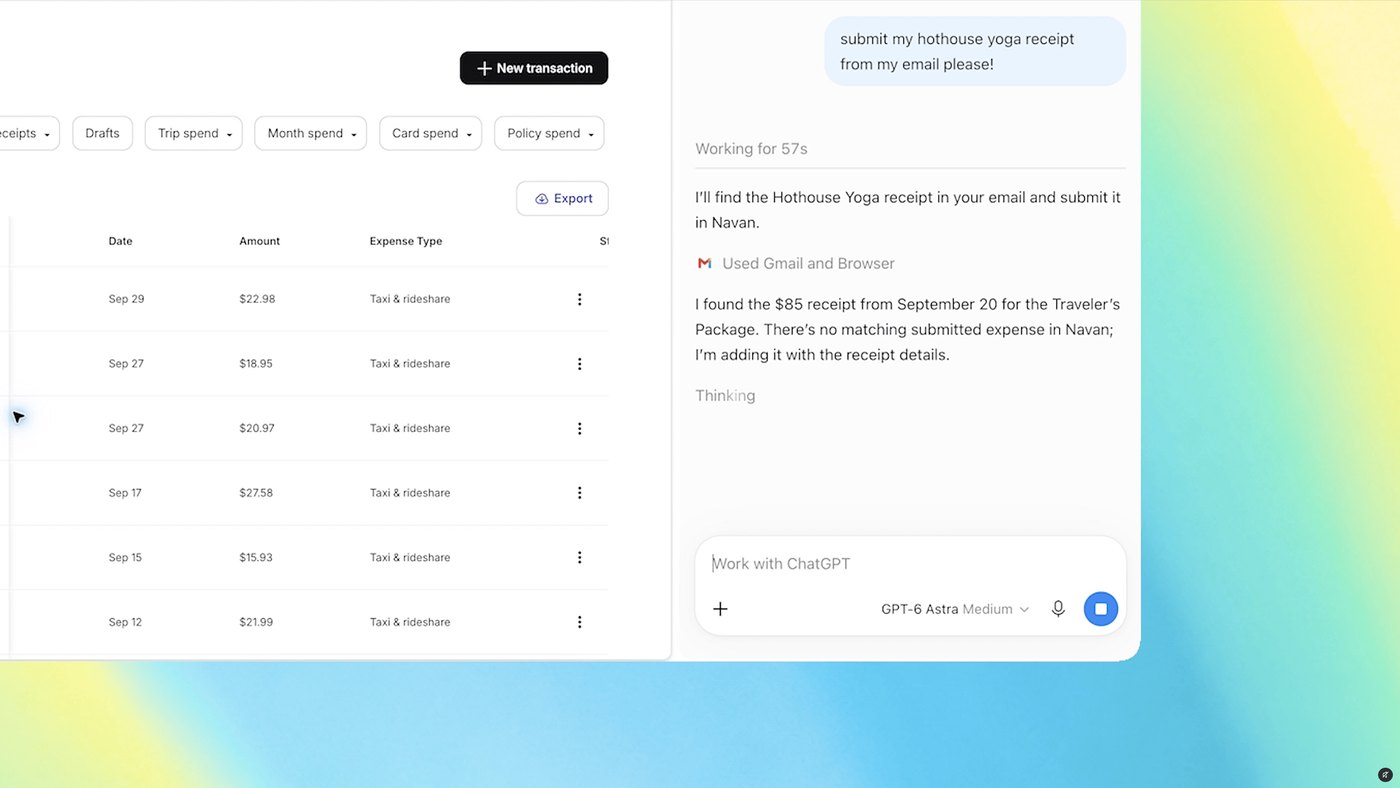
A person installs the ChatGPT extension in Google Chrome, then tags Chrome in the ChatGPT web app or the ChatGPT desktop app. OpenAI says that tag lets ChatGPT view the tabs already open. In the demo video, three sofa tabs are open and the person asks ChatGPT to compare them. From there the extension pulls information from the tabs, or it brings the AI bot into the sidebar so ChatGPT stays on the page being viewed, with the Chat or Work conversation history on that page.
OpenAI listed these sample queries for the upgraded add-on. "Use the details in this event brief to fill out the registration form, and stop before submitting." "Put the vendors in these tabs into my comparison sheet, with pricing, key features, and source links." "Look at all the tabs I have open and compare the contractor services. Then draft an email to the one that fits my home renovation." "Fill out the form I have open in @chrome ahead of seeing my new dentist. Also, can you add the appointment to my work and personal calendar."
Advertisement
Tech Pulse Daily
Get tomorrow's pulse first
Join engineers who read Tech Pulse before stand-up. Free, weekday mornings.
ChatGPT can peek at your Chrome tabs now: why it matters now
OpenAI's ChatGPT Atlas browser is gone, and the Google Chrome extension is getting the upgrades that use tabs a person already has open. Tagging Chrome in the ChatGPT web app or the desktop app is how OpenAI says ChatGPT views that set of tabs. The demo OpenAI posted compares three sofa tabs. The extension then pulls information from the tabs or brings the AI bot into the sidebar on the current page. Both actions require the ChatGPT extension to be installed.
These are the sample queries OpenAI listed for the upgraded add-on. One uses an event brief to fill a registration form and says to stop before submitting. One puts the vendors in the tabs into a comparison sheet with pricing, key features, and source links. One looks at all open tabs, compares the contractor services, and drafts an email for a home renovation. One fills the form open in @chrome before a new dentist visit and adds the appointment to a work calendar and a personal calendar.
ChatGPT can peek at your Chrome tabs now: who is affected
People who install the ChatGPT extension in Google Chrome and tag Chrome from the ChatGPT web app or desktop app are the users OpenAI describes. ChatGPT can view their open tabs after that tag. The demo user is comparing three sofa tabs. The queries name someone with an event brief and a registration form, someone gathering vendors into a comparison sheet, someone comparing contractor services for a home renovation, and someone with a new-dentist form open in @chrome. The extension must already be installed.
The sidebar change covers people who use Chat and people who use Work, because the entire conversation history in Chat or Work is available there with "the full power of ChatGPT," without leaving the page. ChatGPT Work is the mode that can control those tabs. Stevie Bonifield, a news writer covering consumer tech who started at Laptop Mag writing news and reviews on hardware, gaming, and AI, reported the upgrade on October 15, 2026, at 10:43 PM UTC. The story image is credited to OpenAI.
ChatGPT can peek at your Chrome tabs now: what to watch
OpenAI's listed queries include a stop on the registration form: use the event brief, fill the form, and stop before submitting. The vendor query asks for a comparison sheet with pricing, key features, and source links. The contractor query covers all open tabs of contractor services and a drafted email for the home renovation. The dentist query uses @chrome, fills the open form ahead of seeing the new dentist, and adds the appointment to a work calendar and a personal calendar.
The control OpenAI describes for ChatGPT Work is "sending messages, filling out forms, or downloading files," and the extension can organize or group open tabs. The sidebar update keeps "the full power of ChatGPT" and the entire Chat or Work history on the page being viewed. OpenAI says that control is similar to Google's Gemini-powered "auto browse" feature. The demo video OpenAI posted is a comparison of three sofa tabs through the Chrome extension. OpenAI's ChatGPT Atlas browser is already gone.
Developer Action Items
- ☐ Verify the claim on the official OpenAI / ChatGPT / Gemini page (or The Verge), not from this recap alone.
- ☐ Name the surface that moved — API, policy, model, hardware, or commercial terms — before you Slack the thread.
- ☐ Assign one owner a day to read the primary material and decide: this-sprint, this-quarter, or noise.
- ☐ Do not change production on day-one coverage. Watch the vendor changelog and one independent write-up first.
ChatGPT can peek at your Chrome tabs now FAQ
Can ChatGPT view open Google Chrome tabs?
With the ChatGPT extension installed, OpenAI says ChatGPT can view your browser tabs when you tag Chrome in the ChatGPT web app or the ChatGPT desktop app. A demo video shows a comparison of three open sofa tabs.
What happened to the ChatGPT Atlas browser?
OpenAI's ChatGPT Atlas browser is gone. The tab features are upgrades to the ChatGPT Google Chrome extension, which can pull information from tabs you already have open or bring the bot into the sidebar.
Which tasks did OpenAI list for the Chrome add-on?
OpenAI listed these sample queries: fill a registration form from an event brief and stop before submitting; put vendors into a comparison sheet with pricing, key features, and source links; compare contractor services across open tabs and draft a home-renovation email; fill a form open in @chrome before a new dentist visit and add the appointment to a work calendar and a personal calendar.
What can ChatGPT Work do inside Chrome?
OpenAI says ChatGPT Work can control Chrome tabs for sending messages, filling out forms, or downloading files, and the extension can organize or group open tabs. The company describes that control as similar to Google's Gemini-powered auto browse feature.
What does the updated ChatGPT sidebar include?
The sidebar now has what OpenAI calls "the full power of ChatGPT" and your entire conversation history in Chat or Work, so you can use that history without leaving the page you are viewing.
Sources

Author
Dillip Chowdary
Writes Tech Bytes coverage of AI, engineering, and the tools that actually ship. Editor of Tech Pulse Daily.
Related on Tech Bytes
Advertisement