Disk Utility needs loving care and attention
Apple's Disk Utility in macOS Golden Gate 27.2 freezes trackpad input during blank image creation while resetting customized 50 GB storage limits to 100 MB.
By Dillip Chowdary • Nov 29, 2026 • Source: eclecticlight.co
At a glance
- Product
- Apple Disk Utility
- First release
- Mac OS X public beta (2000)
- Current version
- Version 22.7 (build 2604)
- Affected systems
- macOS Golden Gate 27.2 and 27.2.1
- Default image size
- 100 MB
- Upcoming fix
- macOS Golden Gate 27.3
Apple has maintained Disk Utility as a core system component since the operating system first debuted, yet recent updates have introduced severe interface freezes during routine image creation, according to eclecticlight.co's report. The application originated in the first public beta release of Mac OS X in 2000 and survived continuously through macOS Golden Gate. Despite its essential role in formatting storage drives, creating partitions, and checking volumes, modern releases continue to suffer from neglected interface glitches and persistent functional regressions.
This report details the operational breakdowns inside recent macOS releases, focusing on how trackpad interactions fail during disk image creation for system administrators and daily Mac users. Readers who manage storage volumes, configure sparse images, or transition away from command-line tools will find documentation of current bugs, navigation workarounds, and reliable third-party alternatives. The analysis covers historical instability across multiple operating system transitions alongside unresolved interface problems in macOS Golden Gate.
01Mac OS X public beta storage legacy
Disk Utility provides an essential graphical interface for partitioning storage drives, dividing disks into volumes, and verifying file system integrity across external media. Almost every Mac user relies on this utility for daily drive operations, though technical operators sometimes prefer the intricate terminal commands of the diskutil equivalent. Despite serving as a universal foundation across personal machines, the graphical utility has consistently appeared to be one of Apple’s most unloved bundled applications.
The software has survived continuously from the initial Mac OS X public beta in 2000 through the release of macOS Golden Gate. Over those decades of architectural shifts, successive iterations have regularly suffered from frustrating operational bugs that undermine user trust during routine storage operations. While command-line operators bypass the interface through diskutil scripts, standard desktop users remain exposed to unpredictable behavior whenever formatting or partitioning connected storage hardware.
02Sierra USB formatting and early APFS glitches
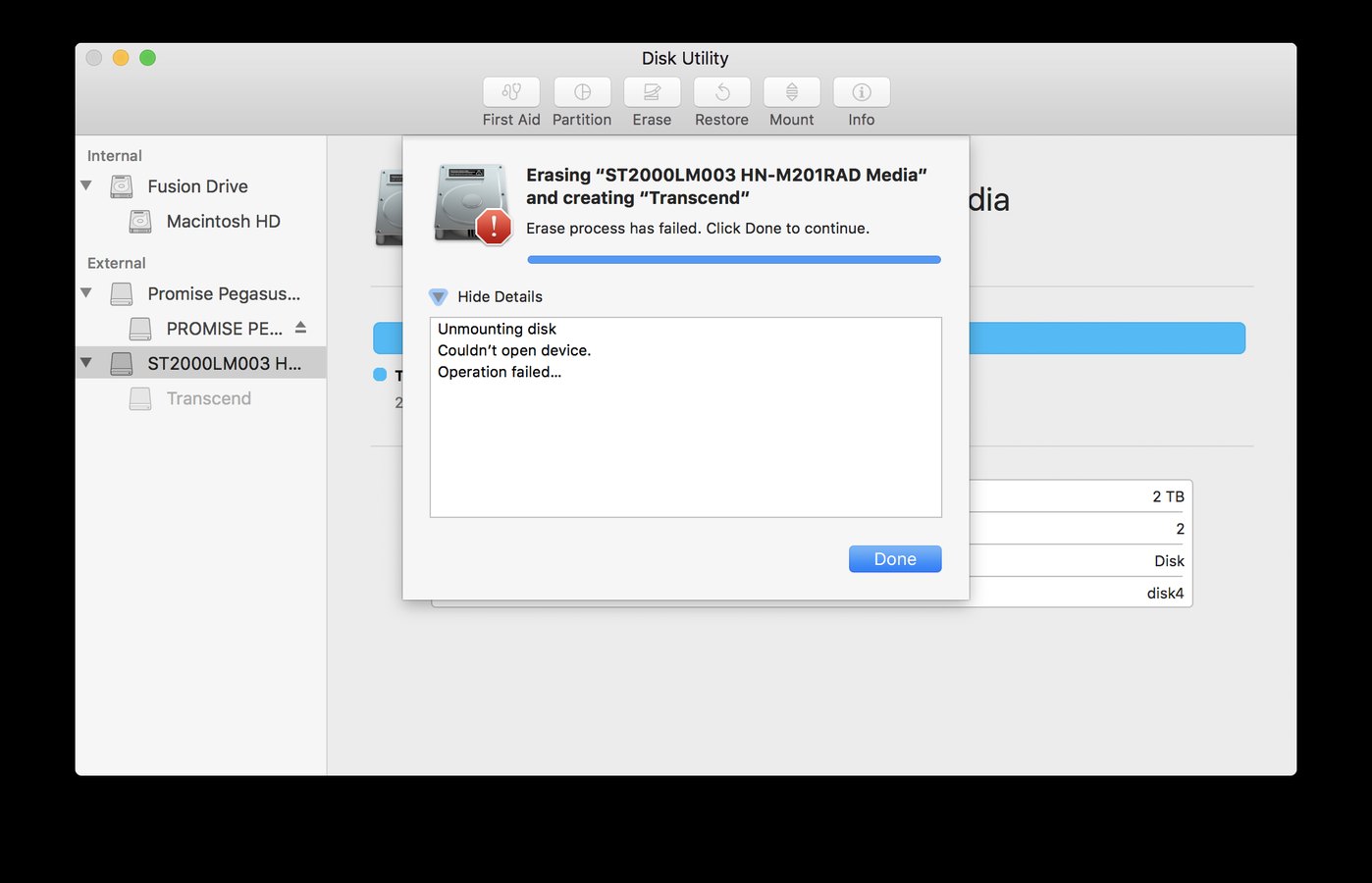
System releases dating back nearly a decade demonstrated persistent flaws during standard drive formatting, requiring users to repeat simple operations to achieve success. In macOS Sierra version 10.12.6, the utility frequently threw an unexpected error the first time an operator attempted to format a standard USB memory stick. When the user immediately attempted the identical procedure a second time without changing settings, Disk Utility completed the task without reporting any errors.
Architectural transitions introduced further friction when High Sierra launched version 17.0 alongside initial integration for Apple’s modern APFS file system architecture. APFS management initially arrived as an incomplete work in progress, forcing operators to manually unmount volumes via the File menu before Disk Utility could execute drive operations. While automated unmounting failures previously plagued standard tasks across multiple iterations, the issue has only recently shifted from a persistent defect to a sporadic irritation.
03Blank image creation and trackpad lockouts
The introduction of enhanced Sidecar features and touchscreen support in macOS Golden Gate caused new operational casualties across core management tools. Users configuring disk images on macOS Golden Gate 27.2 or 27.2.1 encounter severe interaction blocks whenever attempting to establish custom storage parameters. The malfunction specifically impacts machines utilizing built-in or external trackpads, preventing users from clicking buttons or selecting menu items after editing image parameters.
Advertisement
Tech Pulse Daily
Get tomorrow's pulse first
Join engineers who read Tech Pulse before stand-up. Free, weekday mornings.
The sequence to reproduce this storage breakdown requires entering custom dimensions inside the graphical configuration sheet:
- Open blank image sheet Select File, then New Image, and choose Blank Image to reveal the configuration sheet.
- Edit image capacity Click in the Size text box and change the contents to 50 GB.
- Set image format Open the Image Format menu and select an option such as Apple Sparse Image.
Following this sequence, Disk Utility automatically resets the custom allocation back to the default capacity of 100 MB while freezing cursor input completely. The trackpad pointer can no longer select UI controls, leaving the operator locked out of the sheet as punishment for entering non-default values.
04Keyboard focus workarounds and build numbers
Operators trapped by the responsive pointer failure must rely on keyboard commands to regain system control without aborting their configuration progress. Pressing the Tab key once or multiple times shifts accessibility focus across interactive elements, ultimately unlocking the frozen configuration sheet for user input. If frustrated users click the Cancel button instead, they forfeit all adjusted parameters and must restart the entire blank image workflow from scratch.
Note: The trackpad lockout specifically affects Apple hardware running macOS Golden Gate 27.2 or 27.2.1 configured with an internal or external trackpad. Although this pointer freeze was introduced in update 27.2, Disk Utility retains version 22.7 and build number 2604 from version 27.0 without any internal build modifications.
The automatic size regression that reverts values to 100 MB remains a longstanding defect that has repeatedly caught administrators by surprise across earlier updates. This baseline flaw became far more damaging when Golden Gate 27.2 introduced the trackpad freeze without changing Disk Utility version 22.7 or build 2604. While engineering plans suggest macOS 27.3 will resolve the trackpad lockout, early testing indicates the utility still reverts custom sizes behind the scenes.
05Third-party disk image alternatives and updates
System administrators managing mission-critical image generation often turn to dedicated utilities rather than navigating Apple's unmaintained built-in software tools. Developer Michael Tsai maintains DropDMG, a focused application that delivers reliable disk image production while avoiding the size reversion flaws inherent to Disk Utility. For users requiring stable sparse image configurations across production environments, third-party software eliminates the risk of silent storage truncation and unresponsive interface elements.
Disk Utility remains far removed from glamorous artificial intelligence initiatives, yet its role in safeguarding user files and storage volumes demands direct maintenance from Apple. The core utility provides foundational file system access for millions of workstations, making persistent interaction bugs and unaddressed regressions especially disruptive. Until Apple invests dedicated development attention into stabilizing foundational system tools, Mac users must navigate keyboard workarounds or invest in proven third-party utilities.
Frequently asked questions
What causes the trackpad lockout in Disk Utility?
The issue occurs on macOS Golden Gate 27.2 and 27.2.1 when configuring a blank disk image with non-default dimensions. System interactions freeze after modifying the size field and format menu, locking trackpad selection.
How can users recover from a frozen Disk Utility sheet?
Users can press the Tab key once or multiple times to cycle keyboard focus across the interface elements. This unlocks the configuration sheet without requiring the operator to hit Cancel and restart.
Does Disk Utility update build numbers between Golden Gate 27.0 and 27.2?
No, Disk Utility remains at version 22.7 and build number 2604 across both system releases. The trackpad lockout emerged without any internal build number modifications to the application itself.
Will macOS Golden Gate 27.3 resolve the blank image bugs?
Testing indicates macOS Golden Gate 27.3 is expected to resolve the trackpad lockout during image creation. However, the application still automatically resets customized image dimensions back to the default 100 MB.
Sources

Author
Dillip Chowdary
Writes Tech Bytes coverage of AI, engineering, and the tools that actually ship. Editor of Tech Pulse Daily.
Related on Tech Bytes
Advertisement