GitLab 19.4 Adds Goal-Driven Agents and Tighter Cost Controls
GitLab 19.4 introduced the /goal CLI agent loop and hosted open-weight models, pairing automated code iteration with granular user-level credit caps.
By Dillip Chowdary • Oct 12, 2026 • Source: InfoQ
GitLab released version 19.4 of its DevSecOps platform on 17 September 2026, introducing an autonomous goal-driven workflow in GitLab Duo CLI alongside expanded Model Context Protocol tools and granular budget monitoring. As detailed in InfoQ's report, the release moves the company's automated coding tools beyond single-prompt exchanges into iterative task loops governed by existing repository permissions. The update pairs local execution with administrative guardrails designed to prevent uncontrolled compute consumption across shared engineering teams.
This overview breaks down the dual-model agent architecture, model catalog additions, administrative cost levers, and rollout requirements for engineering leads and platform teams. The upgrade matters particularly to teams using GitLab Duo who want to automate multi-step development tickets without exposing repositories to unverified autonomous edits or unpredictable cloud credit spikes.
What GitLab 19.4 shipped
The headline addition in GitLab 19.4 is the public beta of the /goal command inside GitLab Duo CLI. Rather than executing a isolated code snippet from a single prompt, the command takes an open-ended objective and runs a two-model loop on the developer's local machine until the task concludes or reaches a configured iteration limit. One model generates and applies file modifications, while a second model checks intermediate progress against the original objective. Developers can pause execution, modify the prompt, or redirect the agent mid-run while preserving repository rules.
Alongside the CLI loop, GitLab added hosted open-weight models to the Duo Agent Platform: Kimi K3, MiniMax M3, and GLM 5.3. GitLab says these alternatives provide up to four times as many calls per GitLab Credit compared to frontier options. The release also ships an expanded Model Context Protocol server, letting external agent runtimes trigger CI/CD pipelines, inspect merge requests, modify work items, traverse file trees, and check vulnerabilities.
What changed for builders in GitLab 19.4
Builders running iterative tasks gain fine-grained governance over agent tool execution and automated model switching. Read-only MCP tools default to Always Allow, whereas destructive write and delete actions enforce an Always Ask confirmation gate unless modified by group owners. Security vulnerability tools remain scoped to Ultimate licenses, but standard repository and work-item tools work across Free, Premium, and Ultimate tiers.
| Model / Feature | Execution Mode | Credit Efficiency | Verification Architecture |
|---|---|---|---|
| Frontier Models | Direct Prompt | Baseline Credit Rate | Single-Pass Output |
| Kimi K3 | Hosted Open-Weight | Up to 4x Calls / Credit | Two-Model Goal Loop |
| MiniMax M3 | Hosted Open-Weight | Up to 4x Calls / Credit | Two-Model Goal Loop |
| GLM 5.3 | Hosted Open-Weight | Up to 4x Calls / Credit | Two-Model Goal Loop |
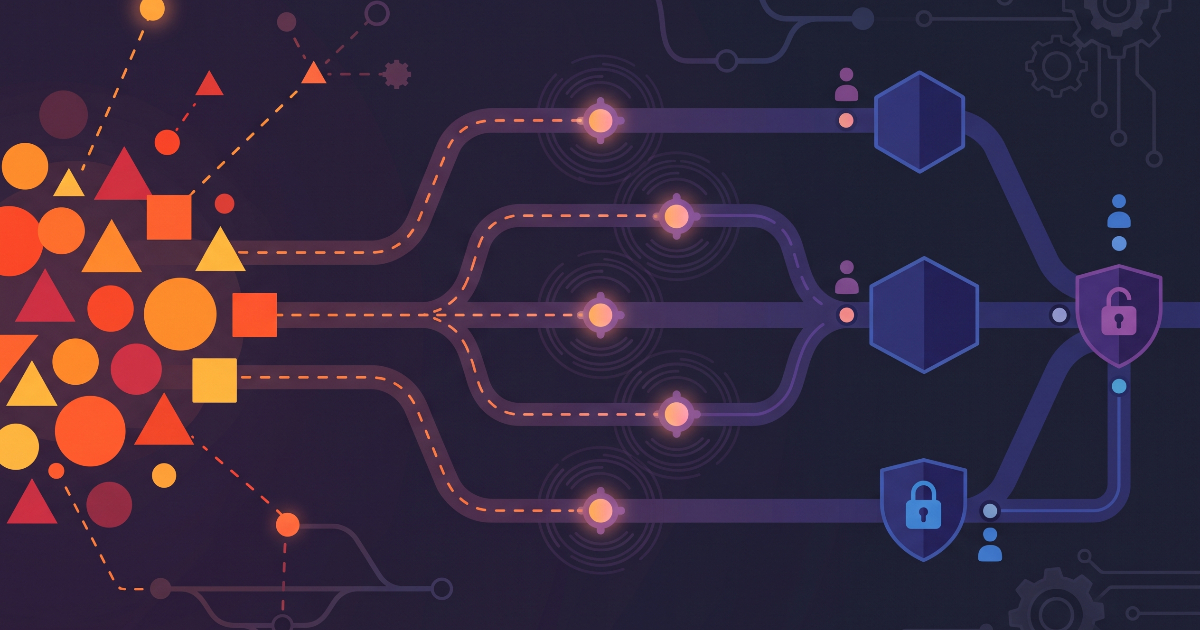
To control expenses across automated triggers, the platform now generates row-level CSV usage exports tracking user, project, session ID, flow type, token counts, and billed credits. Group administrators can set monthly per-user caps directly in the web settings UI rather than querying the GraphQL API, and automated alerts dispatch warnings when on-demand consumption hits 50 percent and 80 percent of an allocated ceiling.
How to install or upgrade GitLab 19.4
Advertisement
Tech Pulse Daily
Get tomorrow's pulse first
Join engineers who read Tech Pulse before stand-up. Free, weekday mornings.
Deploying the goal-driven automation requires upgrading both the GitLab platform instance and the local developer CLI tooling. Self-Managed instances and GitLab Dedicated clusters must run GitLab 19.3 or later, while developer workstations require GitLab Duo CLI version 9.17.0 or newer.
gitlab-ctl upgradenpm install -g @gitlab/duo-cligitlab-duo /goal "Refactor pipeline logging and verify outputs"gitlab-duo config set default_model "kimi-k3"Group owners manage model tiers from the web interface under Settings > Duo > Model Selection. By toggling specific hosted providers, administrators can enforce lower-cost models for repetitive automated scripts while preserving frontier capacity for complex manual workflows.
Gotchas and compatibility in GitLab 19.4
GitLab clarifies that the verification stage in the /goal loop relies on natural-language alignment rather than formal mathematical verification. The secondary model judges whether output matches the developer's prompt criteria, meaning ambiguous instructions can still yield incorrect code or unresolved task reports. Setting strict acceptance criteria and review checkpoints remains essential, as the CLI will halt and log failures when it cannot satisfy conditions.
Uncontrolled automation presents an additional operational risk. DevOps consultancy ReleaseTEAM warned that wiring agentic flows into high-volume event triggers, such as every failed pipeline run or newly opened merge request, can initiate hundreds of runs daily. Organizations must configure per-user caps and pilot new triggers on small teams before attaching agent commands to production hooks. Furthermore, while most MCP tools span all tiers, vulnerability management endpoints strictly require Ultimate subscriptions.
What to watch after GitLab 19.4
GitLab 19.4 represents the latest step in a multi-stage rollout across 2026. Earlier updates in versions 18.10 and 18.11 established flat-rate code reviews, free-tier agent access, and foundational credit limits, while GitLab 19.2 extended agents into dependency patching and security scans with human sign-offs.
Going forward, the public beta of /goal and the expanded MCP server tools will need production testing against diverse codebases. GitLab has not published formal per-call price sheets or benchmark scores comparing Kimi K3, MiniMax M3, and GLM 5.3 directly against frontier equivalents. Engineering teams adopting the release must benchmark model accuracy, iteration limits, and credit consumption directly against internal repositories before moving automated agent flows into general availability.
Developer Action Items
- ☐ Diff the official changelog for GitLab Adds Goal-Driven Agents 19.4 before you bump — APIs, defaults, and removed flags only.
- ☐ Install through the vendor's documented channel in staging; keep a one-command rollback and time-box the canary.
- ☐ Grep your repo for old flag names, lockfile pins, and plugin versions that the notes mark as breaking.
- ☐ Prefer the first patch cut over the day-zero tag unless you have a reason to be on the leading edge.
- ☐ If InfoQ did not name a region, plan, or SKU, screenshot the official availability line before you promise it to users.
GitLab 19.4 FAQ
What platform and CLI versions are required to run the /goal command in GitLab 19.4?
The /goal command requires GitLab 19.3 or later on GitLab.com, GitLab Self-Managed, or GitLab Dedicated, combined with GitLab Duo CLI 9.17.0 or later on Premium or Ultimate tiers.
How does the verification step work during a /goal agent run?
A secondary model evaluates whether the modified code matches the natural-language goal stated in the prompt, serving as an alignment check rather than formal code verification.
Which hosted open-weight models were added to the GitLab Duo Agent Platform?
GitLab added Kimi K3, MiniMax M3, and GLM 5.3, which deliver up to four times as many model calls per credit compared to frontier options.
How do permissions work for third-party tools connecting via GitLab's MCP server?
Read-only MCP tools default to Always Allow, while write and delete operations require an explicit Always Ask confirmation unless reconfigured at the group or project level.
Sources

Author
Dillip Chowdary
Writes Tech Bytes coverage of AI, engineering, and the tools that actually ship. Editor of Tech Pulse Daily.
Related on Tech Bytes
Advertisement