Here’s how the new MacBook Pro and macOS 27 are optimized for touch
Apple unveiled the MacBook Pro with PROLED XDR, adding touchscreen gestures and adaptive touch targets alongside developer updates in macOS 27 Golden Gate.
By Dillip Chowdary • Oct 31, 2026 • Source: 9to5Mac
Apple unveiled the new MacBook Pro with PROLED XDR, marking the debut of the hardware maker's first laptop equipped with a touch display. While the initial wave of touch optimizations arrived in macOS 27 Golden Gate earlier this year, a series of specialized interface adjustments arrived alongside the laptop hardware to accommodate direct screen contact, as detailed in 9to5Mac's report on the platform release. The deployment pairs dedicated display hardware with operating system updates that adjust interactive targets, system navigation, and developer tools across everyday workflows.
This guide provides a comprehensive technical overview of the touch-oriented changes implemented across macOS 27 Golden Gate and the new PROLED XDR display laptop. It is written for software engineers, Mac power users, and enterprise platform administrators who need to understand interface scaling, trackpad parity gestures, and development workflows. Readers will learn the precise adjustments made to system controls, how developer testing changes within the desktop environment, which interface elements adapt during interaction, and what interface boundaries remain in place across existing Mac hardware lines.
New MacBook Pro and macOS 27 are optimized: what actually changed
The most visible system change centers on dynamic window controls in the top left corner of application windows. On the touchscreen laptop, the traditional traffic light icons expand in size whenever a user taps them directly, giving fingers a larger touch target than pointer inputs require. Menu bar items also gain slightly larger default spacing across all systems running macOS 27 Golden Gate. When users tap a menu bar entry, the contextual menus expand each listed item into a taller touch target, while pull to refresh functionality arrives natively within Safari.
Beyond visible control changes, macOS 27 introduces responsive hit testing across optimized desktop applications. Software buttons and interactive elements present expanded touch target zones without necessarily altering their visual dimensions on screen. The operating system also incorporates Spotlight access directly from the Dynamic Island, mirroring the interface pattern found on iPhones running iOS 27. These physical adjustments ensure standard desktop interface components tolerate finger taps without forcing designers to redesign the visual footprint of compact menu items or desktop windows.
New MacBook Pro and macOS 27 are optimized: how it works
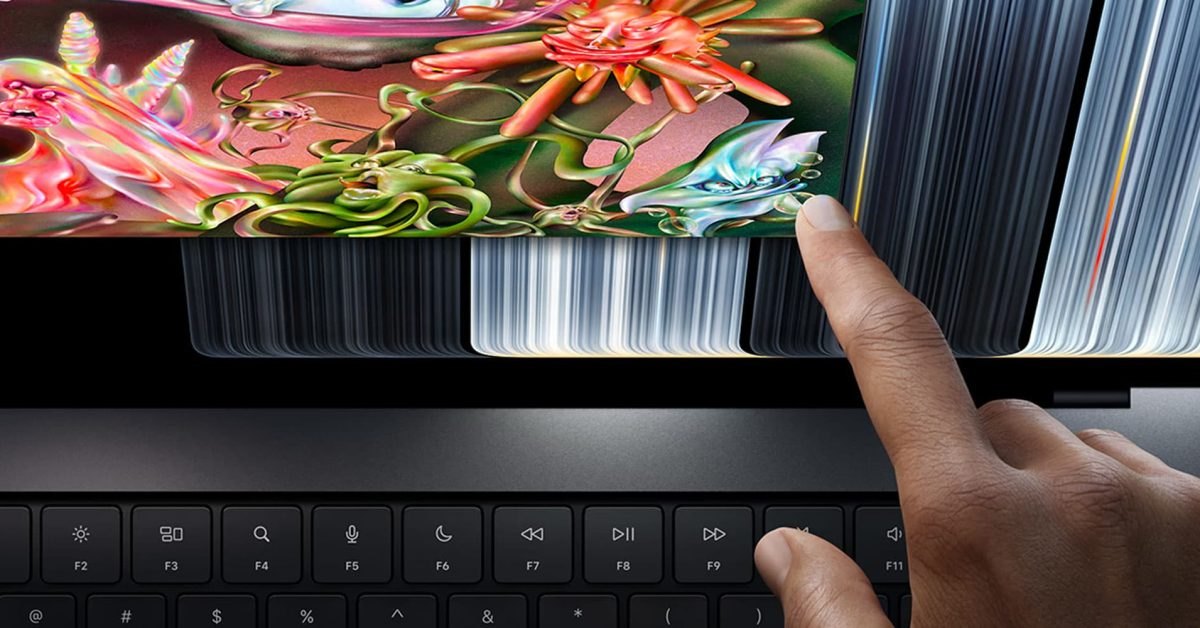
Direct display navigation now mirrors inputs traditionally reserved for the physical trackpad surface. Users can perform multi-finger gestures directly against the PROLED XDR panel, including swiping up with three fingers to launch Mission Control and swiping horizontally with three fingers to move between desktop spaces. Standard gestures such as pinching to zoom in documents and flicking to scroll through long web pages function natively on the panel. The operating system translates these display touches into standard system navigation commands without requiring trackpad interaction.
At the software layer, the system distinguishes between standard cursor input and direct finger presses to scale interface density on demand. When touch contact occurs near window bounds or nested contextual menus, macOS 27 expands the selectable area around the active controls. In web browsing workflows, Safari recognizes vertical pull gestures at the top of pages to initiate reloads. Meanwhile, the Dynamic Island coordinates touch inputs at the top of the display to summon Spotlight search across system files and installed applications.
Advertisement
Tech Pulse Daily
Get tomorrow's pulse first
Join engineers who read Tech Pulse before stand-up. Free, weekday mornings.
New MacBook Pro and macOS 27 are optimized: why it matters now
Bringing direct touch capability to professional Mac hardware resolves longstanding interaction limits for developers testing touch-first applications. Previously, engineers building mobile software on macOS had to simulate finger gestures with a physical trackpad or mouse cursor inside testing windows. The new MacBook Pro allows developers to navigate the iOS simulator entirely by touch, providing genuine multi-touch validation without requiring external mobile devices. This capability establishes direct parity between desktop development environments and mobile touch behavior within a single workstation.
The interface strategy also preserves the density of desktop operating systems while adapting to touch inputs dynamically. Rather than enlarging the entire operating system permanently and sacrificing display area, macOS 27 uses adaptive scaling that widens touch targets only during active physical taps. This responsive approach allows professional users to retain dense desktop layouts for complex applications while using direct screen touches for rapid gestures, app switching, and document inspection alongside traditional keyboard and trackpad inputs.
New MacBook Pro and macOS 27 are optimized: who is affected
Software developers building mobile and universal software represent the primary group directly affected by the simulator improvements. Engineers can now test tap targets, drag interactions, and multi-touch behaviors directly inside the iOS simulator window on the MacBook Pro. This removes the friction of translating mouse clicks into tap events during rapid interface development cycles. Development teams can verify touch layout responsiveness, gesture recognizers, and contextual interactions directly on their primary development machines without deploying intermediate builds to physical hardware.
General Mac users encounter different levels of change depending on their specific hardware configuration. Owners of the new MacBook Pro with PROLED XDR receive active display gestures, expanding traffic lights, and direct touch navigation. Meanwhile, users operating other Mac models updated to macOS 27 Golden Gate still receive broader platform enhancements, including pull to refresh in Safari and increased spacing between menu bar items. These shared platform updates improve navigation readability across the entire Mac lineup regardless of screen type.
New MacBook Pro and macOS 27 are optimized: what to watch
The current touch implementation establishes a baseline set of optimizations, but platform capabilities remain positioned for further expansion. Apple stated that additional touch optimizations are planned for future Mac software releases, with further technical developments anticipated at the next Worldwide Developers Conference. Observers will be monitoring whether direct touch input remains exclusive to the MacBook Pro with PROLED XDR line or gradually expands into consumer laptop models and standalone desktop displays in subsequent product iterations.
Application adoption across the third-party software ecosystem will determine the long-term effectiveness of the updated touch targets. Developers must evaluate whether their custom interface controls adopt the adaptive hit-testing behavior provided by macOS 27 Golden Gate or require manual touch target adjustments. Observers will also track how system utilities, creative applications, and productivity suites handle the intersection of precision pointer work and direct screen manipulation as touch support matures across upcoming operating system revisions.
Developer Action Items
- ☐ Diff the official changelog for Apple / Cursor / macOS before you bump — APIs, defaults, and removed flags only.
- ☐ Install through the vendor's documented channel in staging; keep a one-command rollback and time-box the canary.
- ☐ Grep your repo for old flag names, lockfile pins, and plugin versions that the notes mark as breaking.
- ☐ Prefer the first patch cut over the day-zero tag unless you have a reason to be on the leading edge.
- ☐ If 9to5Mac did not name a region, plan, or SKU, screenshot the official availability line before you promise it to users.
New MacBook Pro and macOS 27 are optimized FAQ
Which gestures work directly on the new MacBook Pro touchscreen?
Users can perform three-finger swipes up for Mission Control, three-finger horizontal swipes to switch spaces, pinch to zoom, and standard page scrolling directly on the display.
How does the new touch screen affect the iOS simulator?
App developers can fully navigate the iOS simulator using direct touch on the screen, eliminating the need to replicate mobile gestures using a physical trackpad.
What touch optimizations appear on older Macs running macOS 27 Golden Gate?
All Macs running macOS 27 Golden Gate receive pull to refresh functionality in Safari and slightly larger spacing between items in the system menu bar.
Do interface buttons on the new MacBook Pro become visually larger for touch?
Traffic light icons enlarge when tapped, while context menus expand their items; other optimized buttons gain larger touch targets without necessarily changing their visual size.
Sources

Author
Dillip Chowdary
Writes Tech Bytes coverage of AI, engineering, and the tools that actually ship. Editor of Tech Pulse Daily.
Related on Tech Bytes
Advertisement