Here’s how to make that new Black Friday TV look its best
John Higgins says most new TVs ship in a blue Eco or Energy Saving mode, and Filmmaker or Movie mode with a few extras off looks far more realistic.
By Dillip Chowdary • Nov 29, 2026 • Source: The Verge
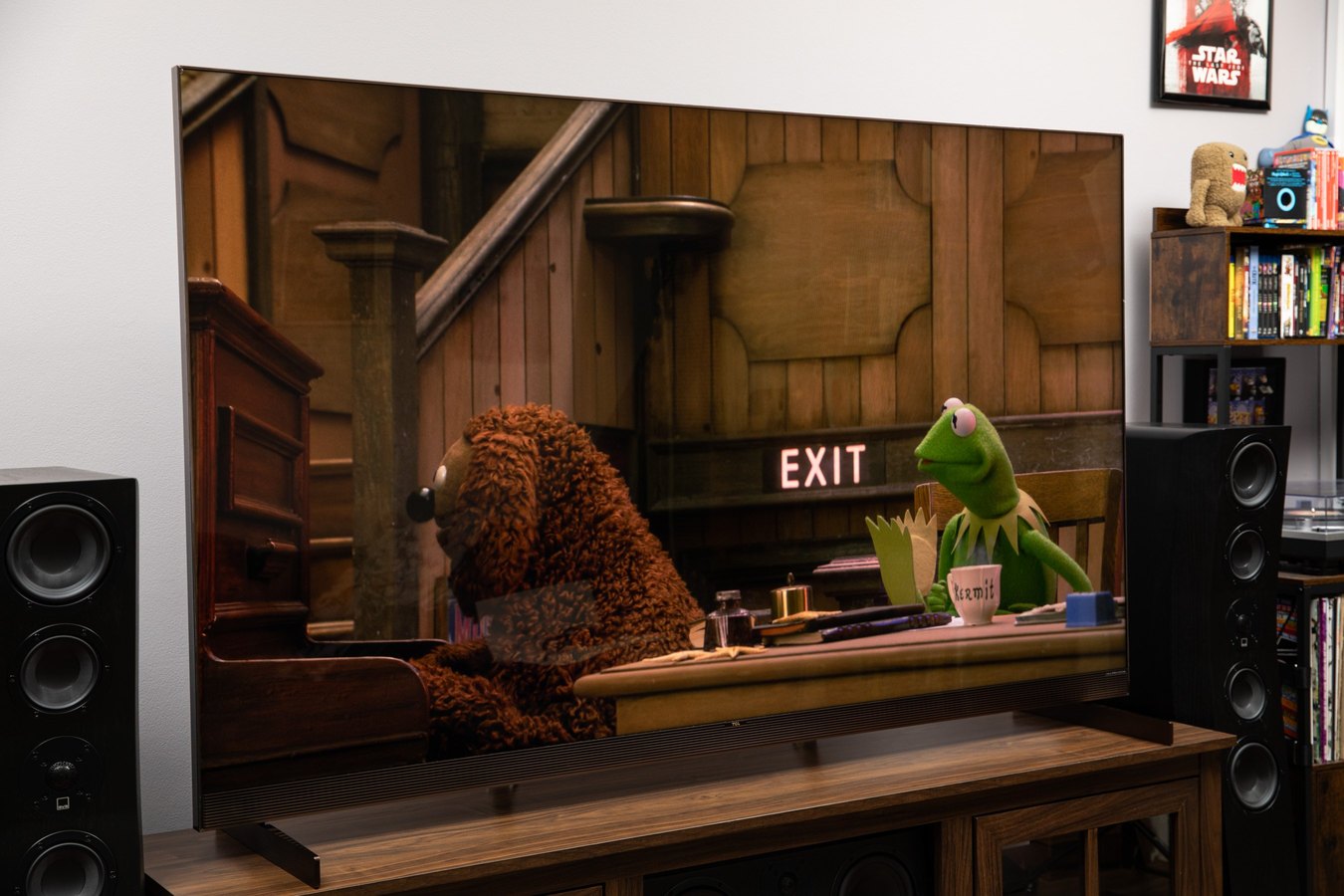
At a glance
- Author
- John Higgins, The Verge
- Published
- Nov 28, 2026, 1:00 PM UTC
- Default mode
- Eco or Energy Saving
- Accurate modes
- Filmmaker, Movie, Cinema, Professional
- Avoid modes
- Vivid and Dynamic
- HDMI format
- Enhanced, not Standard
Most new televisions do not perform well the moment they leave the box, and Black Friday is when many of those sets land in a living room looking overly bright or simply off. John Higgins, senior reviewer for TVs and audio, with over 20 years in AV and earlier staff roles at Digital Trends and Reviewed, published the settings guide on Nov 28, 2026, at 1:00 PM UTC. In The Verge's report, he shows how a few menu changes recover the picture on a purchase that can be a lot of money.
This piece is for anyone who just set up a new TV and wants an accurate image instead of the out-of-box preset. It covers Eco and Energy Saving mode, the move to Filmmaker, Movie, Cinema, or Professional, the ambient light sensor, motion smoothing, Gaming mode with a warm color temperature, and HDMI Enhanced for a console. The order follows Higgins, from the single largest picture change through the port setting that lives outside the Picture menu.
01Eco mode and extra processing
It seems counterintuitive, but the default mode on most TVs is not accurate and can include lots of extra processing that makes the image look artificially detailed or overly smooth. That mode is usually called Eco or Energy Saving, and manufacturers use it to meet energy consumption requirements. Higgins writes that the preset also negatively affects picture quality.
Changing out of this picture mode is the easiest way to make the biggest positive change to the image. The energy preset is what most sets are running when they are first turned on, so the overly smooth, very blue look is what shows up in the living room.
02Filmmaker, Movie, Cinema modes
The modes that replace Eco go by Filmmaker, Movie, Cinema, or Professional, and each company uses a different name for the same idea. Color temperature becomes more accurate, so the picture looks more red beside the very blue Eco mode. Higgins tells readers to "trust me, it's far more realistic," and these modes either turn the extra processing off or, at the very least, tone it down.
Vivid and Dynamic are the presets Higgins says to avoid, because they are only there to blast brightness and make the image incredibly blue. He contrasts them with the more accurate, redder color temperature of Filmmaker, Movie, Cinema, or Professional.
| Picture mode | What it does to the image |
|---|---|
| Eco or Energy Saving | Meets energy rules, adds processing, looks very blue |
| Filmmaker, Movie, Cinema, or Professional | More accurate and more red, with less extra processing |
| Vivid or Dynamic | Blasts brightness and makes the image incredibly blue |
03Ambient sensor, then backlight
Advertisement
Tech Pulse Daily
Get tomorrow's pulse first
Join engineers who read Tech Pulse before stand-up. Free, weekday mornings.
After the picture mode is set, Higgins says to turn off the control that reacts to light in the room, the ambient light sensor. It adjusts picture brightness and color temperature from that room light. The idea is solid, but he has yet to find one that does not make distracting brightness adjustments while he is watching, and the same option can be called Brightness Optimization, Ambient Light Detection, Intelligent Mode, or Energy Saving Step.
It is usually not in the picture settings menu. Higgins says to look for it under General settings in a power-saving menu and switch it off. He notes that the best picture settings are not always under the Picture menu.
With the sensor off, Higgins says to set brightness by hand on the brightness slider or the backlight slider, whichever one changes brightness across the entire screen. A high level in the middle of the day combats sunlight streaming through the windows, and that same level becomes overbearing once the sun goes down. Higgins writes that adjusting it to taste can be the difference between an immersive movie experience and a headache two hours later.
04Frame interpolation and sports
Motion smoothing uses frame interpolation to create extra frames between existing ones and smooth out motion. Viewers often call the result the soap opera effect, because it makes movies look like afternoon TV dramas. Higgins has made it a personal mission to turn the feature off on any TV he has access to, including sets in a waiting room, a hotel room, and his parents' living room.
The idea behind the feature is still a good one, and for some fast-motion programs, such as sports, it can do a solid job depending on the TV manufacturer. Sony's Motionflow on its lowest setting is the example he calls decent.
Note: Filmmaker mode generally turns motion smoothing and other extraneous processing off, but Higgins says it is still best to double-check.
05Gaming mode and HDMI Enhanced
Anyone who plans on gaming should use Gaming mode, which turns off some of the extra processing to reduce input lag as much as possible and to make high refresh rate modes available. Higgins recommends the color temperature setting next, switched to a preset with "warm" in the title. That choice moves the color temperature toward something more natural.
Anything on HDMI, especially a gaming console, should be set to Enhanced instead of Standard. Enhanced expands the bandwidth to the port's full capability. HDMI settings usually sit in a General menu, as the power settings do, and the label can be HDMI signal format or External Device Manager.
A new TV is a big investment that should last a few years at least. Most sets today can perform incredibly well, and they still need a nudge before they deliver the performance the buyer paid for. Higgins says these tweaks do exactly that and lead to years of enjoyment, and the guide's photography is by John Higgins / The Verge.
Frequently asked questions
Why does a new TV look wrong out of the box?
The default picture mode is usually Eco or Energy Saving, chosen to meet energy consumption requirements. It adds extra processing that makes the image look artificially detailed or overly smooth, and the color temperature runs very blue. John Higgins says that preset negatively affects picture quality.
Which picture mode should replace Eco or Energy Saving?
Use Filmmaker, Movie, Cinema, or Professional, with the name changing by company. Those modes make color temperature more accurate, so the image looks more red than Eco, and they turn extra processing off or tone it down. Avoid Vivid and Dynamic, which blast brightness and push the image incredibly blue.
Where is the ambient light sensor on a TV?
It is usually not in the picture settings menu, so look under General settings in a power-saving menu. The same control may be labeled Brightness Optimization, Ambient Light Detection, Intelligent Mode, or Energy Saving Step. Higgins says to switch it off, then set the brightness or backlight slider for the light in the room.
What is the soap opera effect on a TV?
Motion smoothing uses frame interpolation to create extra frames between existing ones, so movies look like afternoon TV dramas, which is the soap opera effect. Filmmaker mode generally turns the processing off, but Higgins says to double-check. Sony's Motionflow on its lowest setting can be decent for sports.
What HDMI setting should a gaming console use?
Set HDMI to Enhanced instead of Standard so the port uses its full bandwidth. The control is usually in a General menu, named HDMI signal format or External Device Manager. Gaming mode cuts some processing to reduce input lag, makes high refresh rate modes available, and a preset with "warm" in the name looks more natural.
Sources

Author
Dillip Chowdary
Writes Tech Bytes coverage of AI, engineering, and the tools that actually ship. Editor of Tech Pulse Daily.
Related on Tech Bytes
Advertisement