How do you know your AI agent is quietly wrong in production?
OpenLIT, free to self-host under Apache 2.0, traces agent calls, tool use, cost, and guardrail blocks with OpenTelemetry across 70-plus integrations.
By Dillip Chowdary • Nov 28, 2026 • Source: github.com
At a glance
- Product
- OpenLIT
- Price
- Free to self-host
- License
- Apache 2.0
- Dashboard
- http://127.0.0.1:3000
- OTLP ports
- 4317 gRPC, 4318 HTTP
- SDKs
- Python, TypeScript, Go
OpenLIT is an open-source intelligence layer for AI ROI that traces, evaluates, guards, and improves AI agents and coding agents with OpenTelemetry, per github.com's report. “Same Agent, Smaller Bill!” covers agent observability, evals, guardrails, prompt management, and cost and GPU monitoring. OpenLIT is free to self-host under Apache 2.0 for any model, framework, or harness, including Claude Code, Codex, Cursor, the OpenAI Agents SDK, LangGraph, CrewAI, and 70+ more integrations.
This article covers the harness loop, the five-minute local start, coding-agent capture, and prompt, guardrail, and GPU controls. It is for engineers on Claude Code, Cursor, Codex, Windsurf, or OpenCode who need each failure traced, scored, and turned into a harness fix.
01Run, observe, evaluate, then fix
An AI agent is a model plus a harness. The harness is everything except the model: tools, context, prompts, memory, hooks, guardrails, and feedback loops. Agent harness engineering is the discipline of designing, measuring, and improving that harness so agents are reliable in production, and the core loop is run, observe, evaluate, fix the harness, and verify.
A production agent can run from a user into an AI agent, then out to LLM calls, tool calls, retrieval, memory, sub-agents, prompts, and code changes. Those branches then meet at an evaluation the diagram labels cost, quality, and errors.
| Harness engineering step | OpenLIT feature |
|---|---|
| Observe every LLM call, tool call, MCP request, retrieval and agent step | Agent observability and OpenTelemetry LLM tracing |
| Evaluate quality, safety and cost on real traces | Evals (LLM-as-a-judge, programmatic, human feedback) plus CI gates |
| Guard the agent at runtime | Guardrails (prompt injection, sensitive topics, topic restriction) |
| Fix the harness without redeploying | Prompt Hub, Context, Rule Engine, Vault (secrets) |
| Compare models and prompts before shipping | OpenGround |
| Account for cost, latency and hardware | Cost tracking, custom pricing, GPU monitoring (NVIDIA, AMD, Intel) |
02Clone, SDK, and OTLP export
OpenLIT calls this setup “Get started in 5 minutes,” and the dashboard at http://127.0.0.1:3000 shows traces, metrics, costs, and performance. Calling openlit.init() is the whole instrumentation step, described as “That’s it.” That call instruments supported LLM providers, frameworks, vector databases, and other AI infrastructure, then exports OpenTelemetry traces and metrics.
By default, OpenLIT takes the OTLP endpoint from OTEL_EXPORTER_OTLP_ENDPOINT, set to http://127.0.0.1:4318. The alternative is an openlit.init() argument, otlp_endpoint, set to the same address. Either configuration is how traces, metrics, costs, and performance reach the local dashboard that Docker Compose opened.
- Start OpenLIT Run git clone https://github.com/openlit/openlit.git, then cd openlit and docker compose up -d, and open http://127.0.0.1:3000.
- Install the SDK Run pip install openlit for Python or npm install openlit for TypeScript.
- Instrument your application Add import openlit and call openlit.init().
- Send telemetry Export OTEL_EXPORTER_OTLP_ENDPOINT="http://127.0.0.1:4318", or pass otlp_endpoint="http://127.0.0.1:4318" to openlit.init().
03User prompt to code impact
Advertisement
Tech Pulse Daily
Get tomorrow's pulse first
Join engineers who read Tech Pulse before stand-up. Free, weekday mornings.
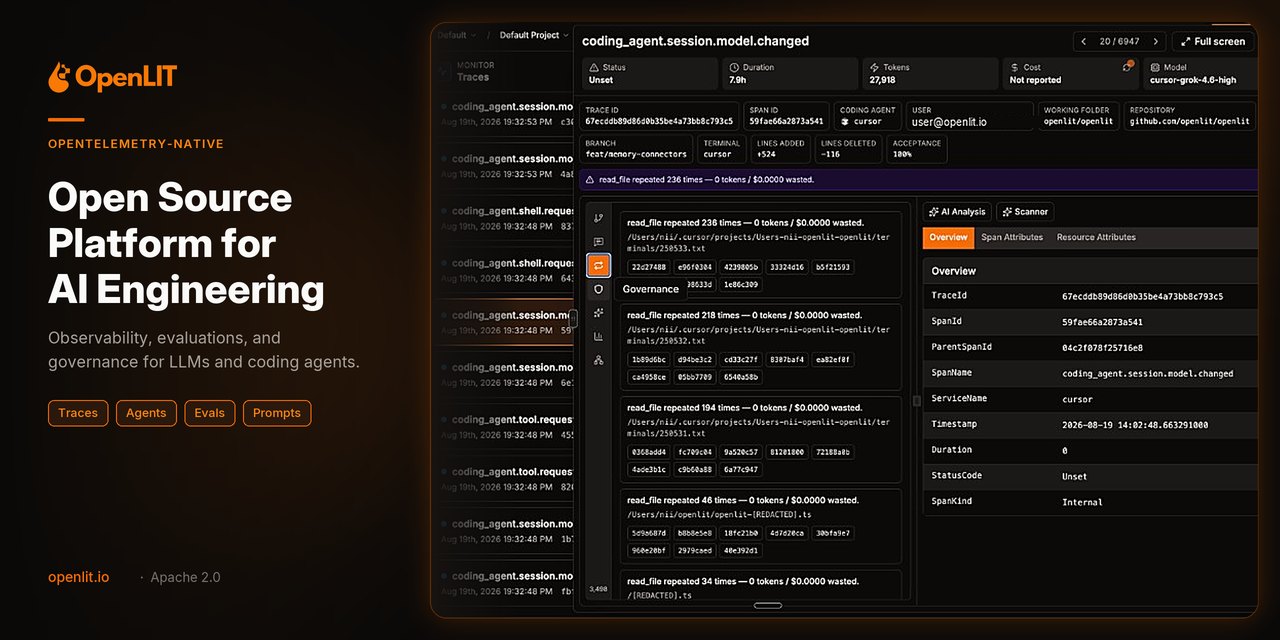
OpenLIT says AI coding agents are powerful, “but understanding what they actually did can be difficult.” It gives an OpenTelemetry-native view of coding-agent sessions for Claude Code, Cursor, Codex, Windsurf, and OpenCode. Resulting sessions are explored in the Coding Agents dashboard.
A captured coding-agent session includes the user prompt, every LLM call, and each tool call. Tool calls break down into file reads, file edits, shell commands, and search, and the session also records sub-agent activity, token usage, cost, and code impact.
- Install the CLI On macOS or Linux, run curl -fsSL https://raw.githubusercontent.com/openlit/openlit/main/cli/scripts/install.sh | sh. On Windows, run iwr -useb https://raw.githubusercontent.com/openlit/openlit/main/cli/scripts/install.ps1 | iex.
- Configure OpenLIT Run openlit configure --endpoint http://127.0.0.1:4318.
- Install coding-agent instrumentation Run openlit coding install --vendor=all, or --vendor=cursor, --vendor=claude-code, --vendor=codex, or --vendor=opencode.
- Check your installation Run openlit doctor.
04Hallucination, bias, and toxicity checks
Traces show exactly what happened during an AI request, and all of them are represented using OpenTelemetry. The traces view includes the full agent conversation, spans, and cost. Cost tracking covers AI applications and supports custom pricing for custom and fine-tuned models.
OpenLIT automatically evaluates LLM and agent outputs with LLM-as-a-Judge evaluations, alongside programmatic checks, human feedback, and CI gates. The evaluations view covers hallucination, bias, and toxicity checks. The stated shift is from “The agent produced an answer.” to “The agent produced a good answer.”
Debugging finds the requests that matter, moving from “Something went wrong.” to a fully traced root cause: agent, then prompt, LLM, tool call, retrieval, a second LLM call, and the error. Connectors plug in ClickHouse, Tempo, Loki, Prometheus, and more. Dashboards show cost, latency, and usage charts at a glance.
05API keys, OpenGround, and GPUs
Prompt Hub stores versioned, centrally managed prompts outside application code, with version control and observability. The SDK sample is openlit.prompts.get("customer-support"). Context stores reusable RAG content once, and the Rule Engine uses conditional rules on trace attributes to return the right piece at runtime.
If environment is production and model is expensive-model, the Rule Engine runs cost evaluation and retrieves the production prompt. SDK guardrails block prompt injection and jailbreak attempts, sensitive topics, and topic restriction, and OpenTelemetry shows when and why it blocked. Vault returns LLM API keys and other secrets via the SDK or API, not hard-coded in application code, and OpenGround compares cost, latency, and output quality across providers.
The GPU collector reports utilization, memory, power, and temperature for NVIDIA, AMD, and Intel GPUs used for LLM inference, correlated with traces. Traces and metrics follow OpenTelemetry GenAI semantic conventions (gen_ai.*), and the app sends OTLP to the OpenLIT receiver. One line auto-instruments 70+ integrations across LLM providers, vector and data stores, AI frameworks and agents, governance and protocols, and GPU monitoring, through Python, TypeScript, and Go SDKs.
Note: OpenLIT listens for OTLP on port 4317 (gRPC) and port 4318 (HTTP), and a bundled Collector is not required. A team’s own Collector can fan out to the OpenLIT receiver and to Datadog, Grafana, or Honeycomb, while the receiver writes ClickHouse for the OpenLIT dashboard. OpenLIT is built around OpenTelemetry, not a proprietary format.
Frequently asked questions
What is OpenLIT?
OpenLIT is an open-source intelligence layer for AI ROI. It adds OpenTelemetry-native tracing, evaluations, guardrails, prompt and context management, and cost and GPU monitoring around AI agents and coding agents. It is free to self-host under Apache 2.0.
How do you start OpenLIT in five minutes?
Clone the openlit repository, run docker compose up -d, and open http://127.0.0.1:3000. Install the SDK with pip install openlit or npm install openlit, call openlit.init(), and set the OTLP endpoint to http://127.0.0.1:4318.
Which coding agents can OpenLIT capture?
The coding-agent view names Claude Code, Cursor, Codex, Windsurf, and OpenCode. CLI vendor flags are --vendor=all, --vendor=cursor, --vendor=claude-code, --vendor=codex, and --vendor=opencode. The command openlit doctor checks the install.
What does an OpenLIT guardrail block?
SDK guardrails detect and block prompt injection and jailbreak attempts, sensitive topics, and topic restriction. Each check is traced with OpenTelemetry, including when and why the request was blocked.
Can OpenLIT run beside Datadog, Grafana, or Honeycomb?
An optional Collector can fan out to those backends and to the OpenLIT OTLP receiver. OpenLIT listens on port 4317 for gRPC and port 4318 for HTTP, and a bundled Collector is not required. The receiver writes ClickHouse, which feeds the OpenLIT dashboard.
Sources

Author
Dillip Chowdary
Writes Tech Bytes coverage of AI, engineering, and the tools that actually ship. Editor of Tech Pulse Daily.
Related on Tech Bytes
Advertisement