iOS 27.2 adds new features in six iPhone apps, details here
Apple released iOS 27.2 with new features across six apps, adding Messages Suggested Actions, mobile TV profiles, and iPhone 17 Group FaceTime Dual Capture.
By Dillip Chowdary • Nov 10, 2026 • Source: 9to5Mac

Apple launched iOS 27.2 for iPhone users worldwide, rolling out a package of functional enhancements across six native system applications. The point release updates Messages, Apple TV, FaceTime, Home, Apple Podcasts, and the Games app with specialized interface refinements, automated contextual triggers, and updated hardware sensor integrations, according to 9to5Mac's report.
This release analysis breaks down every concrete capability introduced across all six updated applications, covering contextual action shortcuts, multi-user media profiles, expanded dual camera streaming, sensor-driven door automations, split listening queues, and social gaming controls. The report is designed for iPhone owners and ecosystem managers evaluating day-to-day usability changes and configuration options following the upgrade.
01Contextual action suggestions in Messages
Suggested Actions officially makes its public debut inside the Messages application after undergoing initial testing during the earlier summer beta cycle. The system detects conversational intent directly within message threads and displays interactive action buttons immediately beneath incoming messages when relevant. These prompt cards let recipients create a new calendar event, schedule a reminder, or append information to a note without manually copying text between different apps.
The implementation in iOS 27.2 provides dedicated customization settings that allow users to fine-tune which categories of suggestions appear in conversation views. Users can leave high-utility actions enabled while silencing categories they prefer to handle manually. Because the prompt buttons render in-line within the chat stream, the interface removes multi-step navigation when coordinating dates, tasks, and shared notes in active discussions.
02Apple TV profiles on mobile screens
Apple introduced standalone user profiles to the Apple TV application across both iOS 27.2 and iPadOS 27.2, expanding an interface model previously limited to tvOS. Launching the updated TV app presents an account profile selection screen that separates watch history, Up Next tracking, and personalized algorithmic recommendations across different household members sharing one device.
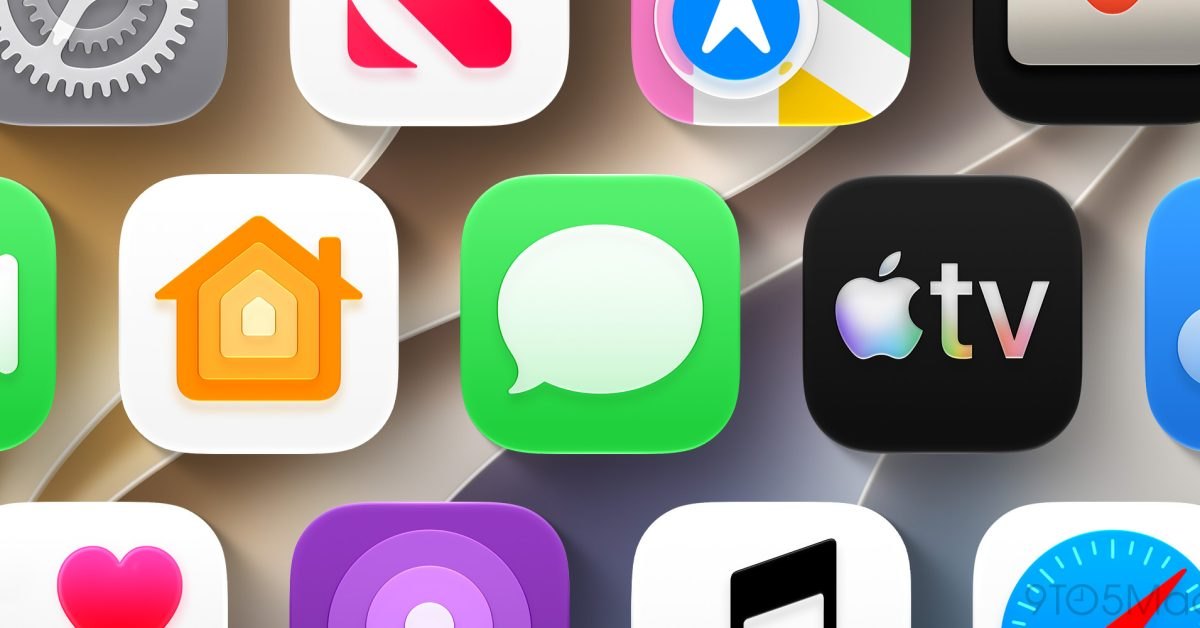
The profile picker is designed to assist parents who hand their iPhones or iPads to children without corrupting their personal viewing queues or algorithmic suggestions. For single-user setups where switching between profiles adds unnecessary friction, the initial selection screen includes a configuration toggle to disable the prompt permanently during future launches.
Advertisement
Tech Pulse Daily
Get tomorrow's pulse first
Join engineers who read Tech Pulse before stand-up. Free, weekday mornings.
03Group FaceTime dual camera streaming
Dual Capture receives an operational upgrade in iOS 27.2 by extending simultaneous dual-sensor streaming into Group FaceTime calls. Originally launched alongside the base iOS 27 release for one-on-one sessions on compatible hardware, the feature allows callers to broadcast live video feeds from both the front-facing TrueDepth array and the rear camera sensor at the same time.
Tapping the standard flip camera button on an iPhone 17 or newer model automatically activates concurrent front and rear broadcasting within group calls by default. Participants in multi-party conferences can share their immediate physical surroundings through the rear lens while maintaining continuous face-to-face visual contact through the front display camera.
04Automation and alert settings for locks
The Home application introduces two dedicated automation settings tailored specifically for compatible smart locks, arriving alongside Apple's broader hardware push for connected domestic equipment. The first feature, Lock After Closing, provides a timer setting that prompts a lock mechanism to engage automatically once a door sensor registers that the door has fully shut, replacing older automation rules that could only measure elapsed time since the lock was originally opened.
The companion setting, Door Left Open, monitors physical door positions to alert homeowners if an entryway remains ajar beyond a designated duration threshold. Homeowners can configure threshold limits in the Home app to trigger automated notifications whenever a compatible lock sensor detects an unclosed door over an extended interval.
| Application | Prior Implementation | iOS 27.2 Implementation | Compatibility / Scope |
|---|---|---|---|
| Messages | Summer beta testing only | Suggested Actions for calendar, reminders, notes | System-wide in Messages |
| Apple TV | tvOS-only multi-user profiles | Mobile profile selection screen | iPhone and iPad devices |
| FaceTime | Dual Capture on 1-on-1 calls | Dual Capture enabled in Group FaceTime calls | iPhone 17 and newer |
| Home | Timed lock from unlocked event | Lock After Closing and Door Left Open alerts | Compatible smart door locks |
| Apple Podcasts | Single unified Up Next list | Split New Episodes and Continue Playing lists | Native Podcasts Home tab |
| Games | Only shows played titles | Shows unplayed downloads and expanded friend data | Native Games Home/Friends tabs |
05Listening queues and social gaming hubs
Apple Podcasts reorganizes the Up Next tray on the primary Home tab by dividing the single queue into two distinct sections labeled New Episodes and Continue Playing. The New Episodes shelf displays exclusively the latest published releases from subscribed feeds, while Continue Playing reserves an isolated shelf for partially played audio tracks that listeners have started but not yet completed.
The native Games application updates both the Home and Friends tabs with expanded tracking data and historical activity overviews. The Home view displays newly downloaded games that the user has not yet launched alongside refreshed layouts for leaderboard scores and achievement milestones. On the Friends tab, player pages provide additional context for automated friend suggestions while detailing the most recent games played by contacts across the network.
IOS 27.2 FAQ
Which iPhone models support Dual Capture in Group FaceTime calls on iOS 27.2?
Dual Capture on Group FaceTime calls requires an iPhone 17 or newer model to stream both front and rear camera feeds simultaneously.
Can the profile selection screen in the Apple TV app be turned off?
Yes, users who do not share their device can disable the profile selection prompt directly if they do not want to see it when launching the TV app.
How does Lock After Closing differ from previous Home app lock automations?
Lock After Closing measures time from the moment a door physically closes rather than counting down from when the lock was initially unlocked.
Sources

Author
Dillip Chowdary
Writes Tech Bytes coverage of AI, engineering, and the tools that actually ship. Editor of Tech Pulse Daily.
Related on Tech Bytes
Advertisement