iPadOS 27.2: Two new features just upgraded your iPad
Apple released iPadOS 27.2 with a trackpad-activated Siri AI contextual popup, system-wide writing tools, and multi-user profile switching in the TV app.
By Dillip Chowdary • Oct 31, 2026 • Source: 9to5Mac
Apple officially released iPadOS 27.2 as the latest system software update for iPad users, introducing enhanced artificial intelligence interactions and shared entertainment capabilities across compatible tablets. According to 9to5Mac's report, the release centers on two primary features designed to refine daily productivity and multi-user media consumption. The update delivers a dedicated Siri AI contextual hover menu alongside selected text, adapting an interface mechanism that originally debuted on the Mac in macOS Golden Gate. Additionally, Apple expanded its media platform by porting the profile management architecture from tvOS on Apple TV 4K directly into the iPadOS Apple TV app. Together, these additions deepen platform integration between external pointing devices, household sharing, and background intelligence across the iPad ecosystem.
This technical analysis covers the interface changes, underlying data sources, fleet deployment steps, and accessory compatibility considerations introduced with iPadOS 27.2. The overview is designed for software engineers, systems administrators managing Apple hardware, creative professionals using iPads with external peripherals, and shared households seeking better device partitioning. Readers will find operational details on the new Siri contextual text trigger, an audit of the personal information feeds accessible to the assistant runtime, and guidance for configuring multi-user profiles and parental age restrictions. The report also details hardware compatibility parameters and price adjustments on refurbished devices and audio accessories.
What Two new features just upgraded your iPad shipped
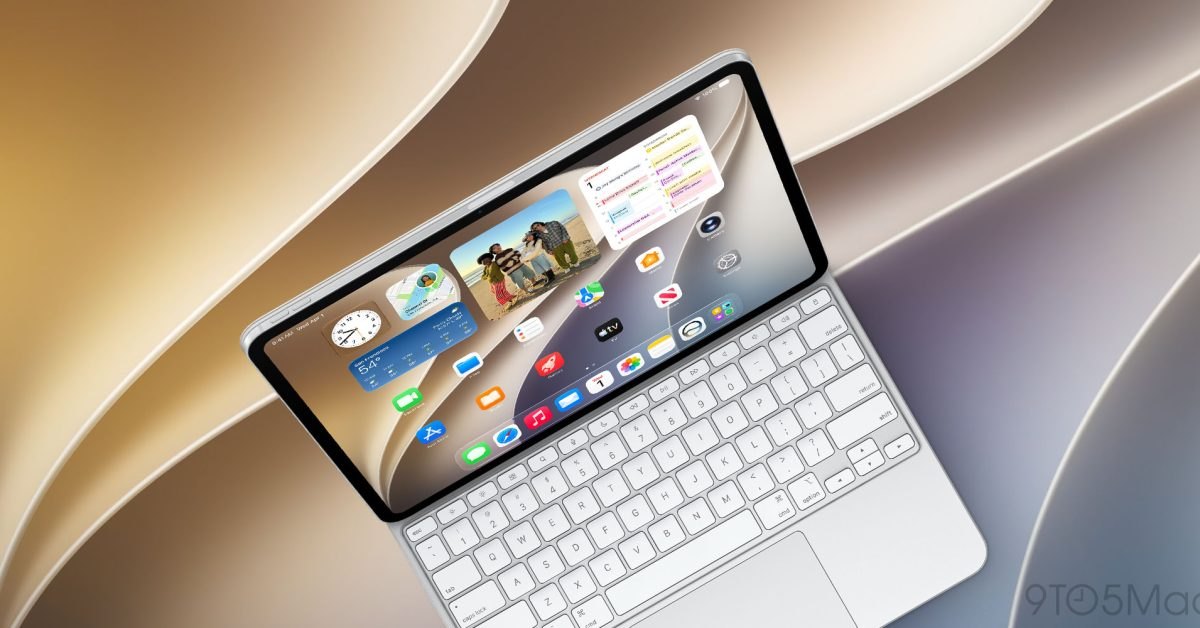
The primary addition in iPadOS 27.2 is a Siri AI contextual popup that activates whenever a user highlights text using a connected trackpad or mouse. When text selection occurs, a compact Siri icon surfaces immediately to the left of the highlighted phrase. Hovering the cursor over this icon expands it into an Ask Siri text field, allowing users to query the assistant about the selected content without opening a secondary window. The popup also surfaces one-tap writing suggestions, including Proofread, Rewrite, and How does this sound. This interface complements the existing CMD plus Space keyboard shortcut that links Siri AI with Spotlight search, giving pointer-driven tablet setups a direct desktop-style editing workflow.
The second major capability brings dedicated user profiles to the Apple TV application on iPad, matching the multi-user system originally deployed on tvOS for Apple TV 4K. Opening the updated Apple TV app presents a startup profile picker that separates viewing environments for different household members. Selecting a profile switches playback history, restores custom Up Next queues, and updates content recommendations tailored to that specific user. For family configurations, active child profiles automatically filter content to show only movies and television series that align with previously configured parental age restrictions. Users who do not share their device can easily disable the startup profile selection screen with a single tap.
What changed for builders in Two new features just upgraded your iPad
For software builders and system integrators, iPadOS 27.2 significantly widens the contextual boundaries accessible to Siri AI across local application stores. Rather than operating strictly inside the active application frame, the assistant runtime now references conversational history, allowing users to recall previous interactions such as restaurant recommendations provided earlier. Release documentation confirms that the assistant query engine also retrieves context from photos attached in Messages, attendee lists from Calendar events, stored voicemail audio, and web data found in Safari browsing history and Reading List entries.
| Platform Feature or Hardware Metric | Prior Implementation State | iPadOS 27.2 Specification | | Siri AI Interaction Mechanism | CMD + Space Spotlight shortcut only | Trackpad selection contextual hover popup | | Siri Assistant Context Sources | Active window and isolated session memory | Messages photos, Calendar attendees, voicemails | | Apple TV App Account State | Single shared household queue on iPad | Independent user profiles with age controls | | AirPods Pro 3 Audio Pricing | $249 manufacturer standard retail price | $199 promotional discounted retail price | | Refurbished iPad Hardware Tier | Standard Apple certified pricing | 15% discount from Apple refurbished store |
This expanded context access impacts how third-party productivity tools structure text selection boundaries and synchronize metadata with native system databases. Applications relying on custom text views must ensure standard cursor hover events pass cleanly to the operating system so the Siri contextual icon can render without UI collision. Because Siri AI now parses Calendar attendee information, Safari reading queues, and Messages media attachments to answer broad user queries, maintaining consistent structured metadata in shared system stores becomes essential for applications aiming to stay discoverable through platform-level assistant workflows.
Advertisement
Tech Pulse Daily
Get tomorrow's pulse first
Join engineers who read Tech Pulse before stand-up. Free, weekday mornings.
How to install or upgrade Two new features just upgraded your iPad
Deploying iPadOS 27.2 onto compatible hardware follows standard platform update channels across consumer devices and managed device deployments. End users can initiate the installation directly within the iPadOS interface by opening the Settings application, selecting General, and tapping Software Update to download the software package over a local network. For administrators managing test devices from macOS Golden Gate workstations or configuring automated continuous integration hardware racks, system diagnostic routines and image deployment checks can be verified using administrative command-line utilities.
```bash
# Verify available operating system distributions
softwareupdate -l
Download and apply all available system updates
Following installation, verifying new capabilities requires confirming accessory pairing and application preferences. Activating the Siri AI contextual popup requires connecting an external trackpad, mouse, or keyboard accessory with integrated pointer hardware. Users can validate functionality by highlighting a sentence in any native text view and hovering the cursor over the resulting icon. In the Apple TV app, profile management initializes on first launch, where administrators can configure family member accounts, establish age-appropriate restriction thresholds, or deactivate the prompt entirely if the device serves as a dedicated single-user workstation.
Gotchas and compatibility in Two new features just upgraded your iPad
While iPadOS 27.2 introduces practical interface additions, several functional constraints govern their availability. The Siri AI contextual hover trigger functions exclusively with trackpad and mouse input, meaning touch selections made with fingers or the Apple Pencil Pro do not summon the floating Ask Siri prompt. Touch-first users must continue relying on standard copy-paste menus or the CMD plus Space keyboard shortcut. Furthermore, while the assistant references past conversations, voicemail records, and Calendar attendees, this capability relies on local assistant logging remaining active within system privacy settings.
Another key architectural boundary concerns multi-user profile switching within the Apple TV application. The profile selection interface operates strictly at the application tier to isolate media queues and viewing histories, rather than providing multi-user operating system logins. Device-wide accounts, Messages threads, iCloud Photos, and installed applications remain unified under the primary Apple account registered to the iPad. Households sharing hardware must therefore combine Apple TV profile settings with standard system Screen Time limits if they wish to restrict broader access to device applications and personal data outside of video playback.
What to watch after Two new features just upgraded your iPad
The additions in iPadOS 27.2 demonstrate Apple's continued effort to bridge tablet productivity with the macOS Golden Gate desktop interface. By adopting trackpad-centric AI interactions, Apple indicates that professional tablet workflows will increasingly rely on pointer-driven precision. Industry observers should monitor whether upcoming point releases expand this hover popup model beyond text highlighting into image objects, canvas elements, and third-party web browsers. In addition, Siri AI drawing contextual information from Messages photo attachments points toward broader multimodal analysis across local on-device files in future platform iterations.
The release also aligns with targeted promotional pricing across Apple hardware and accessories that influence tablet deployment budgets. Apple introduced a 15 percent discount across certified refurbished iPad inventory, lowering acquisition costs for users upgrading older hardware. In the personal audio category, AirPods Pro 3 received a promotional reduction to $199 from their standard $249 price. Organizations and individuals configuring new workstations should evaluate companion gear, including 100W USB-C fast charging power adapters, 10-foot Baseus USB-C cables, tomtoc protective tablet sleeves, and the Apple Pencil Pro to complete their tablet setup.
Developer Action Items
- ☐ Diff the official changelog for Apple / Cursor / macOS 27.2 before you bump — APIs, defaults, and removed flags only.
- ☐ Install through the vendor's documented channel in staging; keep a one-command rollback and time-box the canary.
- ☐ Grep your repo for old flag names, lockfile pins, and plugin versions that the notes mark as breaking.
- ☐ Prefer the first patch cut over the day-zero tag unless you have a reason to be on the leading edge.
- ☐ If 9to5Mac did not name a region, plan, or SKU, screenshot the official availability line before you promise it to users.
Two new features just upgraded your iPad FAQ
What new features did Apple introduce in the iPadOS 27.2 update?
iPadOS 27.2 adds a cursor-triggered Siri AI contextual popup for highlighted text along with multi-user profile switching inside the Apple TV app.
How does the new Siri AI contextual popup work on the iPad?
When text is highlighted with a mouse or trackpad, a Siri icon appears to the left that expands on hover into an Ask Siri field with Proofread, Rewrite, and style suggestions.
Can the Apple TV app profiles enforce parental viewing restrictions?
Yes, active child profiles in the updated TV app restrict content automatically so viewers only see television shows and movies matching preconfigured age settings.
What data sources can Siri AI access following the update?
Siri AI can reference previous conversations, photos attached in Messages, Calendar event attendees, voicemails, and Safari browsing history and Reading List entries.
Sources

Author
Dillip Chowdary
Writes Tech Bytes coverage of AI, engineering, and the tools that actually ship. Editor of Tech Pulse Daily.
Related on Tech Bytes
Advertisement