macOS 27.3 beta 2 now available with vertical tabs in Safari
Apple seeded macOS 27.3 beta 2 build 26C5047e to developers, adding Safari vertical tabs, menu bar Live Activities, and tighter disk controls for AI agents.
By Dillip Chowdary • Nov 17, 2026 • Source: 9to5Mac
At a glance
- Product
- macOS
- Version
- 27.3 beta 2 (build 26C5047e)
- Release date
- November 16, 2026
- Codename
- Golden Gate
- Availability
- Registered Apple developers
- Hardware support
- M6 iMacs, MacBook Pro with PROLED XDR Display
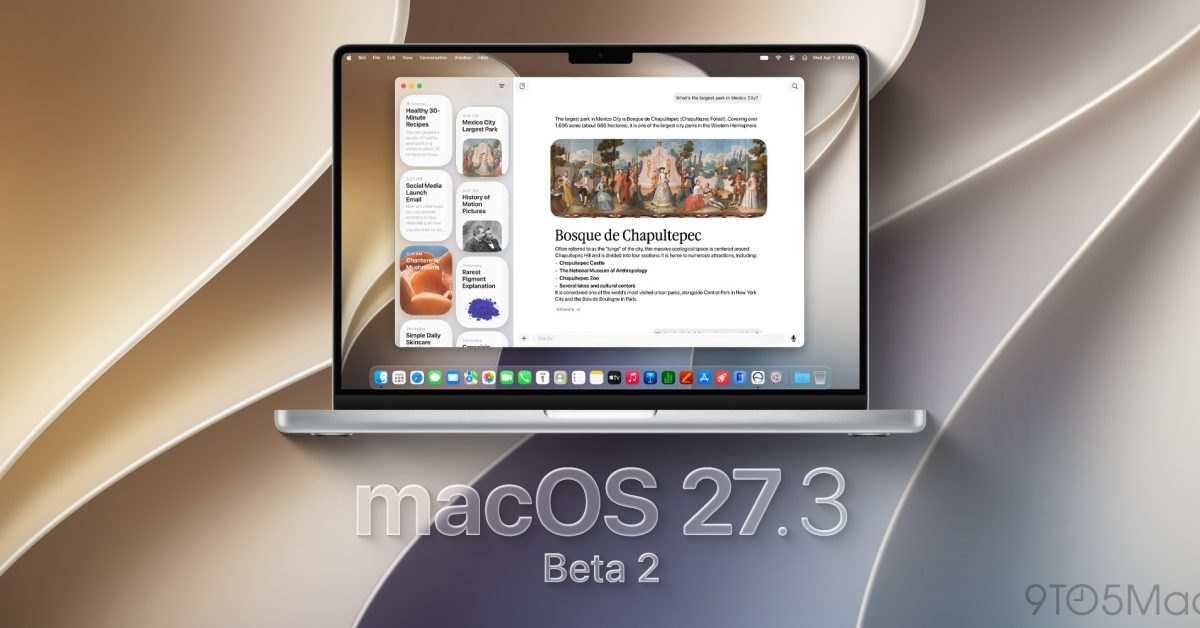
Apple rolled out the second developer beta of macOS 27.3 under build number 26C5047e on November 16, 2026. As detailed in 9to5Mac's report, the update arrives two weeks after developer beta 1 and introduces vertical browser tabs, native menu bar Live Activities, and privacy safeguards for local automation. The release expands system testing across desktop configurations ahead of the upcoming official launch.
This report breaks down the operating system enhancements, developer automation hooks, system security boundaries, and installation requirements across the Golden Gate developer release. It is written for Mac developers, enterprise system administrators, and technical users monitoring upcoming Apple platform updates. The release signals significant structural changes across native desktop applications, contrasting with the smaller feature scope delivered in macOS 27.2.
01Golden Gate build and hardware context
The current release carries build identifier 26C5047e and marks the second Golden Gate developer beta in Apple's testing pipeline. The milestone follows two weeks after developer beta 1 rolled out alongside companion hardware announcements, with a public beta arriving shortly after that initial release. Unlike the preceding macOS 27.2 release, version 27.3 brings notable structural upgrades across core operating system components.
Apple coordinated the beta cycle with recent hardware rollouts that included new M6-powered iMac desktops, refreshed 14-inch MacBook Pro laptops, and a high-end MacBook Pro featuring a PROLED XDR Display. System testing validates whether the new software builds operate reliably across these upgraded Apple silicon platforms. The testing cycle provides early verification for graphics, processing, and memory bandwidth across the latest hardware configurations.
Note: Build 26C5047e is distributed exclusively to registered Apple Developer accounts selecting the Golden Gate channel. Public beta participants will gain access in a subsequent rollout, mirroring the staggered deployment window established during the initial release cycle two weeks prior.
02Expanded Siri AI and multilingual system integration
Apple expanded Siri AI language processing to four new regional languages, adding support for Traditional Chinese, Norwegian, Turkish, and Vietnamese. The linguistic expansion broadens localized natural language handling across international markets prior to public launch. Beyond speech recognition, the system update deepens assistant comprehension across localized queries and multilingual input environments.
Siri AI also expands its direct operational capabilities across Apple's first-party desktop applications. Users can execute complex contextual actions in Messages, Music, Calendar, Photos, and Reminders, while managing local files and directories without manual Finder navigation. The assistant coordinates these tasks natively, allowing multi-step commands to modify records and file structures directly within system storage.
| System Capability | macOS 27.2 | macOS 27.3 Beta 2 |
|---|---|---|
| Siri AI Language Coverage | Previous language set | 4 languages added |
| Native App Coordination | Single-app interactions | Multi-app contextual commands |
| System Storage Interaction | Standard manual file handling | Siri AI file and folder control |
| Safari Tab Interface | Horizontal tab row | Vertical Tabs sidebar |
| Menu Bar Monitoring | Static status items | Native Live Activities |
Advertisement
Tech Pulse Daily
Get tomorrow's pulse first
Join engineers who read Tech Pulse before stand-up. Free, weekday mornings.
03Markdown instructions for cross app developer automation
Third-party software developers receive new programming tools designed to integrate external applications directly into Siri AI. The updated framework enables developers to craft advanced assistant integrations using Markdown-based instructions rather than complex custom communication protocols. The system engine parses these structured Markdown documents to understand external functions and map out supported actions.
The Markdown-based integration layer enables Siri AI to orchestrate multi-step automated actions across separate third-party software programs without requiring manual handoffs. By defining clear command structures, external utilities can exchange parameters and trigger follow-up operations across distinct applications. This shared model reduces developer setup friction while standardizing assistant workflows across independent Mac software suites.
04Disk access safeguards against autonomous agents
The operating system introduces new privacy controls for Full Disk Access and local automation tools. These privacy enhancements arrive directly in response to industry concerns regarding increasingly capable AI agents securing wide-ranging access to personal user data and autonomous control over Mac machines. The updated permissions model establishes strict user boundaries before automated processes can read personal files.
Apple also implemented additional security checks targeting potentially harmful content transmitted via public iCloud links. The scanning mechanism evaluates shared remote files to prevent compromised payloads from bypassing local gatekeeping during collaborative desktop sessions. Together with tighter Full Disk Access restrictions, these defenses safeguard sensitive user records from unmonitored external automation tools.
05Safari vertical tabs and beta installation steps
Safari introduces native Vertical Tabs alongside Adaptive Dark Mode, optimizing tab organization and contrast across varied webpage layouts. The operating system also adds native Live Activities to the menu bar, displays Markdown files directly inside Quick Look previews, and provides a fresh Pro Light screensaver. These visual refinements complement the underlying automation and intelligence features introduced throughout the update.
Developers enrolled in Apple's testing program can install build 26C5047e directly through standard operating system preferences. The process requires an active developer account configuration within system update preferences. Apple recommends completing a full machine archive before switching software channels:
- Back up Mac create a complete system backup before installing test software.
- Open System Settings launch the System Settings application from the menu.
- Navigate to updates select General and click Software Update.
- Access beta options click the information icon beside Beta Updates.
- Select beta branch choose macOS Developer Golden Gate Beta from the dropdown menu.
- Apply configuration click Done to confirm the update selection and download the build.
Frequently asked questions
What new features are included in macOS 27.3 beta 2?
The update introduces Safari vertical tabs, Adaptive Dark Mode, menu bar Live Activities, Quick Look Markdown rendering, and the Pro Light screensaver. It also expands Siri AI language support, adds new Full Disk Access privacy controls, and introduces Markdown-based developer automation tools.
Which languages did Apple add to Siri AI in macOS 27.3?
Apple expanded Siri AI support to four new languages: Traditional Chinese, Norwegian, Turkish, and Vietnamese. The update also allows Siri AI to manage files and folders and perform complex actions in Messages, Music, Calendar, Photos, and Reminders.
Why did Apple introduce new Full Disk Access privacy controls in this beta?
The privacy controls for Full Disk Access and automation tools were introduced in response to concerns about increasingly capable AI agents gaining broad access to personal data and control over Macs.
How can developers install macOS 27.3 beta 2?
Users back up their Mac, open System Settings, go to General then Software Update, click the information icon next to Beta Updates, select macOS Developer Golden Gate Beta from the dropdown menu, and click Done.
Sources

Author
Dillip Chowdary
Writes Tech Bytes coverage of AI, engineering, and the tools that actually ship. Editor of Tech Pulse Daily.
Related on Tech Bytes
Advertisement