Microsoft’s new Surface Laptop Ultra update fixes reboot and display bugs
Microsoft issued an October firmware update for the Surface Laptop Ultra to fix display flickering, unexpected restarts, and sluggish reboot times.
By Dillip Chowdary • Oct 26, 2026 • Source: The Verge
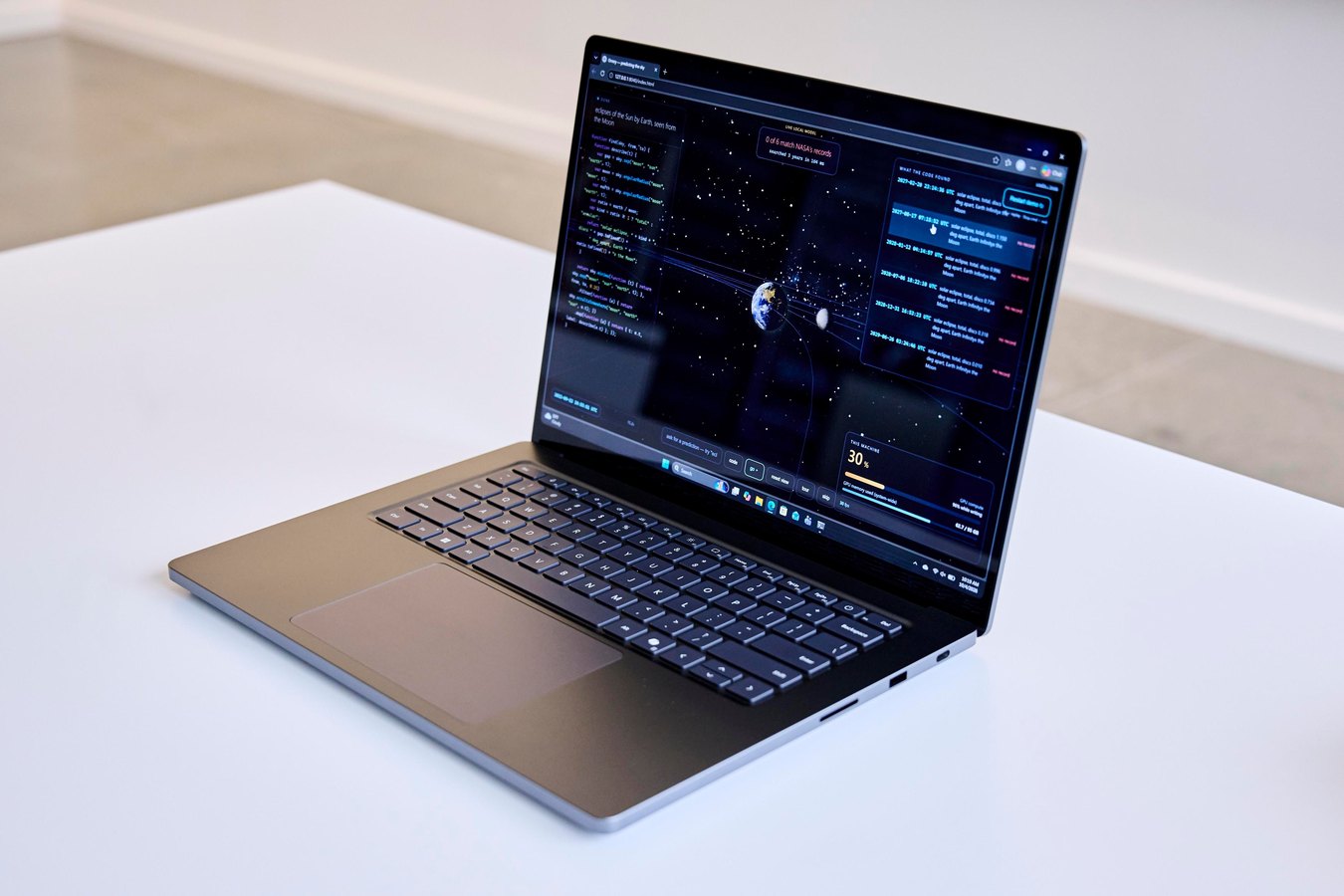
Microsoft launched an October firmware update for the Surface Laptop Ultra to eliminate launch bugs affecting early adopters, as detailed in The Verge's report. The release specifically targets three prominent defects discovered following the hardware rollout: screen flickering, unexpected restarts, and lengthy reboot times. Microsoft also bundled broader stability enhancements into the deployment, describing the package as containing additional bug fixes alongside general performance improvements to ensure stable hardware operation across varying day-to-day computing workflows.
This breakdown examines the technical scope of the October 22 release, detailing the core system repairs, hardware behavior changes, deployment methods, and post-installation constraints. Hardware owners, IT administrators managing Microsoft hardware fleets, and mobile developers using the Surface Laptop Ultra can use this review to plan firmware deployment, confirm which issues are addressed, and verify whether device restart procedures are required to finalize system changes.
What Microsoft’s new Surface Laptop Ultra update shipped
The firmware package provides low-level system remediations designed to tackle instabilities that emerged when the Surface Laptop Ultra initially reached consumers. The primary focal point centers on eliminating display flickering that interrupted active work sessions, while also reconfiguring system restart routines to resolve sluggish startup cycles. In addition, the firmware patches critical system faults that previously caused random and unexpected restarts during normal daily device operation.
Beyond those three specific fixes, Microsoft confirmed the distribution incorporates unspecified additional bug fixes alongside broad performance improvements. The update focuses strictly on device reliability, directly targeting the launch-day bugs reported by early device testers. Reviewers documented that moving application windows rapidly across the display previously produced visible trail artifacts, while system restarts took an unexpectedly lengthy amount of time before the hardware returned to an active operational state.
What changed for builders in Microsoft’s new Surface Laptop Ultra update
Developers and engineering teams running workloads on the Surface Laptop Ultra gain critical operating consistency, ensuring local testing or compile cycles are not aborted by spontaneous system crashes. The mitigation of unexpected restarts eliminates sudden power-loss events during local builds, database updates, or emulator runs. Meanwhile, display artifact mitigation removes window trailing when rapidly repositioning code editors, terminal windows, and browser windows during active multitasking sessions.
| Target Issue | Launch Behavior | Firmware Fix Status |
|---|---|---|
| Reboot Duration | Surprisingly slow restart times | Optimized firmware startup sequence |
| Display Artifacts | Screen flickering and window trails | Stabilized display driver signaling |
| System Stability | Spontaneous unexpected device restarts | Resolved via low-level stability fixes |
| General Bugs | Unspecified baseline system faults | Additional fixes and performance improvements |
The table above details the operational baseline shifts delivered by the October update. By stabilizing the underlying device firmware, Microsoft removes unpredictable display flickering and sudden device restarts that disrupted local software development pipelines.
Advertisement
Tech Pulse Daily
Get tomorrow's pulse first
Join engineers who read Tech Pulse before stand-up. Free, weekday mornings.
How to install or upgrade Microsoft’s new Surface Laptop Ultra update
Microsoft is distributing the firmware rollout broadly to all Surface Laptop Ultra units, delivering the payload automatically through standard device update channels in a phased staged release. Because Microsoft uses a gradual deployment schedule, not every machine will detect or receive the package on the same day. Device owners who prefer an immediate upgrade can install the package manually by pulling files from Microsoft's official driver and firmware page.
# Manual check via standard Windows Update service
winget upgrade --all# Open Windows Settings directly to the update panel
Start-Process "ms-settings:windowsupdate"After the firmware files finish copying and applying to the machine, Microsoft notes that additional steps may be required to finalize system changes. Device owners must execute a clean reboot to guarantee full initialization across system controllers. Microsoft instructs users to select Start, then navigate to Power and select Restart to conclude the installation sequence.
Gotchas and compatibility in Microsoft’s new Surface Laptop Ultra update
A significant operational constraint of this release is that the firmware update cannot be uninstalled or reverted to an earlier version once applied. Hardware administrators and individual users must account for this permanence prior to initiating manual deployments, as rolling back to the previous firmware state is technically impossible. Staging updates across a small test group is recommended before updating an entire hardware fleet.
Another unresolved operational detail concerns audio irregularities observed during hardware reviews. Reviewers encountered intermittent speaker interference loud enough to sound like firecrackers, which temporarily cleared after rebooting but reappeared across multiple computing sessions. Microsoft was asked to clarify whether the speaker interference fix was included within the unspecified general improvements, but confirmation remains pending.
What to watch after Microsoft’s new Surface Laptop Ultra update
Device owners should track system behavior closely after completing the recommended manual reboot, ensuring window trails and screen flicker do not persist under heavy graphical workloads. Users should also monitor boot duration across subsequent cold boots and restarts to confirm that startup latency remains within normal operational parameters without stalling.
Fleet administrators should observe the staged delivery timeline to ensure remote Surface Laptop Ultra units complete the upgrade without manual intervention. If peripheral audio pops or firecracker-like speaker bursts recur on updated machines, users should document the conditions, pending official confirmation from Microsoft regarding whether dedicated audio driver patches will arrive in future maintenance updates.
Developer Action Items
- ☐ Diff the official changelog for Microsoft / Windows before you bump — APIs, defaults, and removed flags only.
- ☐ Install through the vendor's documented channel in staging; keep a one-command rollback and time-box the canary.
- ☐ Grep your repo for old flag names, lockfile pins, and plugin versions that the notes mark as breaking.
- ☐ Prefer the first patch cut over the day-zero tag unless you have a reason to be on the leading edge.
- ☐ If The Verge did not name a region, plan, or SKU, screenshot the official availability line before you promise it to users.
Microsoft’s new Surface Laptop Ultra update FAQ
What bugs does the October 22 Surface Laptop Ultra firmware update fix?
The firmware update directly fixes screen flickering, unexpected system restarts, and lengthy reboot times, while including unspecified general bug fixes and performance enhancements.
Can the new Surface Laptop Ultra firmware update be uninstalled?
No, the firmware update cannot be uninstalled or rolled back to an earlier version once applied to the device.
How can users install the update if it has not arrived automatically?
Users who do not want to wait for the phased automatic rollout can manually download and install the package from Microsoft's official driver and firmware page.
Does the update fix the loud speaker interference bug?
The source noted that speaker interference sounding like firecrackers occurred during reviews, but Microsoft has not confirmed whether that specific issue is resolved under the additional bug fixes.
Sources

Author
Dillip Chowdary
Writes Tech Bytes coverage of AI, engineering, and the tools that actually ship. Editor of Tech Pulse Daily.
Related on Tech Bytes
Advertisement