Open-source ChatGPT Enterprise alternative, built on the Codex runtime
LingX-AI released LinkSense as an open-source agent platform built on the Codex runtime that requires 4 vCPU and 8 GiB of RAM for its self-hosted Core profile.
By Dillip Chowdary • Nov 14, 2026 • Source: github.com
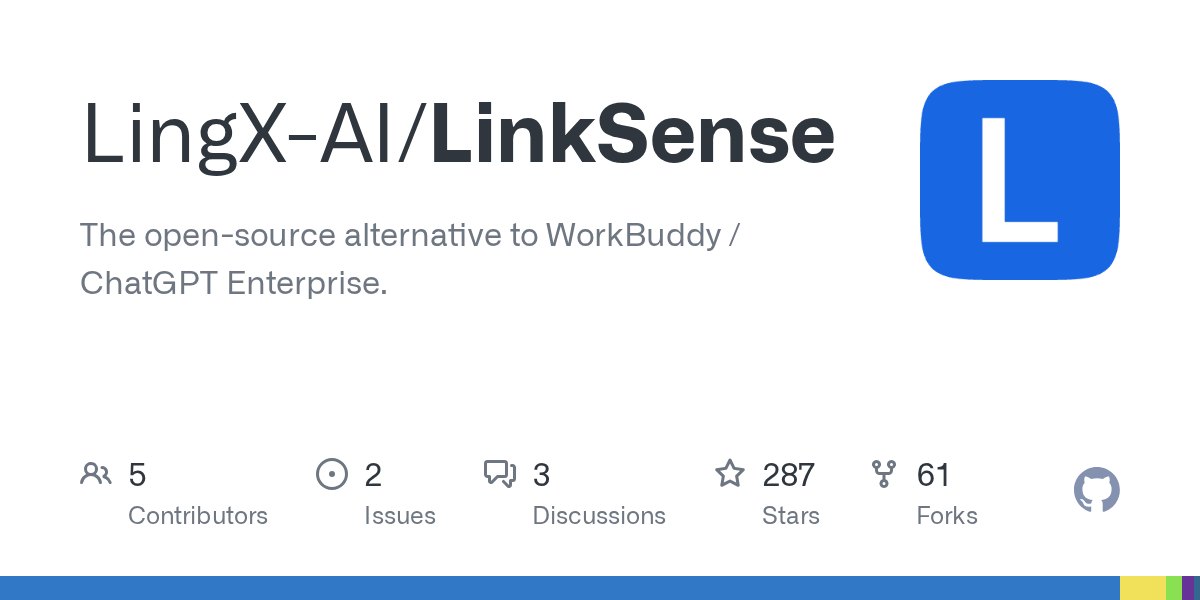
LingX-AI launched LinkSense, an open-source enterprise artificial intelligence platform positioned as a self-hosted alternative to WorkBuddy and ChatGPT Enterprise. The system is built on the Apache-2.0 licensed Codex runtime to give organizations a governed environment for running autonomous agents without exposing underlying credentials. According to github.com's report, the platform allows companies to deploy hosted or local models while retaining task files on their own infrastructure.
This article examines the operational architecture, deployment profiles, sandboxing boundaries, and licensing rules established for LinkSense. System architects and IT administrators evaluating on-premises agent platforms can assess the hardware specifications, access controls, and integration tools supported across the software. The platform addresses organizations that require strict credential governance, local storage, and unified management across automated workflows.
01Hardware profiles for containerized evaluation
Deployment targets Linux and macOS hosts running Docker containers across two distinct configuration profiles named Core and Full. An initial Core evaluation requires a host with at least 4 vCPU, 8 GiB of memory available to Docker, and 60 GiB of free solid-state storage. This lightweight tier provides the essential execution framework for staging environments and basic capability evaluations.
The Full profile incorporates built-in document parsing engines, background indexing pipelines, and retrieval mechanisms that demand higher host capacity. Administrators can provision the software manually by verifying host dependencies, executing container commands, and completing initial setup routines. Alternatively, operators can direct a coding agent to fetch the published installation script and initialize the Core environment directly.
Deployments support interface localization in both English and Simplified Chinese to accommodate distributed engineering teams. Teams can review profile differences through dedicated documentation guides covering system operations, routine maintenance, component upgrades, and source development. In addition, organizations requiring customized infrastructure can coordinate private deployments and custom integrations directly with project maintainers.
02Worker runtime and deliverable generation
The agent execution runtime operates through dedicated user Worker environments where autonomous workflows complete multi-step assignments. Agents within this runtime can research external sources, trigger system tools, execute code, and analyze operational data. These automated tasks produce finished business deliverables including text documents, spreadsheets, presentation decks, and specialized binary files inside the assigned Worker space.
Workflows initiate across multiple system surfaces depending on operational requirements and user preference. Team members can launch interactive sessions through the central web workspace, dispatch prompts through external messaging channels, or register recurring tasks through the background scheduler. This structure ensures both ad-hoc queries and scheduled enterprise workflows execute under identical containerized runtime conditions.
The underlying runtime originates from the upstream Codex engine while remaining architecturally decoupled as an independent project. Resource governance enforces per-user runtime quotas to prevent individual background processes from consuming disproportionate host compute or memory. Operators can attach either public commercial model APIs or compatible self-hosted model endpoints depending on privacy requirements.
Advertisement
Tech Pulse Daily
Get tomorrow's pulse first
Join engineers who read Tech Pulse before stand-up. Free, weekday mornings.
03Governed plugins and business connectors
LinkSense introduces an organizational registry for publishing governed Knowledge bases, agent Skills, execution Plugins, and standalone Applications. Workspace administrators configure distribution policies so specific users or defined groups receive access to select capability bundles. This catalog structure lets engineering teams curate standard operating procedures and custom computational tools without duplicating configuration across departments.
External integrations link internal business systems directly into agent workflows using native connectors or the open Model Context Protocol standard. Agents interact with document archives, corporate email servers, enterprise resource planning suites, and customer relationship management databases under configured permissions. These connections allow tasks to query operational records and stage updates without routing traffic through unauthorized intermediaries.
Enterprise integrations protect backend authentication tokens by managing system connections exclusively at the server boundary. Individual team members trigger complex queries across enterprise software without ever inspecting or handling the underlying credentials. Organizations seeking custom enterprise resource planning or database integrations can provide environment specifications and expected volume directly to project engineers.
04Centralized credentials and usage auditing
The administrative control plane centralizes membership governance, model provider credentials, and system activity logs into a single interface. IT managers define access levels, allocate model quotas, and review real-time usage across departments from this unified console. Central credential storage prevents API tokens and infrastructure secrets from leaking into client-side configurations or shared workspace files.
Audit logging captures runtime events, administrative adjustments, and resource consumption figures across every active workspace. Compliance teams can trace which members initiated specific agent routines, monitor external endpoint interactions, and verify resource usage against internal operational ceilings. These audit records provide the visibility necessary for organizations subject to internal governance standards and external reporting mandates.
The administrator guide outlines procedures for onboarding team members, tuning model performance, and enforcing security boundaries across active clusters. Operations teams can inspect detailed diagnostic traces to troubleshoot failing connectors or adjust resource allocations before capacity limits disrupt active users. This administrative visibility ensures enterprise deployments remain stable as agent adoption scales across business units.
05User boundaries and dual licensing terms
The core security isolation boundary resides at the user Worker layer rather than the individual task container. Under this design, concurrent tasks owned by the same user share file access within that member's Worker environment. Standard execution allows outbound internet connectivity without per-command approval, while configured third-party services receive the operational payloads directed to them.
LinkSense distributes its proprietary codebase under the Common Public Attribution License Version 1.0, which incorporates attribution requirements, a trademark policy, and an internal deployment exception. In contrast, the upstream Codex runtime foundation retains its permissive Apache-2.0 license. Organizations reporting security vulnerabilities submit disclosures privately to dedicated project handlers rather than public tracking forums.
Community collaboration centers around GitHub Discussions for general inquiries, Discord for real-time app sharing, X for release announcements, and WeChat discussion groups. External contributors submitting code must sign a Contributor License Agreement before pull requests merge into the upstream repository. Technical support and community acknowledgments highlight backing from developers including Metrolive, guygubaby, Bo-infocare, and the Linux.do community.
Source ChatGPT Enterprise alternative FAQ
What hardware is required to run LinkSense Core?
LinkSense Core requires a Linux or macOS host running Docker with at least 4 vCPU, 8 GiB of memory available to Docker, and 60 GiB of free solid-state storage. The Full profile requires additional compute and disk capacity for integrated document parsing, indexing, and retrieval.
How does LinkSense isolate agent execution between users?
The security isolation boundary is the user Worker container. Tasks belonging to the same user can access their shared workspace files, while outbound internet access is enabled by default without per-command approval.
What licenses govern the LinkSense codebase and runtime?
LinkSense-owned code is licensed under the Common Public Attribution License Version 1.0 (CPAL-1.0) with an internal deployment exception and attribution requirements. The underlying upstream Codex runtime is independently licensed under the Apache-2.0 license.
How do agents connect to internal corporate systems?
Agents connect to corporate email, documents, enterprise resource planning, and customer relationship management databases using native connectors or the Model Context Protocol. All connections run within configured administrative permissions without revealing underlying system credentials to individual users.
Sources

Author
Dillip Chowdary
Writes Tech Bytes coverage of AI, engineering, and the tools that actually ship. Editor of Tech Pulse Daily.
Related on Tech Bytes
Advertisement