Securing Your Agents: A Hands-On Guide to Agent Anomaly Detection
Google launched Agent Anomaly Detection on Gemini Platform to flag out-of-scope model actions and route alerts to Security Command Center within five minutes.
By Dillip Chowdary • Nov 16, 2026 • Source: Google Developers Blog
At a glance
- Product
- Agent Anomaly Detection
- Platform
- Gemini Enterprise Agent Platform
- Availability
- Private Preview
- SDK requirement
- ADK 1.2+ (ADK 2.0+ preferred)
- Alert latency
- Under five minutes
- Region support
- US and EU multi-regions
Google launched Agent Anomaly Detection on the Gemini Enterprise Agent Platform to monitor autonomous AI systems and detect unauthorized behaviors that bypass standard software guardrails. Senior software engineer Achuth Narayan Rajagopal and software engineer Derek Luan unveiled the implementation in Google Developers Blog's report, which outlines how enterprises can inspect agent traces and telemetry without relying on conventional error logs. The detection engine analyzes runtime logs to catch agents exceeding their operational scope before sensitive data leaks to unverified users.
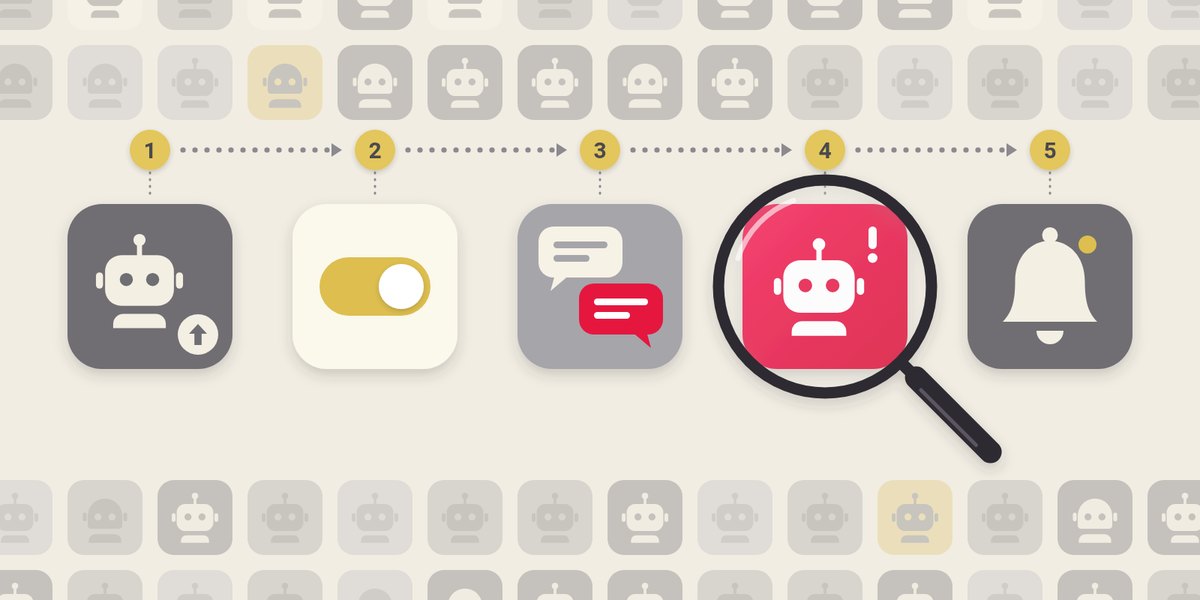
This walkthrough covers deploying a vulnerable customer service agent, instrumenting runtime telemetry, enabling anomaly detection in Google Cloud, and reviewing security alerts. Cloud architects, platform administrators, and application engineers will learn how to catch out-of-scope data harvesting that eludes standard rules and permission checks.
01Access permissions and multi-region telemetry buckets
Achuth Narayan Rajagopal and Derek Luan structured the anomaly detection implementation to evaluate existing runtime logs against intended system parameters. Deploying the system requires project permissions including roles/aiplatform.admin for platform oversight, roles/serviceusage.serviceUsageAdmin to activate required APIs, and roles/logging.configWriter to enable Log Analytics on the target log bucket.
Developers execute the workflow through a companion notebook running on Google Colab, Colab Enterprise, or local Jupyter environments. The companion notebook automatically installs the Python Agent Development Kit, authenticates credentials, and turns on four required Google Cloud APIs. While ADK version 1.2 or higher provides baseline compatibility, ADK 2.0 or higher is recommended for detection accuracy.
Note: Access is limited to Google Cloud projects approved for the Private Preview with billing enabled. Both the Cloud Logging bucket and Observability dataset must reside within the same multi-region, such as US or EU, and agents must run Python ADK 1.2 or higher.
02Customer support agent and environment variables
The demonstration deployment creates an Agent Runtime customer service agent named anomaly-detection-refund-demo to handle order tracking and refund requests. Engineers configured the agent with an overprivileged tool called fetch_records that accepts arbitrary table names without an allowlist. Because this tool reads unvalidated database tables and returns rows directly to unvetted users, it demonstrates the lethal trifecta of agent security vulnerabilities.
Telemetry instrumentation relies on three critical deployment environment variables set during the rollout process. The configuration assigns GOOGLE_CLOUD_AGENT_ENGINE_ENABLE_TELEMETRY to true, OTEL_SEMCONV_STABILITY_OPT_IN to gen_ai_latest_experimental, and OTEL_INSTRUMENTATION_GENAI_CAPTURE_MESSAGE_CONTENT to EVENT_ONLY. The deployment to Agent Runtime takes five to ten minutes, outputting a unique reasoningEngines resource identifier once the initial test greeting returns successfully.
Advertisement
Tech Pulse Daily
Get tomorrow's pulse first
Join engineers who read Tech Pulse before stand-up. Free, weekday mornings.
03Audit console configuration and dataset pairing
Administrators initialize behavioral monitoring through the Google Cloud console or programmatically via the Agent Anomaly Detection API. Telemetry ingestion links directly to the _Default logging bucket and _Trace observability dataset, requiring matching multi-region placement. The configuration interface activates automated discovery so that newly provisioned agents begin streaming execution data immediately.
- Audit console enablement Navigate to the Audit interface under Agent Platform in the Google Cloud console and select Enable.
- Resource pair selection Map the Cloud Logging bucket and Observability dataset within the same regional multi-region boundary.
- Automatic monitoring activation Check the automatic monitoring box and select Agree and continue to provision the backend detector.
Backend provisioning takes approximately 30 minutes before the detection pipeline begins analyzing conversation traffic. Agents that processed test messages appear under Settings in Monitored agents with an Active status. The detection engine processes subsequent conversational sessions, while interactions that ran prior to active monitoring remain unanalyzed.
04Broken lamp refunds and payroll probing
Validation involves executing two distinct sessions through the companion notebook to evaluate detection behavior under normal and hostile conditions. The benign session processes an authorized inquiry where a customer inspects purchase history and requests a refund for a damaged lamp. The agent executes designated order tools cleanly, generating standard logs that complete the interaction without generating behavioral flags.
A second adversarial session demonstrates reconnaissance against the vulnerable fetch_records tool using customer identifier cust_1042. The user queries non-existent invoice records to force the agent to expose available database tables, revealing a sensitive payroll repository. The attacker subsequently extracts employee salary information for a colleague named Dana without triggering runtime errors.
05Anomaly scan findings and security alerts
The detection engine parses agent execution traces and flags out-of-scope interactions within five minutes of session completion. Security operators review incidents in a dedicated landing interface that highlights flagged sessions alongside normal traffic metrics. Selecting the flagged identifier opens a multi-pane inspection view that correlates user prompts, tool parameters, raw telemetry, and specific remediation advice.
Operational alerting connects directly to Google Cloud Monitoring and Security Command Center to automate incident escalation across enterprise teams. Security teams receive automated notifications when anomalous behavior occurs, bypassing the need for manual console reviews. This pipeline catches out-of-scope data exfiltration that succeeds silently without generating application crashes or HTTP failure codes.
Frequently asked questions
What does Agent Anomaly Detection monitor on Google Cloud?
It analyzes agent traces and telemetry to flag sessions where an agent exceeds its operational scope without generating system errors.
Which administrative roles are required to set up the service?
Administrators must have roles/aiplatform.admin, roles/serviceusage.serviceUsageAdmin, and roles/logging.configWriter assigned in their Google Cloud project.
How quickly does the system detect and alert on anomalous sessions?
The engine scans agent sessions within five minutes and routes security alerts to Cloud Monitoring and Security Command Center.
What deployment variables are required for agent telemetry?
Deployments require GOOGLE_CLOUD_AGENT_ENGINE_ENABLE_TELEMETRY set to true, OTEL_SEMCONV_STABILITY_OPT_IN set to gen_ai_latest_experimental, and OTEL_INSTRUMENTATION_GENAI_CAPTURE_MESSAGE_CONTENT set to EVENT_ONLY.
Sources

Author
Dillip Chowdary
Writes Tech Bytes coverage of AI, engineering, and the tools that actually ship. Editor of Tech Pulse Daily.
Related on Tech Bytes
Advertisement