tvOS 27.2 just launched for Apple TV 4K, here’s what’s new
Apple released tvOS 27.2 for Apple TV 4K with expanded TV profiles, sign language video tracks, screen saver shuffle, and upcoming Siri AI support.
By Dillip Chowdary • Oct 26, 2026 • Source: 9to5Mac
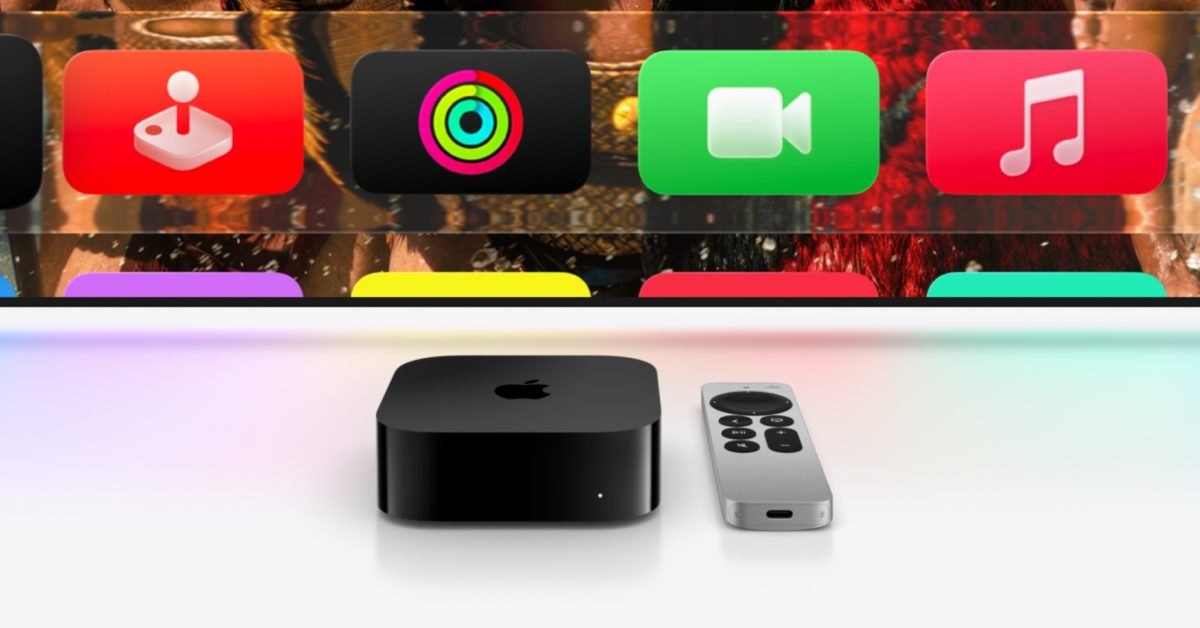
Apple launched tvOS 27.2 on October 26, 2026, delivering updated interface tools, accessibility expansions, and screen saver controls to Apple TV 4K hardware. According to 9to5Mac's report, the release coincides with iOS 27.2 profile syncing and sets up upcoming infrastructure for Siri AI conversational controls and multi-speaker HomePod surround sound arrangements. The initial release focuses on core media center conveniences while rolling in visual adjustments across built-in services.
This report covers every feature rolled out in tvOS 27.2 alongside the hardware prerequisites outlined for incoming companion capabilities. Living room viewers, household administrators, and ecosystem developers will find details on profile management, expanded sign language tracks, and upcoming audio routing parameters across modern Apple TV 4K generations.
What TvOS 27.2 just launched for Apple TV 4K shipped
Apple shipped several visual and functional updates centered on user personalization and screen saver management. User profiles in the TV app now match profile expansions appearing across iPhone and iPad in iOS 27.2, allowing shared home devices to track distinct viewing histories and recommendations. Alongside that expansion, Apple added new illustrated avatar characters to the profile picker screen, introducing options from The Snoopy Show, Frog and Toad, and Stillwater to help family members identify accounts rapidly.
The update also reworks ambient television displays by adding a Shuffle option to the screen saver category menu. The system automatically cycles through Aerials, Memories and Slideshows, Portraits, and Snoopy screen savers rather than locking into a single collection. In addition, users receive direct controls to customize which specific photographic assets from their personal Photos library appear in the Portraits and Memories and Slideshows rotation.
What changed for builders in TvOS 27.2 just launched for Apple TV 4K
| Feature Area | Previous tvOS Implementation | tvOS 27.2 Implementation | Hardware Scope |
|---|---|---|---|
| Profile Sync | Standalone tvOS local profiles | Cross-device profile parity with iOS 27.2 | Apple TV 4K line |
| Screen Saver Engine | Static single-category rotation | Unified Shuffle mode across four categories | Apple TV 4K line |
| Accessibility Audio/Video | Standard subtitle text tracks | Integrated ASL and BSL visual tracks | Select Apple TV app titles |
| Music Branding | Legacy Apple Music icon assets | Updated icon and revised interface styling | Systemwide |
| Siri Engine | Standard voice command parser | Conversational Siri AI assistant with personal context | Apple TV 4K 2nd gen and later |
| Spatial Audio Routing | Dual HomePod stereo pairing | Four HomePod front and rear surround sound | Apple TV 4K 4th gen exclusively |
Accessibility video delivery received an upgrade through native video overlay support for sign language. tvOS 27.2 integrates American Sign Language and British Sign Language video feeds directly into select movies and television series within the Apple TV app. Viewers and developers can inspect this behavior by toggling the sign language track on via the system Settings application or through standard video player overlay controls during playback.
Advertisement
Tech Pulse Daily
Get tomorrow's pulse first
Join engineers who read Tech Pulse before stand-up. Free, weekday mornings.
How to install or upgrade TvOS 27.2 just launched for Apple TV 4K
Apple TV 4K owners can install the tvOS 27.2 release over the air directly through the device interface without auxiliary computer connections. Navigate to Settings, open System, select Software Updates, and click Update Software to download and apply the package. Devices configured for automatic maintenance will download the build during idle overnight windows when connected to active Wi-Fi or Ethernet networks.
The update also includes a refreshed application icon and minor layout adjustments for the Music application, harmonizing living room hardware with Apple Music's broader design rebrand. Once installation finishes, streaming applications and user accounts reflect the synchronized identity assets established across connected iOS 27.2 devices automatically.
Gotchas and compatibility in TvOS 27.2 just launched for Apple TV 4K
While tvOS 27.2 runs across the Apple TV 4K family, two flagship capabilities announced by Apple earlier this month are reserved for subsequent software drops and specific hardware generations. Siri AI, which brings personal context understanding, broad world knowledge, and systemwide application control, will not function on initial first-generation Apple TV 4K units. Apple has restricted Siri AI availability to Apple TV 4K 2nd generation and later hardware models.
Hardware limitations are even stricter for Apple's upcoming surround sound configuration. The capability to link four compatible HomePods as two dedicated front channels and two dedicated rear channels requires the newly introduced 4th generation Apple TV 4K. Owners operating 2nd or 3rd generation hardware will remain limited to standard dual HomePod stereo pairing setups when streaming living room audio.
What to watch after TvOS 27.2 just launched for Apple TV 4K
The near-term trajectory for tvOS 27.2 centers on the impending activation of Siri AI. Apple described the assistant as a profoundly more capable and conversational engine designed to find entertainment effortlessly through complex spoken prompts and contextual memory. Users should watch for upcoming software updates that switch on this assistant framework across 2nd generation, 3rd generation, and 4th generation Apple TV 4K units.
Attention also turns to multi-channel living room audio performance on the 4th generation Apple TV 4K. Apple described the upcoming four-HomePod layout as the ultimate audio experience for home theater streaming. The rollout of those audio drivers in subsequent tvOS 27.2 revisions will test whether wireless HomePod setups can effectively substitute for traditional wired multi-channel speaker receivers.
Developer Action Items
- ☐ Diff the official changelog for Apple / iOS 27.2 before you bump — APIs, defaults, and removed flags only.
- ☐ Install through the vendor's documented channel in staging; keep a one-command rollback and time-box the canary.
- ☐ Grep your repo for old flag names, lockfile pins, and plugin versions that the notes mark as breaking.
- ☐ Prefer the first patch cut over the day-zero tag unless you have a reason to be on the leading edge.
- ☐ If 9to5Mac did not name a region, plan, or SKU, screenshot the official availability line before you promise it to users.
TvOS 27.2 just launched for Apple TV 4K FAQ
Which Apple TV devices support tvOS 27.2?
tvOS 27.2 is available for Apple TV 4K devices, though specific features like Siri AI require an Apple TV 4K 2nd generation or later, and four-speaker HomePod surround sound requires the 4th generation model.
How do you enable American Sign Language or British Sign Language on tvOS 27.2?
You can turn on ASL or BSL tracks for select movies and TV shows in the Apple TV app by using the player controls during playback or through the main Settings app.
What new screen saver features are included in tvOS 27.2?
tvOS 27.2 introduces a Shuffle option that cycles through Aerials, Memories and Slideshows, Portraits, and Snoopy screen savers, alongside controls to curate which personal Photos library shots appear in Portraits and Memories.
Sources

Author
Dillip Chowdary
Writes Tech Bytes coverage of AI, engineering, and the tools that actually ship. Editor of Tech Pulse Daily.
Related on Tech Bytes
Advertisement