Workflow SDK 5: built for production: When we first launched Workflow SDK
Vercel launched Workflow SDK 5 with default AES-256-GCM encryption, multi-region state storage, and performance benchmarks showing up to 25x latency gains.
By Dillip Chowdary • Nov 14, 2026 • Source: Vercel Blog
Vercel has released Workflow SDK 5, updating its durable JavaScript execution framework after recording over four billion steps and seven hundred million production runs across customer workloads. According to Vercel Blog's report, the update targets backend automations and artificial intelligence agent loops requiring persistence across server crashes and deployments. The release adds default payload encryption, multi-region state storage, and engine optimizations reducing latency up to 25x.
This report examines the platform's cryptographic privacy controls, distributed execution regions, trace diagnostic tooling, and step throughput benchmarks. It is designed for software engineers and systems architects managing durable queues or long-running agent workflows in production environments. Readers will learn how the update secures payload data, improves geographical data locality, and batches step executions without breaking application code.
01End-to-end encryption and zero-configuration keys
The Workflow event log captures step arguments and outputs so runs can resume after infrastructure failures or code updates. Because logs often hold customer records, model contexts, and credentials, the SDK now encrypts all payloads end to end using AES-256-GCM. Each run uses a unique key, ensuring storage backends and intermediate queues store only ciphertext.
On Vercel, encryption works automatically without manual setup or changes to workflow code. Cryptographic keys derive from the parent deployment, restricting decryption to that deployment or authorized local CLI commands. Developers can inspect runs in the dashboard or terminal, with access governed by project permissions and recorded in team audit logs.
Self-hosted systems using custom World interfaces implement a key provider function returning a stable 32-byte key for each run across replayed steps. Cross-run operations seal data using the recipient run's public key. Additionally, setting payload retention to zero purges stored arguments and streams as soon as a run finishes or errors.
02Redesigned trace viewer and run attributes
A redesigned trace viewer simplifies navigating complex workflow runs during development and incident triage. The interface features span search, timeline zooming, a minimap, and local inspection capabilities. Engineers can select spans and use the Alt key to visualize exact time differences across sequential steps.
Version five introduces run attributes, allowing teams to attach searchable plaintext context such as order identifiers to executions. This enables finding specific workflows quickly without indexing entire event logs. Because attributes remain unencrypted for search queries, Vercel cautions developers against including sensitive credentials or private tokens in attribute fields.
The observability suite preserves operational monitoring while keeping underlying payload data protected from unauthorized exposure. Timings, execution statuses, and step names stay visible across administrative views without displaying decrypted contents. When authorized developers request payload decryption in the browser or terminal, the action is logged in organization audit trails.
Advertisement
Tech Pulse Daily
Get tomorrow's pulse first
Join engineers who read Tech Pulse before stand-up. Free, weekday mornings.
03Regional function deployment and placement options
In Workflow SDK 4, all event logs, queues, and streams were hosted exclusively in the iad1 region. Functions running worldwide had to make cross-region network requests to log every step transition. Version five resolves this latency bottleneck by deploying Workflow infrastructure directly across every Vercel Function region.
Every new run now operates from a designated home region matching the function that initiated it. Locating state and queue dispatch near users avoids inter-region round trips on the hot path without manual tuning. Legacy runs from version four remain in iad1, ensuring past workloads remain stable while new executions leverage regional infrastructure.
Developers can override placement by passing an explicit region parameter into the start API call. Assigning a run to regions like Frankfurt keeps workflow state close to local databases and satisfies regional data residency mandates. Application steps execute in their configured deployment zones, aligning compute locations with data storage.
04Regional isolation and runtime error recovery
Regional infrastructure isolation strengthens operational resilience against data center outages. Disruptions in one geographical zone do not affect the initialization or execution of runs in healthy regions. This architecture prevents localized service incidents from cascading into broad downtime for mission-critical automation systems.
When projects configure function failover, steps can execute in a secondary fallback zone while reading state from the original home region. Workflow state remains securely anchored in its home region rather than migrating across databases during failovers. This pinning prevents split-brain discrepancies and preserves deterministic step replays.
Telemetry data and customer testing helped engineers identify and fix dozens of rare race conditions in the runtime. The SDK also recovers automatically from intermittent network disconnects during execution. Consequently, version five achieves near-zero workflow failures or stalls caused by underlying platform or runtime bugs.
05Inline execution and agent latency benchmarks
In version four, every step required queue hops to start execution and resume workflow logic. While acceptable for background pipelines, this queuing introduced excessive latency for AI agent loops handling thousands of sequential events, streams, and subagents. Version five rewrites key runtime components to eliminate unnecessary queue hops, networking, and processor overhead.
The revised engine executes multiple sequential and parallel steps inline before yielding control to wait states. Removing intermediate queue round trips enables subagent loops and tool calls to run at near-native function speeds. The runtime only pauses for persistence when encountering explicit sleeps or external events.
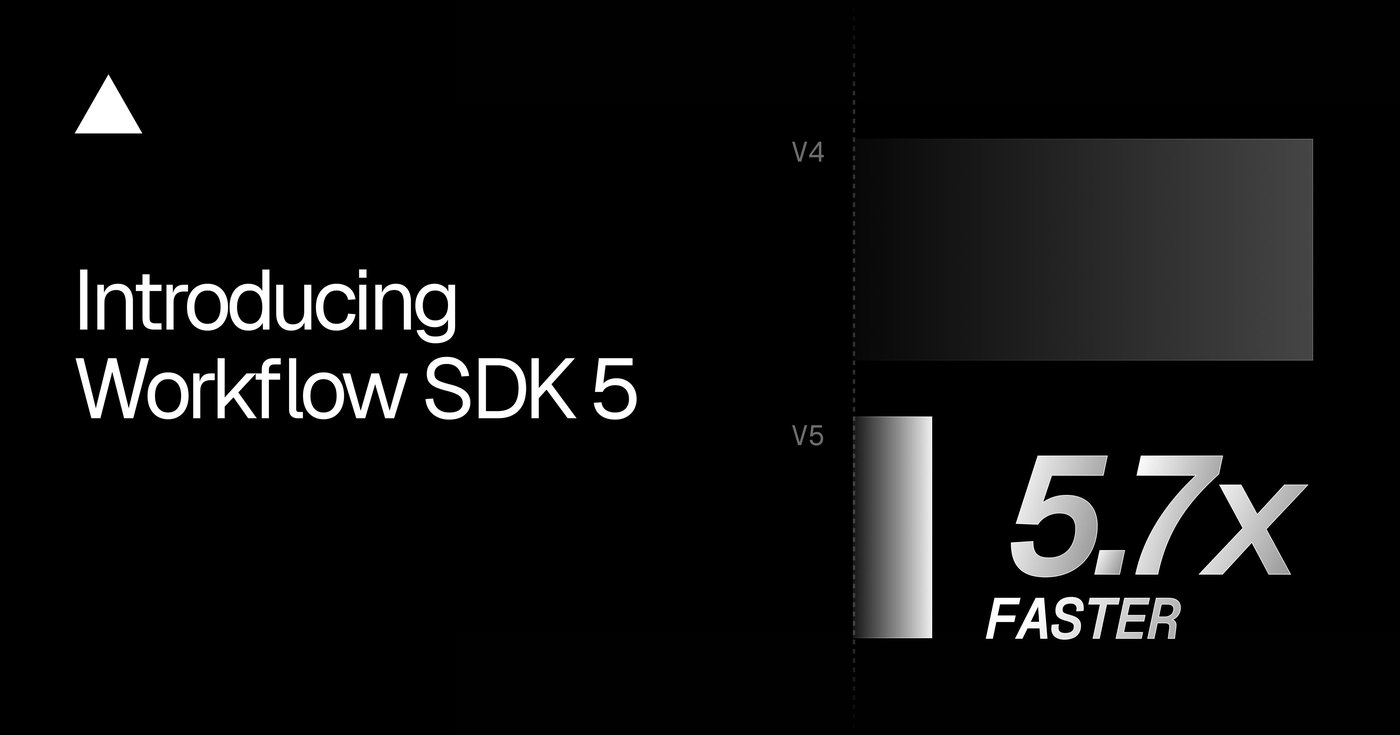
Benchmarks comparing version 5.2.0 against version 4.8.12 on Vercel show measured latency and overhead reductions between 1.6x and 25x. These gains require no breaking syntax changes or modifications to developer workflows. Teams can adopt the updated SDK immediately to accelerate production agents and durable pipelines.
Workflow SDK 5 FAQ
How does Workflow SDK 5 secure sensitive execution data?
Payloads, step arguments, and stream contents are encrypted end to end with AES-256-GCM using unique per-run keys derived from deployment credentials. Vercel and storage backends only store ciphertext, while authorized users can decrypt payloads locally in the dashboard or CLI.
Can workflows be pinned to specific regional data centers?
Developers can pass a region option such as fra1 to the start function to pin workflow state and queues next to local databases or comply with residency rules. By default, each execution automatically establishes its home region where the initiating function runs.
How much faster is Workflow SDK 5 compared to version 4?
Official benchmarks comparing version 5.2.0 with version 4.8.12 show latency and overhead improvements ranging from 1.6x to 25x. The speedup comes from executing multiple steps inline and eliminating intermediate queue hops between step invocations.
How can developers inspect encrypted workflow runs from the terminal?
Authorized developers with appropriate environment variable access can run the command npx workflow inspect run with a run identifier and the decrypt flag. The command decrypts the payload directly within the local terminal and records the action in team audit logs.
Sources

Author
Dillip Chowdary
Writes Tech Bytes coverage of AI, engineering, and the tools that actually ship. Editor of Tech Pulse Daily.
Related on Tech Bytes
Advertisement