Here’s one small change that could improve iPhone Duo’s unoptimized apps
Three weeks after launch, Apple's iPhone Duo letterboxes older iOS 26 apps, prompting calls for a default Split View option on unoptimized mobile software.
By Dillip Chowdary • Nov 15, 2026 • Source: 9to5Mac
At a glance
- Product
- Apple iPhone Duo
- Operating system
- iOS 27.0 and iOS 27.1
- Release window
- Three weeks post-launch
- Software limit
- iOS 26 apps display letterboxing
- Multitasking modes
- Long press Split View supported
- Companion charging
- Up to 100W output battery bank
| Check | Do this |
|---|---|
| The claim | What the source actually said — not a recap of a recap |
| Price / term | Confirm on the live listing or vendor page |
| Who it is for | Match the product to your stack before you buy |
| What to verify | Warranty, seller, version, and return window |
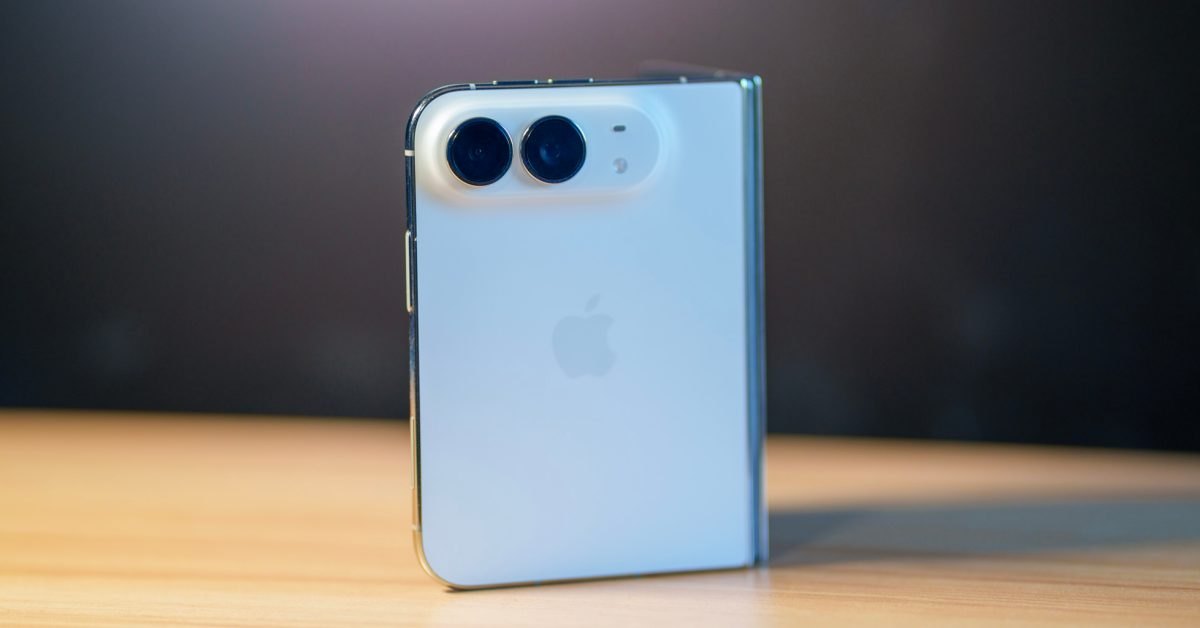
Apple released the iPhone Duo roughly three weeks ago, introducing a dual-screen foldable format running iOS 27.0 with dedicated multitasking controls. As detailed in 9to5Mac's report, early adoption shows that while primary daily utilities have updated for iOS 27.0, older titles compiled for iOS 26 and earlier remain unoptimized.
This report examines the multitasking mechanics of the device, the visual behavior of legacy software across the wider inner display, and developer recommendations for automated dual-window execution. It is intended for foldable smartphone owners, iOS engineers, and mobile enterprise teams adapting existing catalog builds to modern split-screen environments.
01Home screen long press and Split View
On the iPhone Duo home screen, users can long press any application icon to reveal an option to launch the software directly into Split View. The operating system enables Split View functionality across every application, including legacy software that developers have not yet recompiled for iOS 27 or iOS 27.1.
The platform separates window placement from immediate application pairing. Initiating Split View places the active software onto one half of the wider inner display while keeping the standard home screen visible on the opposite side. This layout allows users to browse their icon grid and choose a companion application later.
02Letterboxing borders across legacy operating systems
A notable volume of catalog applications remains built against iOS 26 and earlier operating system releases. When launched on the iPhone Duo inner display, these unoptimized programs do not expand across the full visual area. Instead, the interface renders them with black letterboxing borders that fill approximately half of the physical display.
Because unoptimized software already occupies roughly half the inner display, users frequently find themselves looking at empty border padding during single-app tasks. Navigating back to the home screen to manually trigger Split View requires an extra long press every session. The fixed dimensions highlight how legacy aspect ratios interact with foldable hardware.
03Inner display presentation across compilation builds
Advertisement
Tech Pulse Daily
Get tomorrow's pulse first
Join engineers who read Tech Pulse before stand-up. Free, weekday mornings.
Application behavior diverges significantly depending on whether software packages have been updated for modern platform releases. While developers continue recompiling titles for iOS 27.0 and iOS 27.1, existing legacy packages continue to trigger pillarbox borders when opened directly from the launcher.
| Compilation Release | Inner Display Presentation | Multitasking Compatibility | | iOS 26 and earlier | Half-screen with letterboxing | Long press Split View supported | | iOS 27.0 and 27.1 | Full-screen across wider display | Long press Split View supported |
Even certain applications that have been compiled for iOS 27.0 do not feel comfortable stretched across the wider inner display. Many users prefer these wide-format interfaces restricted to a balanced half-screen footprint. A system-level toggle could bridge this layout disparity by standardizing window widths across different development cycles.
04Persistent dual window settings and Slide Over
Reporter and indie iOS developer Michael Burkhardt suggested that Apple introduce an automated option to open non-optimized applications in Split View by default. Under this design, any application lacking iOS 27 optimization would automatically launch into half of the inner display without requiring a manual long press from the launcher.
The proposal also suggests adding an application-specific toggle within system preferences so users can force designated apps to always launch in half splits. Beyond default dual-window behavior, Burkhardt noted that Apple should introduce Slide Over to iPhone Duo. That capability would let users float a compact overlay window over a full-screen application.
05Recommended MagSafe power accessories and desktop hardware
Hardware setups for the iPhone Duo benefit from dedicated magnetic power banks and desktop charging stations. Recommended accessories include the Anker Ultra-Slim MagSafe Battery Pack and the Anker Nano 45W Fast Charger with Smart Display. For desktop Mac workflows alongside the mobile setup, the Logitech MX Master 4 Mouse provides precise navigation.
Travelers managing multi-device charging can deploy the Anker 25K Compact Battery Bank, which offers 25,000mAh capacity, two built-in cables, multiple ports, and up to 100W output. Audio support centers on AirPods Pro 2 with USB-C, which continually receive software updates like Adaptive Audio. Tracking gear includes the AirTag 2 four-pack, featuring fifty percent improved Precision Finding.
Physical handling on the wider foldable chassis improves with the PopSocket Low Pro MagSafe Kickstand, which provides ergonomic support on the iPhone Duo. Content creators capturing imagery alongside their mobile setup often pair field gear with dedicated cameras like the Sony A7RV. These companion accessories complement everyday charging and dual-screen productivity routines.
Frequently asked questions
How do you open apps in Split View on iPhone Duo?
Users long press an application icon on the home screen to open it in Split View. The selected app occupies one half of the inner display while the home screen remains visible on the other half.
Why do older applications show letterboxing on iPhone Duo?
Applications compiled for iOS 26 and earlier have not been updated for the wider inner display. As a result, they occupy approximately half of the screen with letterbox borders.
What changes did Michael Burkhardt suggest for iPhone Duo multitasking?
Burkhardt suggested adding a setting to open unoptimized apps in Split View by default, alongside per-app Split View toggles. He also recommended adding Slide Over to let compact apps float over full-screen interfaces.
Sources

Author
Dillip Chowdary
Writes Tech Bytes coverage of AI, engineering, and the tools that actually ship. Editor of Tech Pulse Daily.
Related on Tech Bytes
Advertisement