Spend Management: Spending limits and alerts for Cloudflare
Cloudflare launched Spend Management in beta for pay-as-you-go accounts, allowing over 10 million developers to set automated spending limits on Workers.
By Dillip Chowdary • Nov 15, 2026 • Source: Cloudflare Blog
Cloudflare launched Spend Management in beta for pay-as-you-go customers, introducing automated spending caps and threshold alerts that halt paid operations when budgets run out. The capability targets more than 10 million developers building on the developer platform, rolling out first to Cloudflare Workers and Durable Objects before expanding across the broader product catalog. As outlined in Cloudflare Blog's report, the feature transitions Cloudflare beyond purely informational budget notifications into programmatic runtime cost enforcement.
This analysis details the operational setup, execution pauses, recovery mechanisms, and underlying metering architecture of the beta rollout for engineering teams managing Cloudflare infrastructure. System administrators can configure policies across Workers and Durable Objects alongside existing AI Gateway budgets to prevent billing surprises during traffic surges. The report outlines both the user-facing interfaces and the distributed data pipeline processing usage events into sub-ten-minute spending decisions.
01Dashboard, CLI, and REST API controls
Developers can configure spend controls through the Cloudflare dashboard under Manage Account, Billing, and Spend limits. The interface displays current billing cycle costs in near real time within ten minutes, showing which services have active thresholds or hard caps. An audit log documents every threshold modification alongside the precise timestamp when a specific policy triggered.
Platform engineers can automate policies through the Cloudflare REST API by issuing requests against the spend-policies endpoint with an authorization token and account identifier. Payload parameters include the policy name, target product identifier, boolean enablement status, threshold in cents, an action like usage block, and a notification email address. Setting ten thousand cents establishes a hundred dollar ceiling that triggers notifications as accumulated costs approach the ceiling.
Teams working on the command line can inspect and manipulate spend policies using the cf command-line utility. Commands such as cf billing spend-policies list, create, get, update, and delete expose policy management directly inside continuous delivery scripts. Billing cycles reflect the specific calendar day a paid subscription began, such as October 10 through November 10, rather than aligning to standard calendar month boundaries.
02Cost-incurring code pauses and recovery options
When an account reaches its configured monetary threshold, Cloudflare applies an automated usage block policy that rejects subsequent paid invocations. The runtime mechanism selectively restricts customer code execution rather than shutting down the entire web property. In Workers deployments, incoming Cron Triggers and Queue consumer invocations cease immediately, while static assets continue serving visitors without interruption.
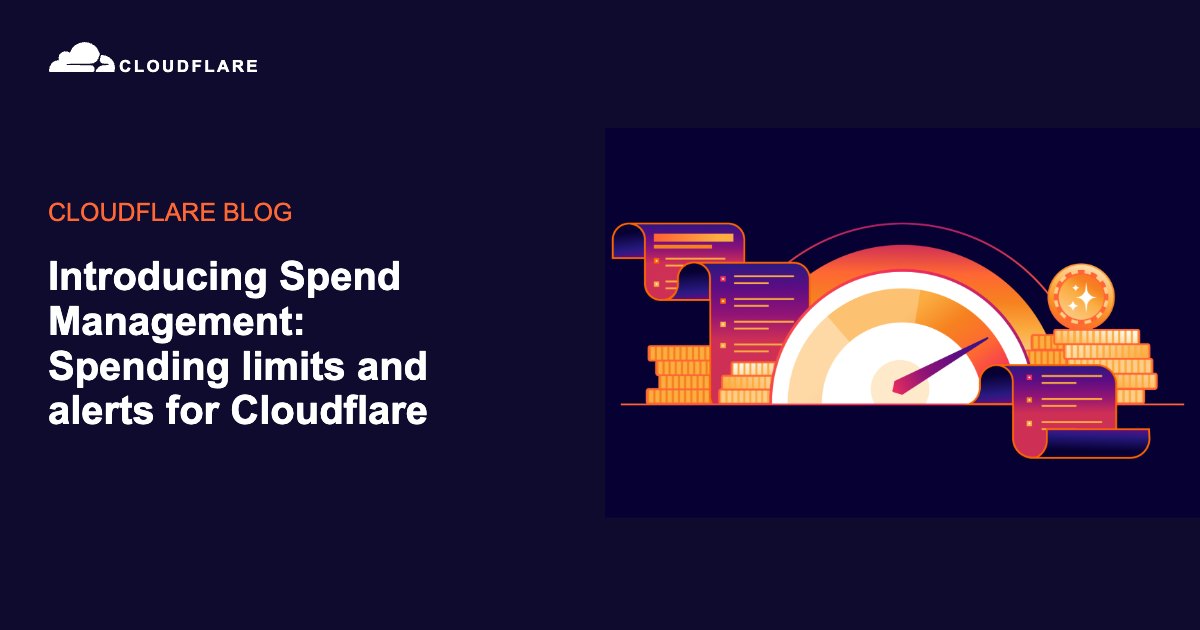
The platform sends alert messages to configured recipient email addresses both as spending approaches intermediate alert percentages and when the final spending limit triggers. These warnings enable operators to intervene before customer-facing serverless functions stop executing. The overview panel highlights how many warning alerts fired prior to the system enforcing a hard operational cutoff.
Administrators have three distinct operational pathways to restore paused services following an enforcement action. Teams can raise the spending limit above the billing cycle's current accumulated total, disable or delete the blocking policy entirely, or wait for the existing cycle to expire. Once a new billing cycle commences, the accumulated spend counter resets and paused workloads resume handling requests.
Advertisement
Tech Pulse Daily
Get tomorrow's pulse first
Join engineers who read Tech Pulse before stand-up. Free, weekday mornings.
03One-minute and five-minute aggregation pipeline
Every serverless execution generates discrete usage measurements across multiple dimensions, including total incoming requests, CPU execution time, wall-clock duration, and storage operations. Transporting millions of uncompressed billable events across Cloudflare's distributed edge directly to a central billing service would overwhelm network links and compute resources. Instead, Cloudflare routes raw data through a two-stage metering pipeline placed close to execution sources.
The initial pipeline stage reduces raw event volume at the parsing boundary down into one-minute time windows. Metering parsers ingest raw execution logs, translate them into uniform metrics, and combine matching records into local one-minute buckets. Even after this initial consolidation pass, multiple partial records can describe the identical customer account and measurement window across distributed servers.
A secondary background service merges those first-stage partial aggregates using identical grouping rules across five-minute windows. This secondary step significantly compresses data volume before transmitting measurements downstream into the core Usage Engine. Cloudflare simultaneously archives these consolidated five-minute aggregates into durable storage to support downstream accounting reconciliations and historical analytics.
04Usage Engine and account partition state
The Usage Engine processes compressed data by mapping product-specific measurements into standardized usage records. Each standardized record identifies the customer account, the relevant measurement window, the billing metric, the quantity consumed, and required operational dimensions. This standardization ensures downstream systems interpret disparate product meters through a unified schema.
Processing is partitioned strictly by customer account so usage records and subscription plans converge on the same processing node. This architectural segregation allows workers to calculate accumulated consumption and deduct plan allowances without coordinating across multiple distributed machines for every update. Independent partitions execute concurrently in parallel, distributing computational load across the infrastructure while isolating customer state.
Each partition maintains local memory state for rapid lookups alongside an on-disk write-ahead logging changelog. The write-ahead log guarantees system recoverability by enabling replacement worker processes to rebuild internal accounting state following hardware failures. Keeping account data isolated delivers consistent pricing evaluation, parallel processing capabilities, and complete independence between customer workloads.
05Rating Engine and independent update streams
The Rating Engine serves as the core financial evaluator within the Spend Management architecture. It answers how much money an account has spent by evaluating accumulated quantities, active subscriptions, and catalog pricing rules. The engine evaluates consumption figures against product catalogs defining per-unit rates, included tier allowances, and rounding parameters.
Usage metrics and subscription metadata arrive at the Rating Engine through separate, asynchronous streaming pipelines. Because webhooks or billing updates can suffer transient network delays, subscription events often arrive out of sequence relative to usage streams. When usage events precede subscription records, the engine flags records as pending rather than treating unrated consumption as free.
Once subscription context resolves, the engine calculates finalized financial balances and updates account-level spend totals. Spend Management operates alongside existing AI Gateway budgets, which enforce per-user and per-model limits on Workers AI and third-party inference requests. Cloudflare plans to extend automated spend policies across additional developer platform products beyond the initial Workers and Durable Objects rollout.
Spend Management FAQ
Which Cloudflare products currently support Spend Management limits?
Spend Management is available in beta for pay-as-you-go customers running Cloudflare Workers and Durable Objects. Cloudflare plans to add support for additional developer platform products soon.
What happens to a Worker when an account hits its configured spending cap?
Cloudflare enforces an automated usage block that pauses customer-code invocations that incur costs, including Queue consumer invocations and Cron Triggers. Static assets continue to be served without interruption.
How can administrators restore service after hitting a spending limit?
Service can be resumed by raising the spending limit above current accumulated spend, disabling or deleting the spend policy, or waiting for the next billing cycle when the block expires.
How quickly does Cloudflare evaluate usage and apply spending controls?
The dashboard displays billing cycle costs in near real time in under ten minutes. The pipeline aggregates usage across one-minute and five-minute windows before feeding account partitions and the Rating Engine.
Sources

Author
Dillip Chowdary
Writes Tech Bytes coverage of AI, engineering, and the tools that actually ship. Editor of Tech Pulse Daily.
Related on Tech Bytes
Advertisement