Nano Banana Polaroid Prompts: Vintage Instant Film Looks
Six Nano Banana Polaroid prompts — cafe instant, travel stack, night flash, letter still life, 1970s picnic, restore — with the example image on each.
By Dillip Chowdary • Aug 17, 2026 • 5 min read • Source: Google Keyword / Gemini

After figurines, the next Nano Banana search pile is instant film: “nano banana polaroid prompt,” “vintage polaroid gemini,” “photo restore prompt.” The model’s pitch is subject lock — the face stays, the emulsion changes. That is why Polaroid and restore prompts keep working when generic “make it aesthetic” prompts do not.
Each block below is a prompt we ran plus the example it produced. Use them on a real photo in Gemini. Then, if you want the physical object, write the note that belongs on the back of the print in the Vintage Letter generator, or push the same face into another decade with Past Forward.
How to run these in Gemini Nano Banana
Open the Gemini app or gemini.google.com, attach one clear photo (or two for the couple set), pick Nano Banana or Nano Banana Pro, paste the prompt, generate. Front-facing light, uncropped face or pet, no heavy filters. If identity drifts, add: “Keep the face / fur markings exactly as in the reference. Do not beautify.”
The prompts and examples
Cafe instant portrait
“Nano banana polaroid prompt” is the generic query. A thick white border plus a handwritten date is what Google users click.
Turn this photo into a slightly faded instant-film photograph. Thick white Polaroid-style border. Soft flash falloff, mild warm yellow color shift, light scratches on the emulsion. Handwrite today’s date in blue ink on the bottom white strip. Keep the face exactly the same. Photoreal analog look.
Copy the prompt. In Gemini, attach a clear photo, pick Nano Banana / Nano Banana Pro, paste, generate.
Travel Polaroid stack
Still-life stacks rank for “vintage polaroid prompt.” This one also tees up a handwritten letter — pair it with the Vintage Letter generator.
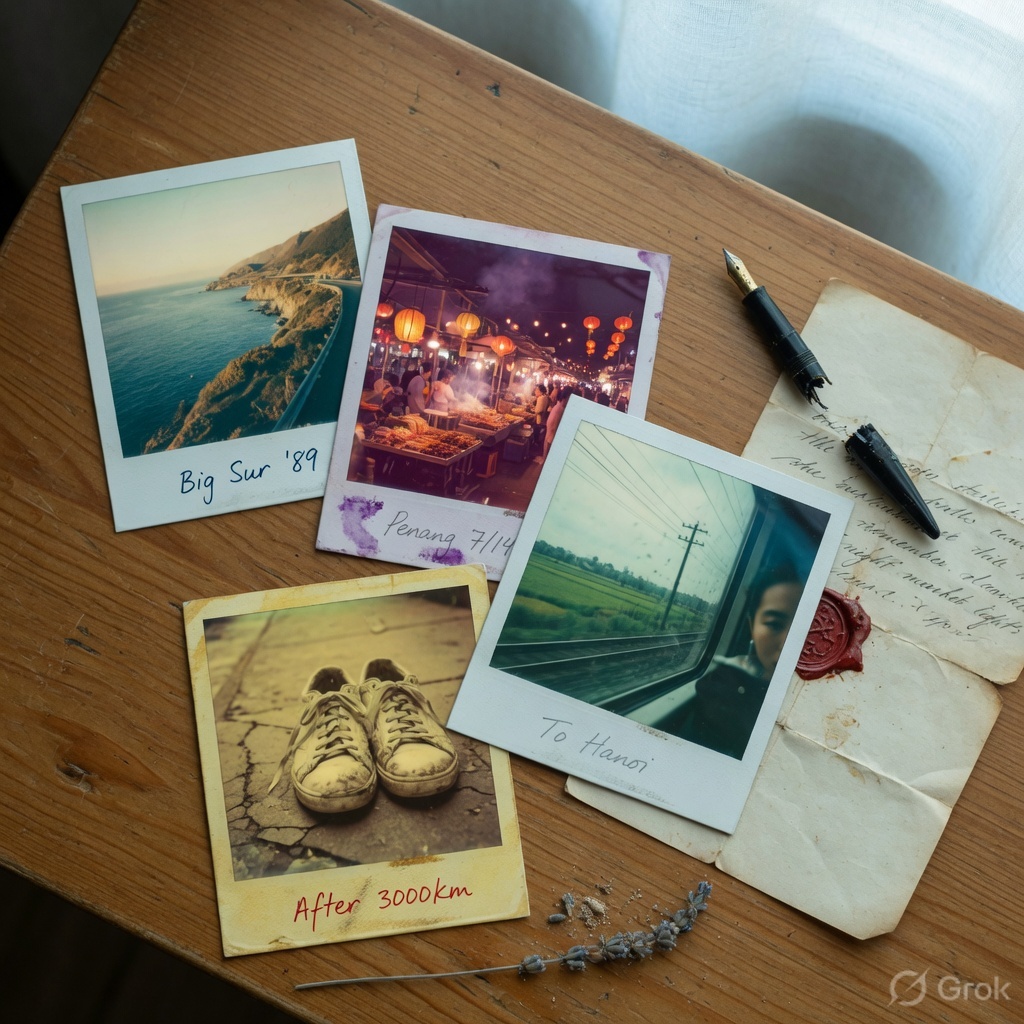
Create an overhead still life of four overlapping instant photos on a wooden table: a coastal road, a night market, a train window, worn sneakers. Each photo has a thick white instant-film border and a slightly different color cast. Place a fountain pen and a folded vintage parchment letter beside the stack. Soft window light.
Copy the prompt. In Gemini, attach a clear photo, pick Nano Banana / Nano Banana Pro, paste, generate.
Night flash Polaroid
On-camera flash + green shadows is the look people mean by “flash photo prompt.”
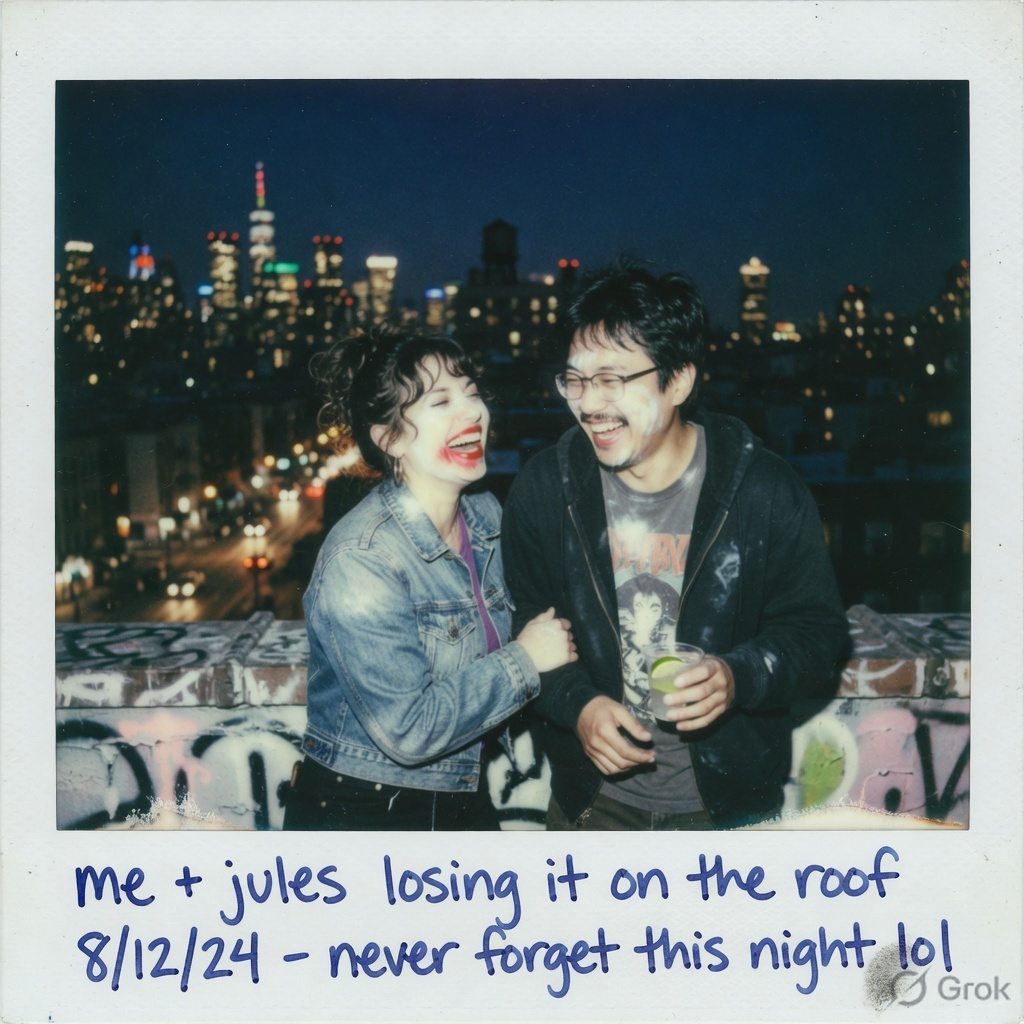
Turn this photo into an instant-film night shot. On-camera flash bleaching the foreground, dark city bokeh behind, greenish shadows. Thick white Polaroid border with a short handwritten note on the bottom strip. Keep faces the same. Photoreal film look.
Copy the prompt. In Gemini, attach a clear photo, pick Nano Banana / Nano Banana Pro, paste, generate.
Letter + Polaroid still life
This is the tool crossover: generate the film frame here, write the letter in the Vintage Letter Studio, shoot the pair on a desk.
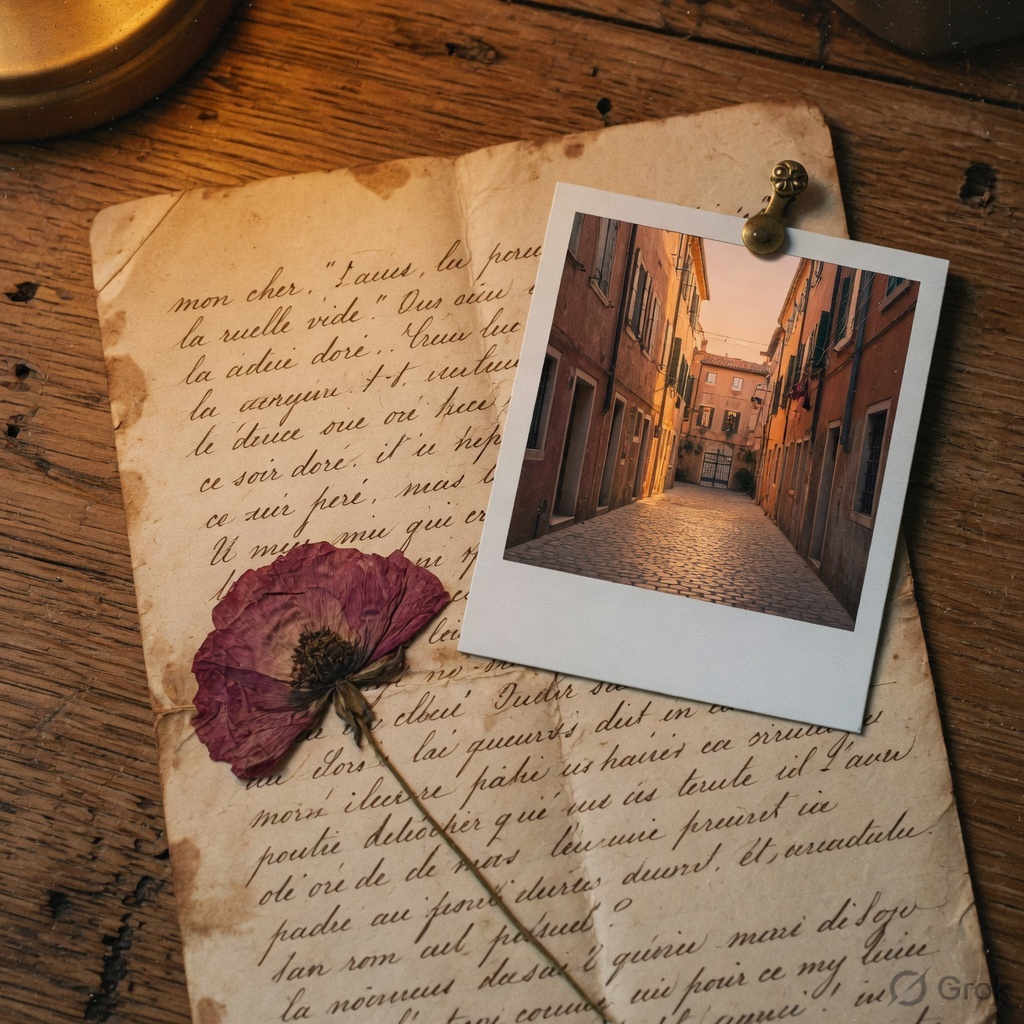
Photoreal still life on aged oak: an unrolled vintage parchment letter with elegant cursive as texture (not readable words), a dried flower, and one instant photo of an empty alley at golden hour clipped to the letter with a brass pin. Warm tungsten lamp, shallow depth of field, film grain.
Copy the prompt. In Gemini, attach a clear photo, pick Nano Banana / Nano Banana Pro, paste, generate.
1970s picnic Polaroid
Decade looks are the same search family as Past Forward. If you already have a restored decade photo, this prompt frames it as an object.
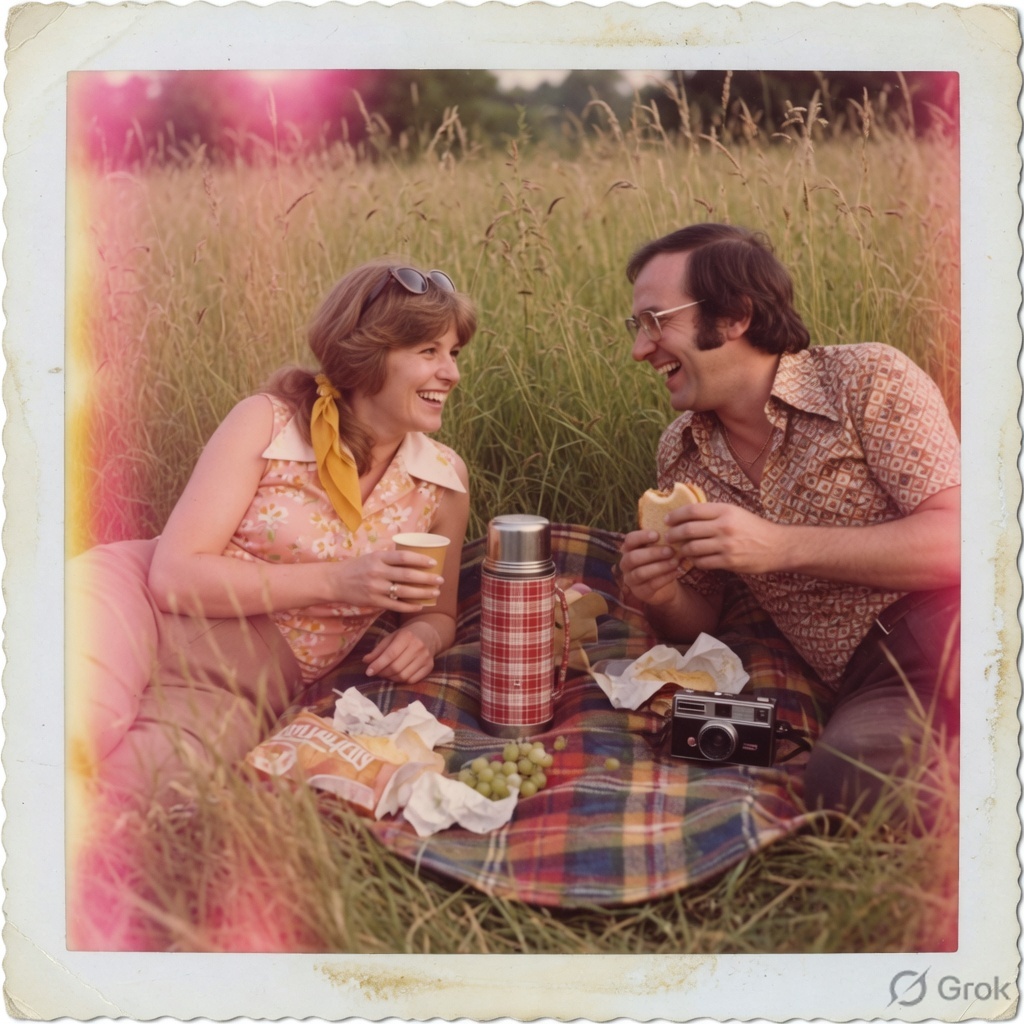
Turn this photo into a 1970s instant photograph. Picnic blanket in tall grass, plaid thermos, analog camera nearby. Faded magenta shadows, a light leak on the left edge, thick white border, slight handheld blur. Keep the real faces. Photoreal film look.
Copy the prompt. In Gemini, attach a clear photo, pick Nano Banana / Nano Banana Pro, paste, generate.
Restored-but-still-film portrait
“Nano banana photo restore” is its own query. The trick is lift damage without deleting the border.
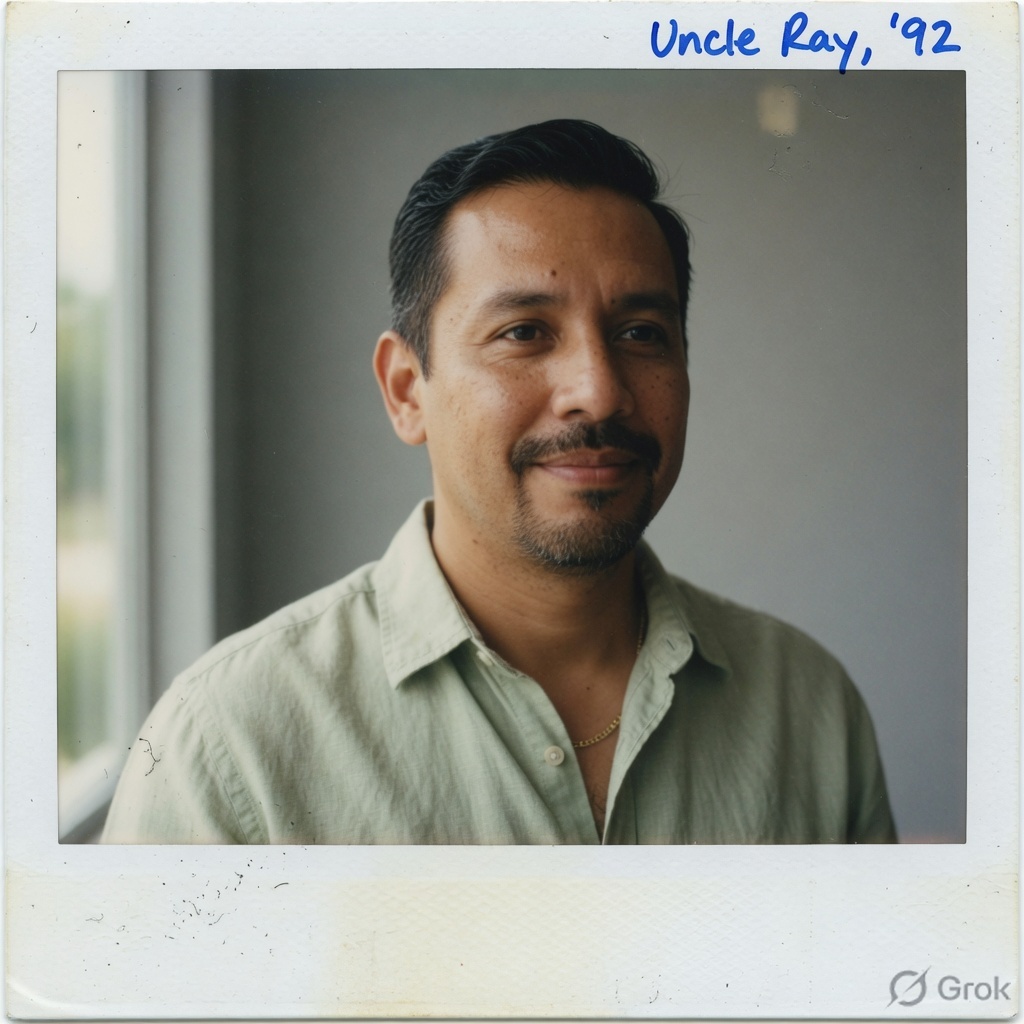
Restore this portrait: lift color, reduce scratches and dust, keep natural skin texture. Keep the white Polaroid border and a little softness so it still reads as instant film, not a plastic studio headshot. Window light from the left. Do not change the face, age, or hairline.
Copy the prompt. In Gemini, attach a clear photo, pick Nano Banana / Nano Banana Pro, paste, generate.
Advertisement
Tech Pulse Daily
Get tomorrow's pulse first
Join engineers who read Tech Pulse before stand-up. Free, weekday mornings.
Why Polaroid prompts still get clicked
A thick white border is a search thumbnail. Handwriting on the strip is a second keyword (“instant photo,” “written date”). Restore-without-killing-the-border is the third. Competitor posts from 2025–2026 all lead with those three. We kept the same structure and added the letter still-life because that is the asset our Vintage Letter tool already ranks for.
Restore versus restyle
Restore: lift scratches, keep identity, keep the border. Restyle: picnic leak, night flash, cafe yellow. Do not mix both in one prompt or you get a plastic headshot with a fake date. Two runs. Keep the better one.
A simple gift workflow
1) Polaroid prompt on a real photo. 2) Optional Past Forward decade pass if you want 1970s color, not just a border. 3) Write the letter that would have sat in the same envelope. That last step is the Vintage Letter Studio — it is the page that already brings most of our tool traffic. Do not replace that page. Use it.
Advertisement