Uh filter Claude Code plugin news update
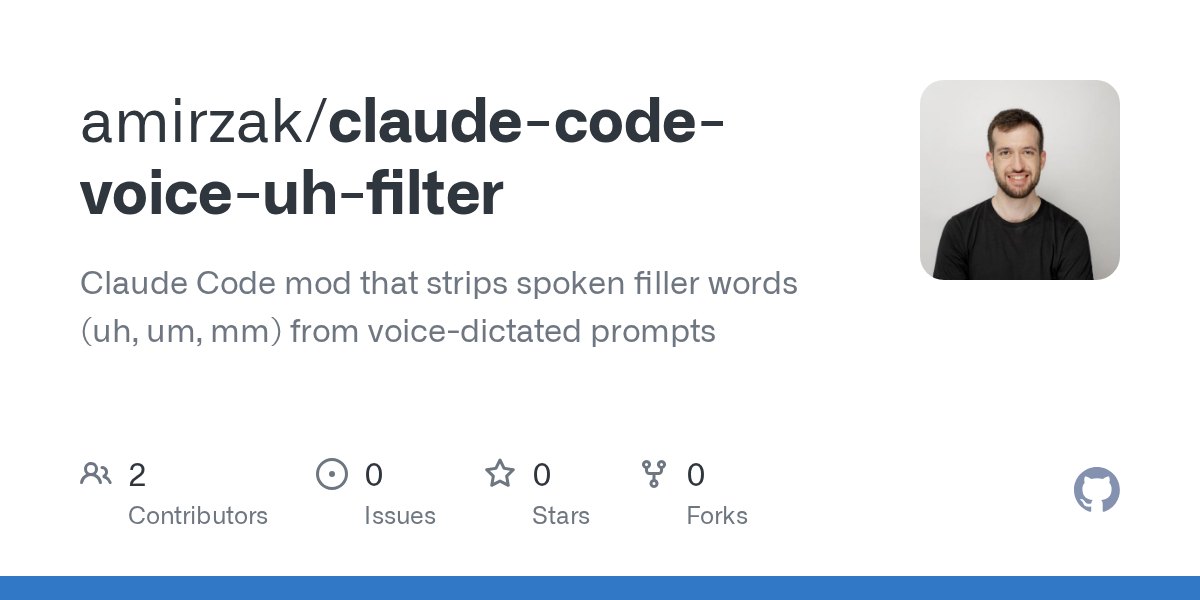
Developer Amir Zak released an open-source Claude Code plugin that removes conversational filler words from voice-dictated prompts before reaching the model.
By Dillip Chowdary • Oct 19, 2026 • Source: github.com
Developer Amir Zak released an open-source Claude Code modification that filters out conversational filler words and stuttered phrases from voice-dictated prompts before they reach the model, as detailed in github.com's report. The extension targets developers who dictate instructions directly into terminal and desktop sessions, stripping vocal artifacts such as trailing commas and repeated words without touching code or legitimate speech patterns.
This report examines the installation procedures, operational hooks, and filtering parameters built into the plugin. It serves engineers and technical writers who rely on speech-to-text dictation pipelines to control Claude Code, detailing what the tool alters in the prompt buffer, what it deliberately protects, and how it handles cross-plugin interactions.
What shipped in Uh filter Claude Code plugin news update
The release packages a dedicated mod for Claude Code that removes spoken filler words including uh, um, uhm, erm, hmm, and mm, along with any trailing commas attached to them. In addition to single-word vocal fillers, the extension identifies and strips accidental stutter repeats such as "check check" or "where you where you" before the final prompt payload transmits to the underlying model.
Architecture-wise, the mod operates as a single hooks module located in hooks/register.ts, implementing prompt.submit and prompt.edit lifecycles under the MIT license. In terminal environments, text dictated or pasted directly into the input buffer gets cleaned immediately upon arrival, and typing a space after any manual filler causes that token to vanish from the screen.
What improved in Uh filter Claude Code plugin news update
The update replaces raw, error-prone voice dictation transcriptions with automated sanitation rules that discriminate between vocal pauses and actual source code. It leaves untouched words containing filler substrings like album or uh-huh, preserves standard double-word constructions such as "that that" or "had had", skips slash commands, and protects all contents enclosed within backticks or code blocks.
| Feature or Pattern | Before Mod | After Mod |
|---|---|---|
| Filler tokens (uh, um, erm, hmm, mm) | Passed raw to model | Stripped on space or submit |
| Stutter repeats ("check check") | Retained in prompt | Removed automatically |
| Protected tokens ("album", "that that") | Handled as standard text | Preserved without edits |
| Backtick syntax and code blocks | Requires manual review | Protected from sanitation |
| Desktop app cleanup | Unmanaged | Sanitized on submit |
The dual-hook setup also refines interaction across tooling by letting prompt.submit intercept programmatic requests made by companion plugins through $.prompt.submit calls. The cleanup operates locally without reading disk files, executing external commands, or sending telemetry across the network, while desktop users receive identical sanitation triggered at send time.
What you gain from Uh filter Claude Code plugin news update
Advertisement
Tech Pulse Daily
Get tomorrow's pulse first
Join engineers who read Tech Pulse before stand-up. Free, weekday mornings.
Developers using dictation tools gain cleaner context windows by eliminating conversational noise before queries enter Claude Code execution flows. Because the prompt box eliminates fillers in real time, programmers avoid the repetitive friction of manually backspacing through transcribed vocal hesitations or cleaning up accidental voice transcription artifacts from dictation software.
At the same time, users retain precise manual control over prompt phrasing by wrapping intentional filler words in backticks when a literal "um" is required. System stability remains preserved during multi-tool workflows because internal prompts that Claude Code issues automatically bypass the sanitation filter entirely, preventing accidental corruption of tool-calling instructions.
How to get Uh filter Claude Code plugin news update
Terminal users can install the plugin directly from inside an active Claude Code session prompt by pointing to the repository marketplace.
/plugin install uh-filter --marketplace amirzak/claude-code-voice-uh-filterDevelopers preferring standard shell command lines can invoke the plugin installation through the claude binary.
claude plugin install uh-filter --marketplace amirzak/claude-code-voice-uh-filterIn the desktop application, users click the plus symbol located beside the prompt box, navigate to Plugins, enter amirzak/claude-code-voice-uh-filter under Add marketplace, and select Add plugin. Contributors testing local modifications can validate, test, or launch the plugin using standard CLI development flags.
claude plugin validate .
claude plugin test .
claude --plugin-dir .
What to watch after Uh filter Claude Code plugin news update
Adopters should observe how the prompt interface behaves across different terminal emulators and desktop operating systems when pasting large prose segments. While terminal sessions scrub fillers instantly as text lands or spaces are entered, desktop app users should account for the interface constraint where prompt text remains untouched visually until the send action executes.
Developers integrating multiple plugins should also verify prompt workflows when using custom hooks or automated agents. Because third-party extensions routing text through $.prompt.submit inherit the voice filter, development teams should confirm that programmatic submissions containing backtick syntax properly protect intentional duplicate words or technical identifiers from unexpected stripping.
Developer Action Items
- ☐ Diff the official changelog for Claude / GitHub before you bump — APIs, defaults, and removed flags only.
- ☐ Install through the vendor's documented channel in staging; keep a one-command rollback and time-box the canary.
- ☐ Grep your repo for old flag names, lockfile pins, and plugin versions that the notes mark as breaking.
- ☐ Prefer the first patch cut over the day-zero tag unless you have a reason to be on the leading edge.
- ☐ If HN Claude/Codex/Fable did not name a region, plan, or SKU, screenshot the official availability line before you promise it to users.
Uh filter Claude Code plugin news update FAQ
How does the plugin handle code snippets and literal words like album?
The filter ignores text inside backticks, fenced code blocks, pasted code, slash commands, and words containing filler syllables like album or legitimate doubles like had had.
Can the voice filler filter be used in the desktop application?
Yes, desktop users can install it through the UI plugin menu, though text cleanup occurs upon sending rather than in real time in the prompt box.
Does the extension transmit prompt data to external servers?
No, the plugin reads no files, executes no commands, and sends no data anywhere outside the local environment.
Sources

Author
Dillip Chowdary
Writes Tech Bytes coverage of AI, engineering, and the tools that actually ship. Editor of Tech Pulse Daily.
Related on Tech Bytes
Advertisement