watchOS 27.3 adds new Apple Watch feature that I absolutely love
Apple released watchOS 27.3 beta alongside iOS 27.3, adding Audio Intelligence tools like Siri Recap exclusively to Apple Watch Series 12 and Ultra 4 models.
By Dillip Chowdary • Nov 07, 2026 • Source: 9to5Mac
Apple released the developer beta of watchOS 27.3 alongside iOS 27.3, introducing Audio Intelligence tools to its wearable lineup after first announcing them at its September keynote. As detailed in 9to5Mac's report, the update delivers two hardware-exclusive capabilities, Siri Recap and Live Rewind, built for Apple Watch Series 12 and Apple Watch Ultra 4 models. The release marks the practical debut of ambient conversational indexing on watchOS, using Apple Intelligence to summarize spoken dialogue throughout daily activities without capturing continuous raw audio files on user devices.
This technical overview analyzes the architecture, privacy safeguards, upgrade steps, and compatibility constraints of watchOS 27.3 for software engineers, systems builders, and wearable technology enthusiasts. The addition of background conversation logging changes how wearable operating systems handle contextual recall across connected devices. The following sections evaluate how ambient summarization functions during daily routines, detail data retention and deletion policies, outline developer upgrade workflows, and review hardware boundaries ahead of Apple's wider consumer launch.
What WatchOS 27.3 shipped
The central addition in watchOS 27.3 is Siri Recap, an Audio Intelligence feature designed to track and summarize spoken discussions during everyday tasks. Operating in the background, the feature ambiently takes notes on conversations throughout the user's day and generates high-level Apple Intelligence summaries accessible in the Siri application. Alongside Siri Recap, the beta release introduces Live Rewind, delivering the second exclusive capability announced at Apple's September hardware presentation. Both tools utilize device-side intelligence to capture key conversational context without requiring wearers to touch their smartwatches or issue voice prompts to start transcription.
During initial tests following Tuesday's beta launch, the system displayed high accuracy when documenting specific facts from casual discussions. In practical evaluations, the summarization engine recorded the precise dimensions of a table runner discussed while shopping for Christmas decorations, preserving details the wearer had missed in conversation. The tool also tracked breakfast music requests made by family members on a HomePod, appending the song titles to that day's recap list. Apple mitigates privacy risks by ensuring recaps automatically delete after seven days unless explicitly saved, while completely prohibiting the storage or recording of raw audio.
What changed for builders in WatchOS 27.3
For software engineers and system builders, watchOS 27.3 implements a managed framework for ambient conversational intelligence that operates under strict on-device privacy boundaries. The system converts ambient dialogue directly into structured text summaries without saving audio streams to device storage or cloud infrastructure. Furthermore, the processing pipeline excludes speaker attribution and prevents the recording of sensitive details, such as financial records, authentication credentials, or personal identifiers. Developers working on wearable productivity tools must adapt to these guardrails, recognizing that applications cannot inspect raw acoustic data or bypass system-level summarization filters.
| Metric or Accessory | Baseline Specification | WatchOS 27.3 or Fall Hardware | Operational Difference |
|---|---|---|---|
| AirPods Pro 3 Promotional Price | $249 | $199 | -$50 price drop |
| Recap Auto-Delete Timeline | Indefinite history | Up to 7 days | Automatic purge unless saved |
| Audio File Storage | Temporary cached audio | 0 audio bytes recorded | No audio stored or recorded |
| Audio Intelligence Phase | September keynote preview | Beta debuted Tuesday | Active developer testing |
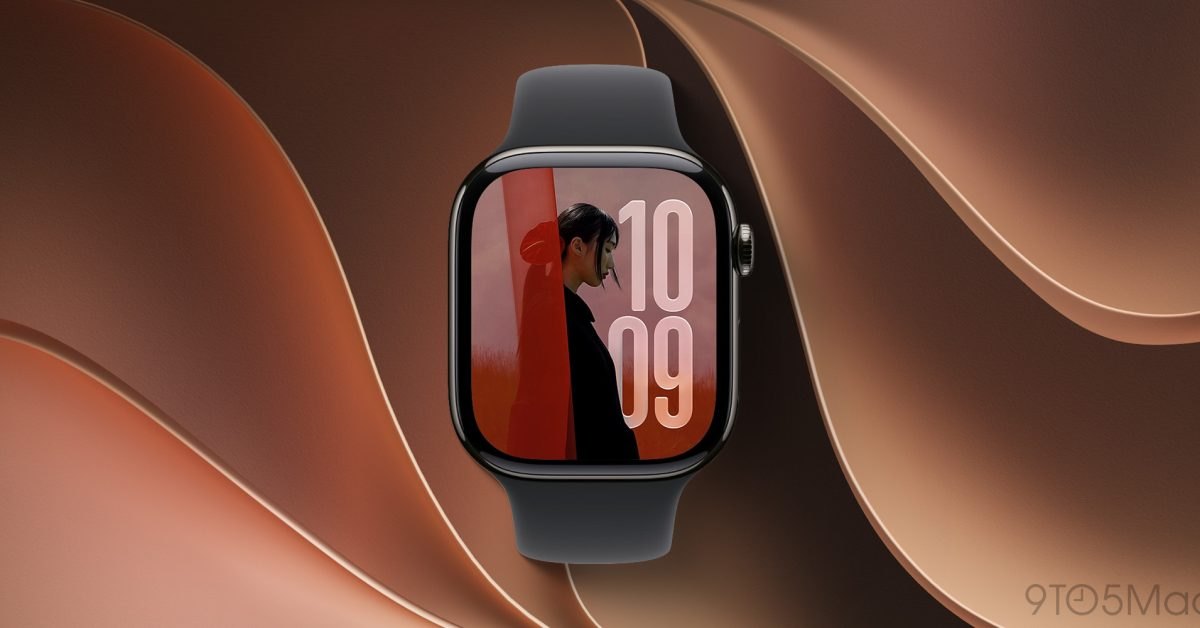
The architecture also introduces a shift toward passive episodic memory instead of reactive assistant interactions. Rather than relying on explicit wrist raises or wake words, the Apple Watch Series 12 and Ultra 4 passively evaluate ambient discussions to present organized context in the Siri app. Because the feature functions as an opt-in utility with customizable location and time exclusions, engineers cannot rely on unbroken conversational records. Integration pipelines must handle episodic gaps cleanly whenever wearers enter restricted physical spaces or toggle ambient listening off.
Advertisement
Tech Pulse Daily
Get tomorrow's pulse first
Join engineers who read Tech Pulse before stand-up. Free, weekday mornings.
How to install or upgrade WatchOS 27.3
Upgrading to watchOS 27.3 requires a paired iPhone running the matching iOS 27.3 developer beta, which arrived alongside the wearable update on Tuesday. Developers must enroll their Apple ID in the developer program, install the iOS 27.3 beta profile on the companion phone, and navigate to Software Update within the Apple Watch app. The wearable device must maintain at least a fifty percent battery charge, sit securely on its magnetic charger, and stay within wireless range of the iPhone while the operating system downloads and installs.
# Verify paired Apple Watch connection and install beta package
xcrun devicectl list devices
xcrun devicectl device install app --device "Apple Watch Series 12"# Software update check on connected host environment
softwareupdate --list
softwareupdate --install --allDevelopers using automated command-line scripts to configure testing devices can inspect connected hardware using the tools shown above. After completing the operating system installation, testers should access the Watch app on iOS to confirm that developer beta channels are active. Once the device boots into watchOS 27.3, open the Siri preferences menu to manually enable Siri Recap, as the operating system keeps the feature disabled by default until the user explicitly grants permission to begin note-taking.
Gotchas and compatibility in WatchOS 27.3
The primary constraint of watchOS 27.3 is its strict hardware exclusivity, which limits Siri Recap and Live Rewind to the Apple Watch Series 12 and Apple Watch Ultra 4 released in the fall. Wearers with older hardware, such as the Apple Watch Series 11 or Ultra 2, cannot run either Audio Intelligence feature despite upgrading to watchOS 27.3. The requirement reflects the heavy computational footprint of background natural language summarization, which relies on the dedicated neural processing units built into Apple's latest generation of wearable silicon.
The always-listening nature of Siri Recap introduces distinct practical and environmental trade-offs that teams must navigate. Continuous microphone monitoring raises understandable user concerns about ambient surveillance, prompting Apple to provide opt-in activation, scheduled blackout periods, and location-based deactivation controls. Real-world testing shows that while the summarization model accurately captures domestic conversations and ambient music, it can also index unintended details from background discussions. Builders must account for the default seven-day expiration rule, ensuring vital conversation points are saved before automatic deletion occurs.
What to watch after WatchOS 27.3
During the watchOS 27.3 beta phase, industry observers will monitor how Apple refines sensitivity thresholds to avoid recording private conversations in sensitive settings. Initial testing revealed zero leaks of financial or identifying data, but enterprise environments will demand granular controls to restrict ambient recording across corporate buildings. Observers will also track whether Apple opens background Audio Intelligence hooks to third-party software, enabling independent productivity apps to integrate daily conversational recaps rather than limiting data access exclusively to the first-party Siri application interface.
The introduction of ambient conversational summarization marks a significant progression in wearable utility across the watchOS 27 and iOS 27.3 ecosystem. Users adopting the technology will monitor how continuous processing impacts daily battery life, potentially pairing watches with accessories like portable USB-C chargers, MagSafe car mounts, or Nightstand Mode charging docks. As Apple gathers tester feedback ahead of public release, subsequent beta builds will clarify how effectively the operating system balances ambient acoustic awareness with device efficiency, privacy constraints, and cross-device HomePod connectivity.
Developer Action Items
- ☐ Diff the official changelog for Apple / Framework / iOS 27.3 before you bump — APIs, defaults, and removed flags only.
- ☐ Install through the vendor's documented channel in staging; keep a one-command rollback and time-box the canary.
- ☐ Grep your repo for old flag names, lockfile pins, and plugin versions that the notes mark as breaking.
- ☐ Prefer the first patch cut over the day-zero tag unless you have a reason to be on the leading edge.
- ☐ If 9to5Mac did not name a region, plan, or SKU, screenshot the official availability line before you promise it to users.
WatchOS 27.3 FAQ
Which Apple Watch models support Siri Recap in watchOS 27.3?
Siri Recap is exclusive to the Apple Watch Series 12 and Apple Watch Ultra 4 running watchOS 27.3 alongside a paired iPhone on iOS 27.3.
How long does Siri Recap keep daily conversation summaries?
Summaries in Siri Recap automatically delete after up to 7 days unless the user explicitly chooses to save them.
Does Siri Recap record or store continuous audio?
No audio is recorded or stored, and the system operates without speaker attribution or logging sensitive financial, authentication, or identifying data.
Can Siri Recap be turned off in specific locations?
Yes, Siri Recap is strictly opt-in and includes settings to automatically disable ambient note-taking during designated times or in specific locations.
Sources

Author
Dillip Chowdary
Writes Tech Bytes coverage of AI, engineering, and the tools that actually ship. Editor of Tech Pulse Daily.
Related on Tech Bytes
Advertisement